NMC-WOLLARD 2021Truax Blvd., Eau Claire, WI 54703, Phone (715) 835-3151, Fax (715) 835-6625
M140 Tow Tractor Manual No. 46054
PAGE 5-112
CHAPTER 5 MANUFACTURER’S INFORMATION
20
NexSysLink
®
2" Stand-Alone CAN Display Operation Manual SAE J1939
© 2011 Beede Electrical Instrument Co., Inc.
• Mute
The instrument is equipped with an internal audible device to alert users when a Fault, Warning or
Alarm condition occurs� Pressing the Enter switch after a Fault, Warning or Alarm condition occurs
either temporarily or permanently mutes the audible device for that condition depending upon the
setting of Mute Audio Alarm, Main Menu-Mute Audio Alarm�
Note: Regardless of the Mute Audio Alarm setting, the rst occurrence of a Fault, Warning or Alarm
condition always activates the audio alarm� Subsequent occurrences of the same Fault, Warning or
Alarm condition is controlled by the Mute Audio Alarm setting�
If an external audible device is connected to the switched output pin 3 of the connector, the device is
muted as well� For muting external devices, see "Alarm Output" on page 32�
Mute Audio Alarm - Permanent setting turns o the audible device for subsequent occurrences of the
specic Fault, Warning or Alarm�
Mute Audio Alarm - Temporary setting disables the audible device for twenty seconds�
Faults are muted for 20 seconds� Warnings and Alarms are muted for 2 minutes� Faults are muted
for a shorter period of time because they are considered critical conditions that require immediate
attention� A Fault condition sounds a steady audible tone while Warning and Alarms conditions sound
an intermittent audible tone�
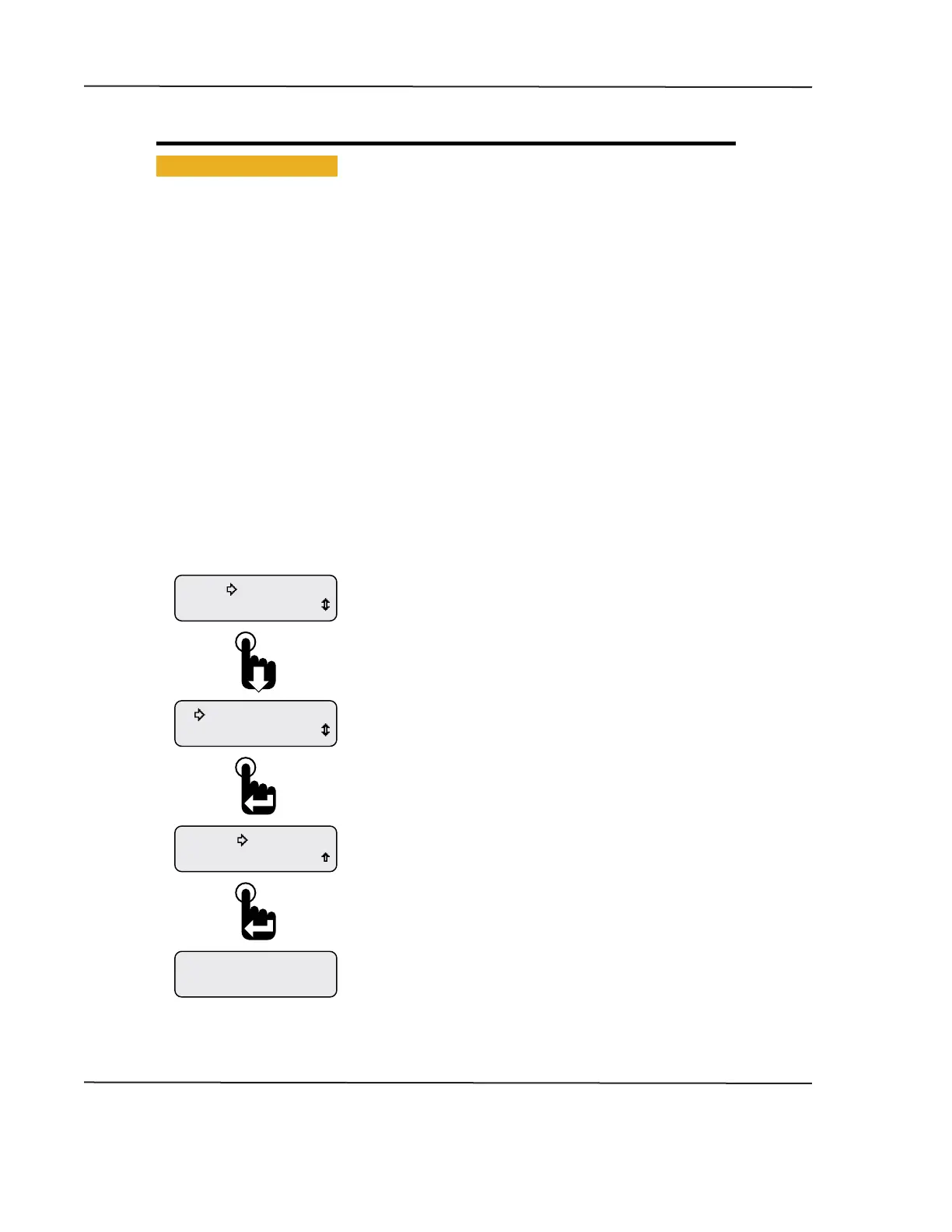
Figure 1-19: Muting Faults, Warnings & Alarms
Engine Hours
1049.3
Exit
Setup
Mute-Temporary
Mute Audio Alarm
Alarms
Last displayed CAN parameter appears.
Engine Hours parameter shown as an example only.
After setting the mute status, scroll down to the Exit option then
press the Enter switch to return to the last displayed CAN parameter
or simply wait 30 seconds for the last displayed CAN parameter
to appear.
When the selection arrow cursor is placed next to the
Mute Audio Alarm option, the name changes to Mute and the
current state, i.e., Mute-Temporary or Mute-Permanent.
Pressing the Enter switch toggles between the two settings.
The setting is automatically saved once changed.
From the Main Menu, scroll to place the selection arrow cursor
next to the Mute Audio Alarm option, Main Menu-Mute Audio Alarm.
CAN DISPLAY MANUAL
OCTOBER 01, 2015



 To Next Page