NMC-WOLLARD 2021Truax Blvd., Eau Claire, WI 54703, Phone (715) 835-3151, Fax (715) 835-6625
M140 Tow Tractor Manual No. 46054
PAGE 5-115
CHAPTER 5 MANUFACTURER’S INFORMATION
23
NexSysLink
®
2" Stand-Alone CAN Display Operation Manual SAE J1939
© 2011 Beede Electrical Instrument Co., Inc.
• Setting Units
Users may select to display CAN parameters in either English or SI-Metric units�
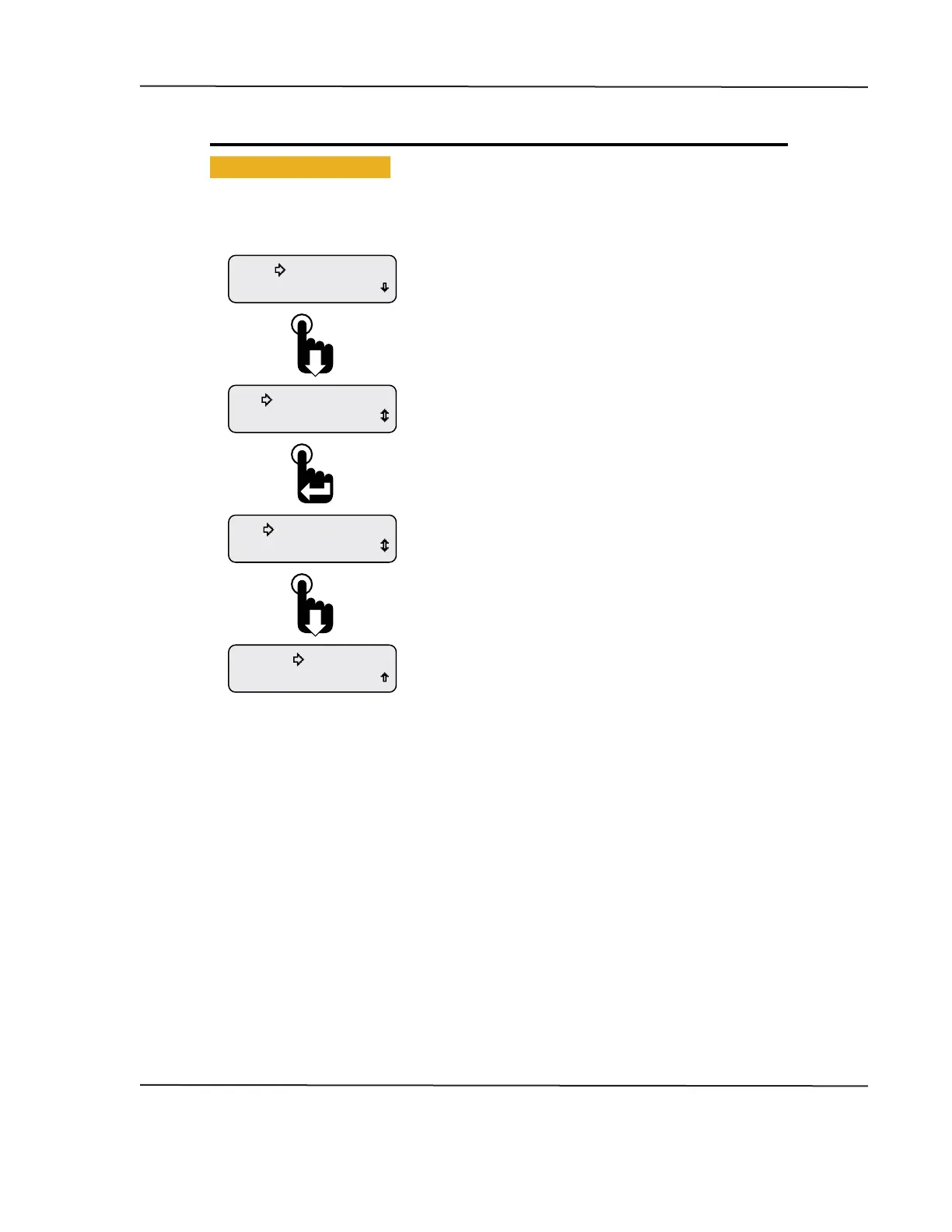
Figure 1-22: Setting Units
Exit
Popup
Units-Metric
Popup
Units-English
Units
Backlight
Scroll down to the Exit option and press the Enter switch or
wait 30 seconds for the last displayed CAN parameter to appear.
Pressing the Enter switch toggles the units to Metric.
Press the Enter switch to toggle the units back to English.
When the selection arrow cursor is placed next to the
Units option, the name changes to Units and the current
setting, i.e., Units-English or Units-Metric.
Pressing the Enter switch toggles between the two settings.
The setting is automatically saved once changed.
From the Setup menu, scroll to place the selection arrow
cursor next to the Units option, Main Menu-Setup-Units.
CAN DISPLAY MANUAL
OCTOBER 01, 2015



 To Next Page