NMC-WOLLARD 2021Truax Blvd., Eau Claire, WI 54703, Phone (715) 835-3151, Fax (715) 835-6625
M140 Tow Tractor Manual No. 46054
PAGE 5-105
CHAPTER 5 MANUFACTURER’S INFORMATION
13
NexSysLink
®
2" Stand-Alone CAN Display Operation Manual SAE J1939
© 2011 Beede Electrical Instrument Co., Inc.
• Enabling/Disabling Alarms
Alarms-Enabled/Disabled turns on or o notication when an alarm condition occurs� This function
does not delete alarms or their settings from the alarm list�
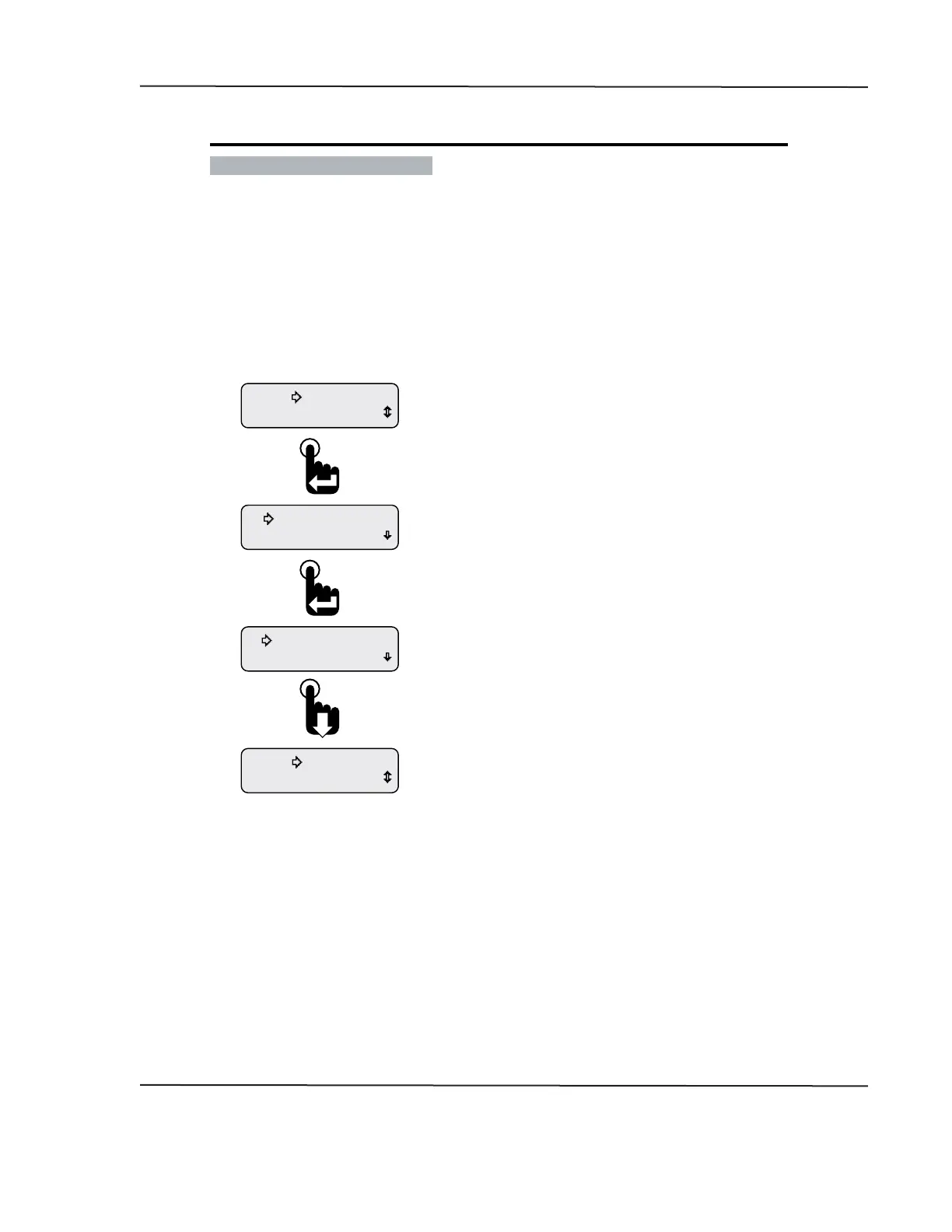
Enabling or disabling alarms is a toggle function� When the Alarm menu is opened the current setting,
enabled or disabled, is shown� To change the current setting, simply press the Enter switch�
To protect against operating the vehicle unaware of potentially damaging conditions, always use
caution when deciding to turn o alarm notication�
Figure 1-11: Enabling/Disabling Alarms
Exit
Return
View Alarms
Alarms-Disabled
View Alarms
Alarms-Enabled
Mute Audio Alarm
Alarms
Scroll down to place the selection arrow cursor next
to the Return option then press the Enter switch
to leave the Alarms menu and return to the Main Menu.
Scroll down to place the selection arrow cursor next
to the Exit option then press the Enter switch to
leave the Alarms menu and view the last displayed
CAN parameter.
After pressing the enter switch, Alarms-Disabled appears.
Pressing the Enter switch a second time will toggle back
to Alarms-Enabled.
Depending upon the previous conguration of the instrument,
the Alarms menu appears with either Alarms-Enabled or
Alarms-Disabled as the current setting.
This screen shows the instrument’s current alarm conguration
as enabled. Pressing the Enter switch toggles to Alarms-Disabled.
From the Main Menu, scroll to place the selection
arrow cursor next to the Alarms option.
Press the Enter switch to open the Alarms menu.
CAN DISPLAY MANUAL
OCTOBER 01, 2015



 To Next Page