ACCESS GATEWAY
System Administration 205
Adding a Port-Location Assignment
This procedure shows you how to add a port-location assignment. If you want to update an
existing assignment, go to Updating a Port-Location Assignment.
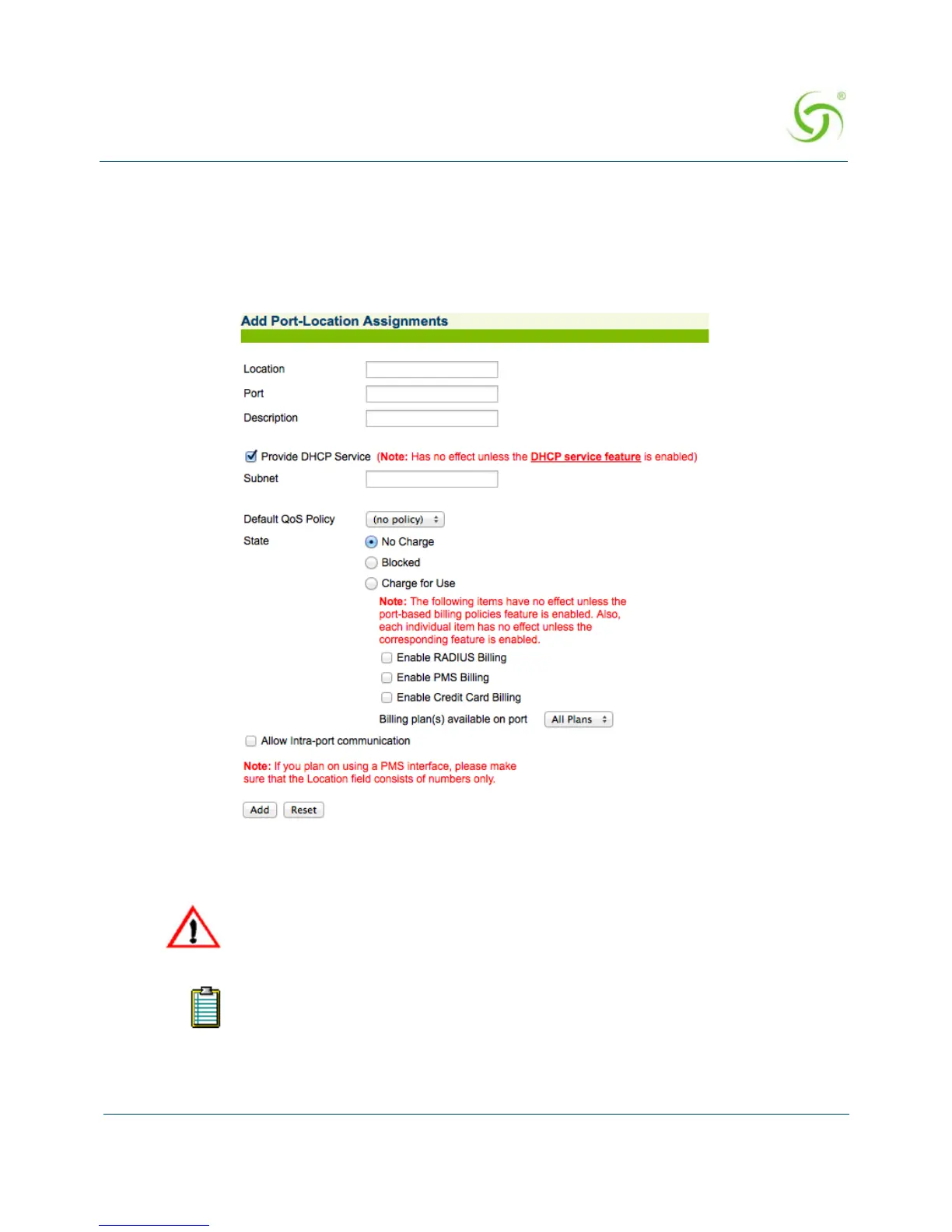
1. From the Web Management Interface, click on Port-Location, then Add. The Add Port-
Location Assignments screen appears:
2. Enter a location identifier in the Location field. Locations can be assigned as an alpha,
numeric, or alpha-numeric value unless a PMS interface is used (see note).
3. In the Port field, enter the port (the VLAN ID when using 802.1Q 2-way).
If you are using a PMS interface, ensure that the “Location” field consists only
of numbers (no alpha characters or symbols).
All alpha characters (used for locations and descriptions) are case-sensitive.



 To Next Page