2.3 INSTALLATION OF THE HARDWARE
This paragraph provides the information necessary to make the connections.
WARNING! Once the power cord has been connected, the Explor@ system is ready for use.
All the following connections, except for the power supply, are optional.
2.3.1 Rear panel
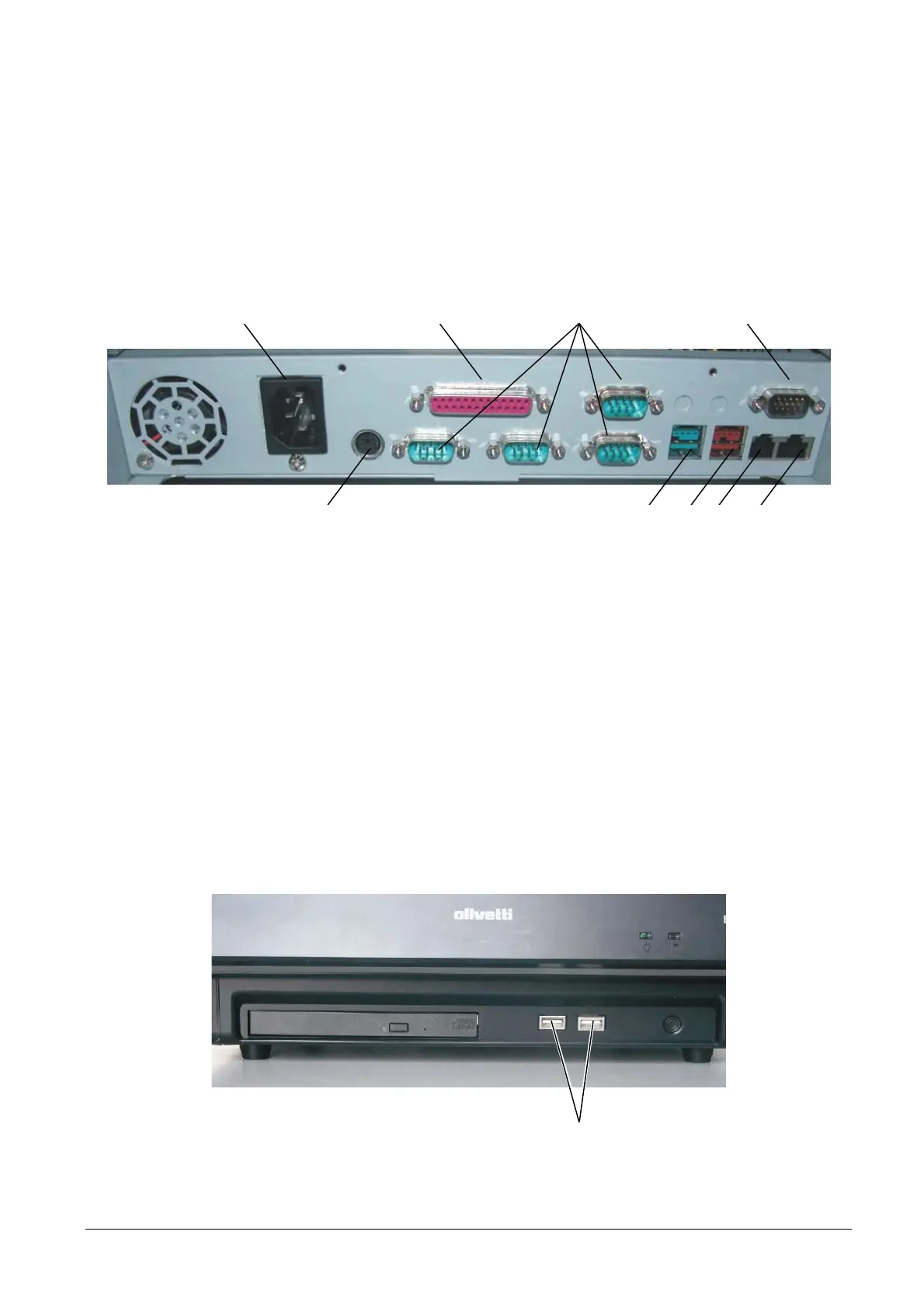
9 21 3
4 87 6 5
Figure 2-1
1. Connect the parallel cable of a printer
2. Connect a serial peripheral
3. Connect video TFT – LCD 10”/12”
4. Connect a Keyboard or Mouse
5. Connect a USB 12V peripheral
6. Connect a USB 24V peripheral
7. Connect one or two Epson Standard cash drawers
8. Connect the LAN
9. Connect the power cord
2.3.2 Front panel
Figure 2-2
1
1. Connect a USB peripheral (optional).
2-2 XZAC4074



 To Next Page