2.5 INSTALLATION OF THE BADGE READER (FIELD OPTION)
Two types of badge reader are available: PS/2 and Rs-232. The system automatically recognizes the type of
reader installed and no modifications of system setting are necessary.
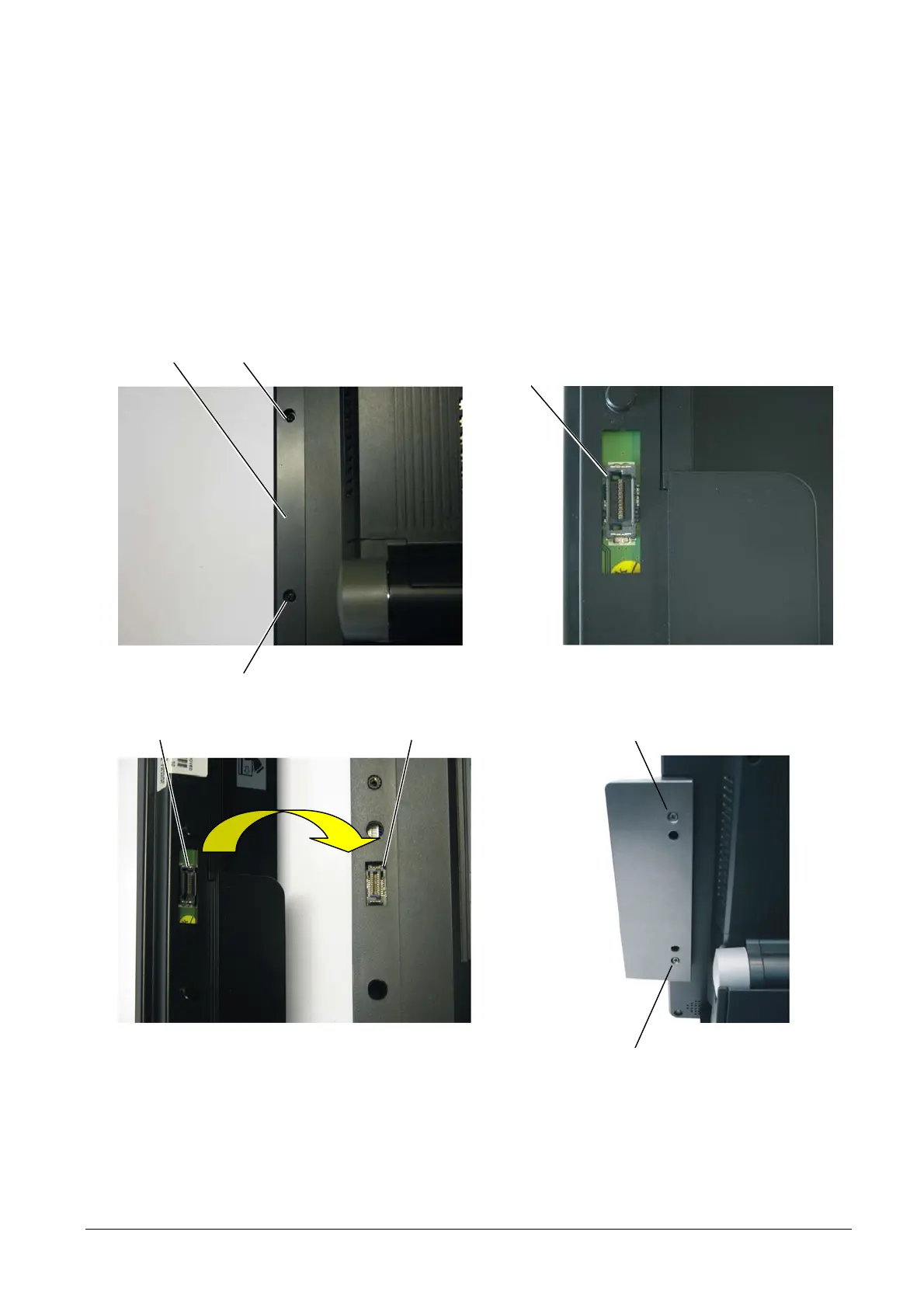
To assemble the badge reader, proceed as follows:
• Loosen screws A and remove cover B.
• Connect connector C of the module to connector D on the Explor@ system.
• Fasten the badge reader to the base module using screws E.
Figure 2-4
Figure 2-5
A
A
B
C
A
E
EDC
The RS-232 type badge reader is connected to the system on COM port6.
Correct functioning of the device can be tested using the “Test Program” on the driver installation CD.
2-4 XZAC4074



 To Next Page