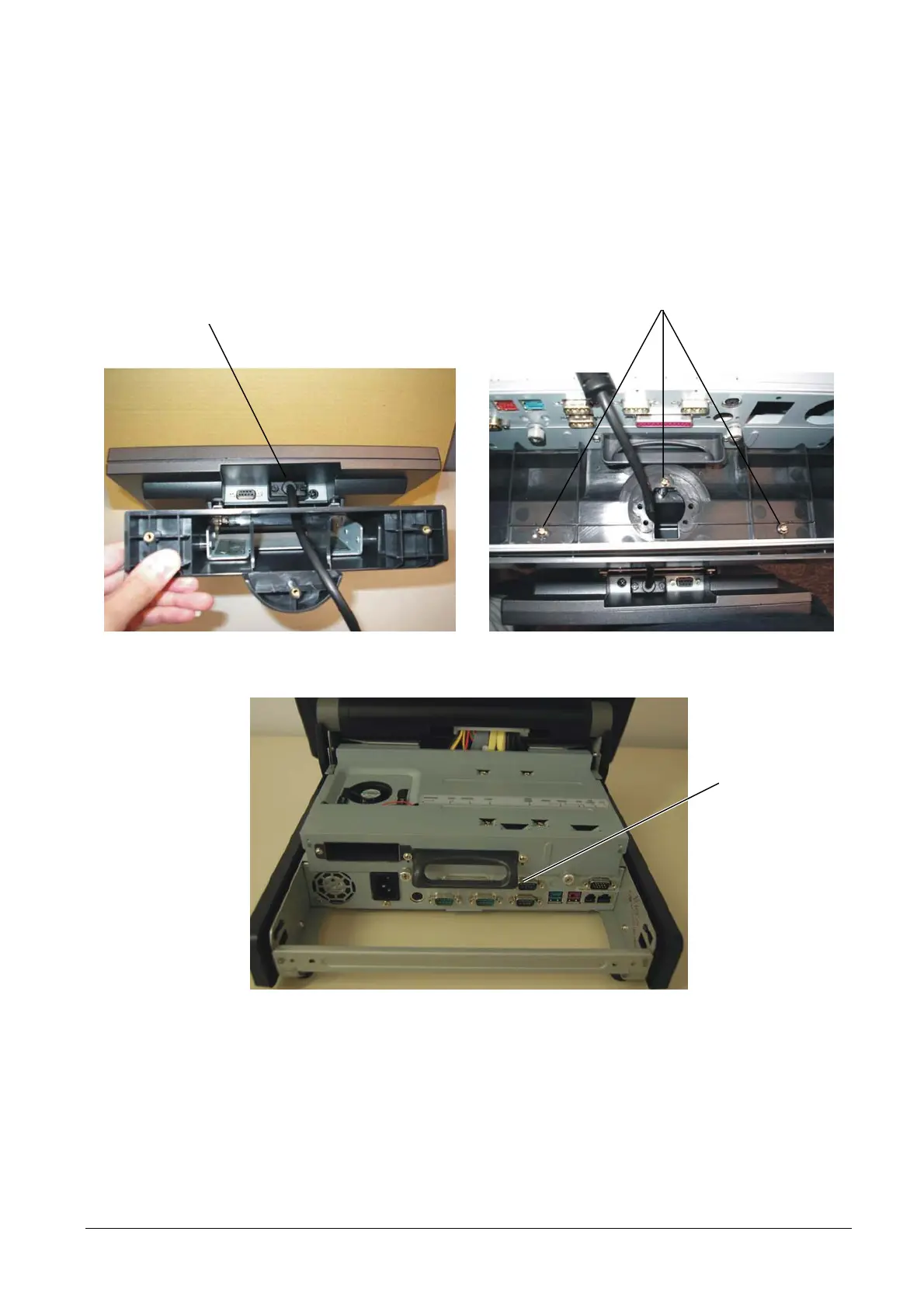
2.6 INSTALLATION OF THE SECOND DISPLAY (FIELD OPTION)
• Connect cable VGA A to the second display.
• Fasten the second display using screws B.
• Connect the VGA cable C to the base module.
B
A
Figure 2-6
C
Figure 2-7
After installing the device, check the setting of the COM port used. Refer to the description of the jumpers in
the previous chapter.
Correct functioning of the device can be tested using the “Test Program” on the driver installation CD.
XZAC4074 Service Manual 2-5



 To Next Page