3.10 REPLACEMENT OF THE CPU
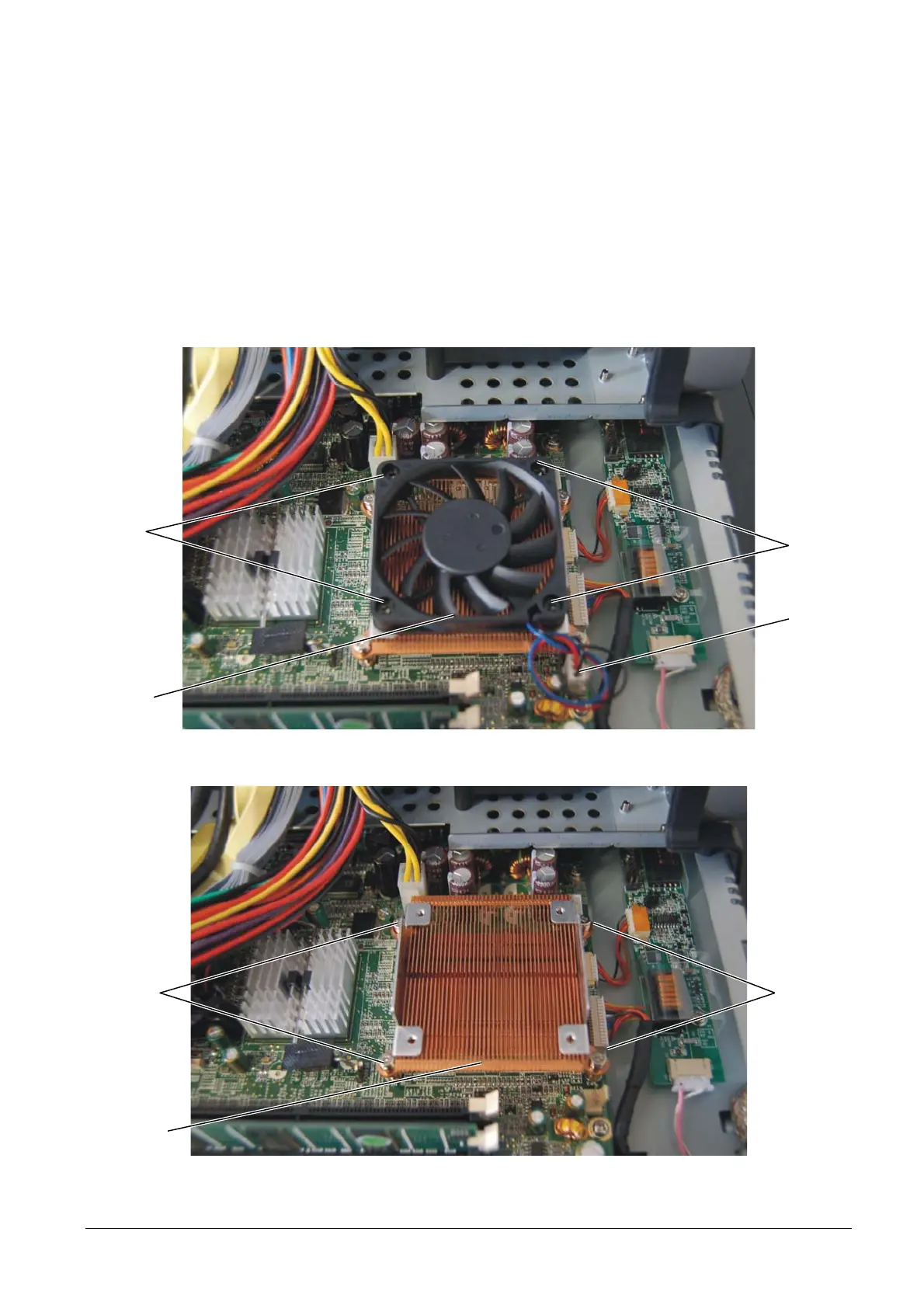
To remove the CPU, proceed as follows:
• Remove the motherboard cover as described above.
• Disconnect the 3-pin power cord A of the fan.
• Back off the four screws B in order to remove the fan C.
• Back off the four screws D in order to remove the heat sink E.
Figure 3-17
E
D D
C
B
B
Figure 3-18
XZAC4074 Service Manual 3-11



 To Next Page