3.6 REMOVAL OF THE POWER SUPPLY UNIT COOLING FAN
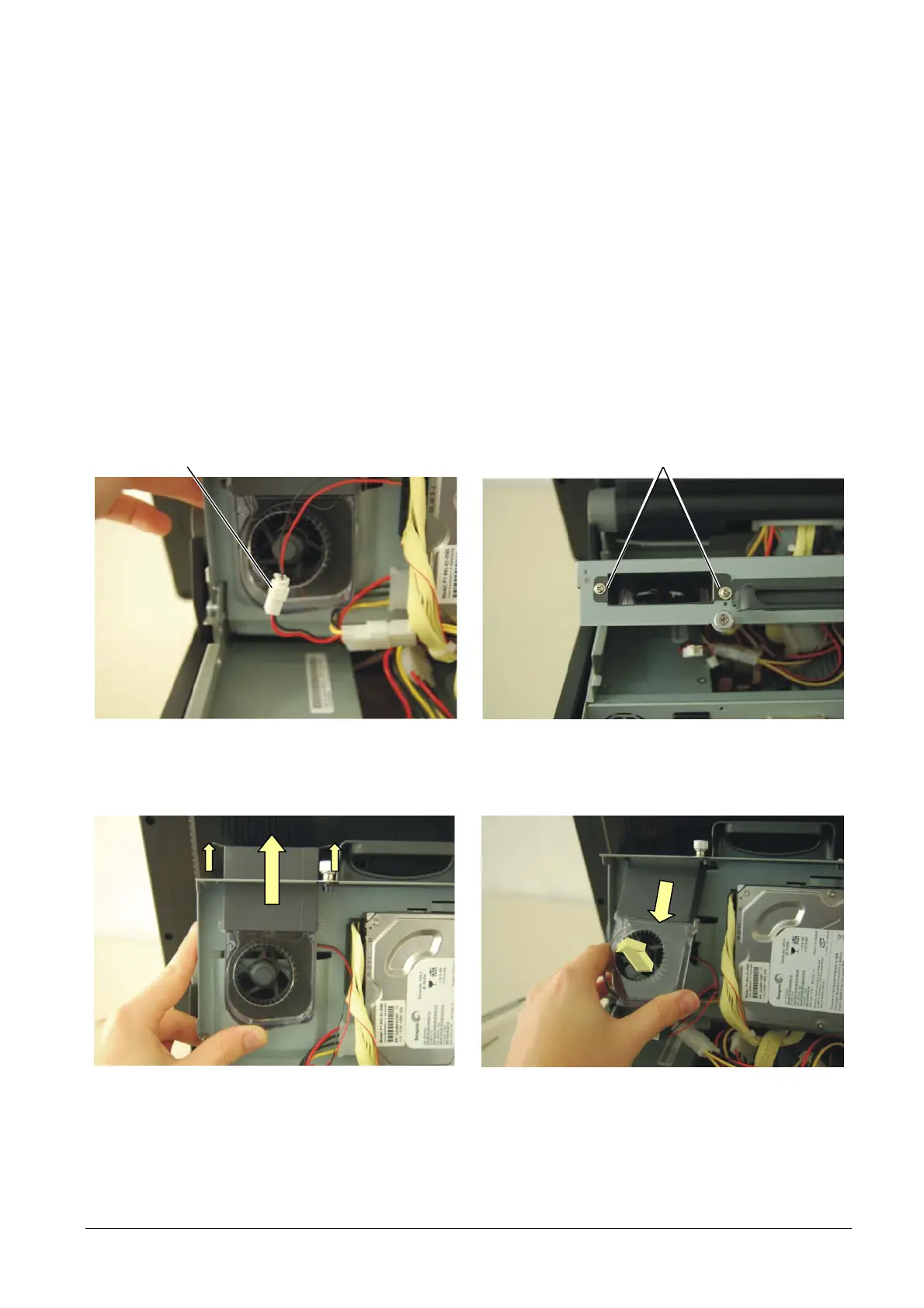
To remove the cooling fan of the power supply unit, proceed as follows:
• Remove the cable cover as described above.
• Lift the rear cover as described above.
• Disconnect the connection A of the fan.
• Remove the screws B.
• Carefully press the fan towards the upper part of the cover in order to release the guides, press carefully on
the retaining tabs as indicated in the figure so that they are released from the hole of sheet metal .
• Extract the fan.
B A
Figure 3-10
Figure 3-11
• For re-assembly, reverse the procedure facilitating insertion of the air conveyor in the hole in the metal
XZAC4074 Service Manual 3-7



 To Next Page