2.9.3 Customer pole display
This utility can be used to check correct installation and functioning of the customer display.
• Connect the display to a serial port.
• Insert the “Drivers Bank V1.1” CD containing the drivers for Explor@ series models in the CD-ROM player.
Figure 2-22
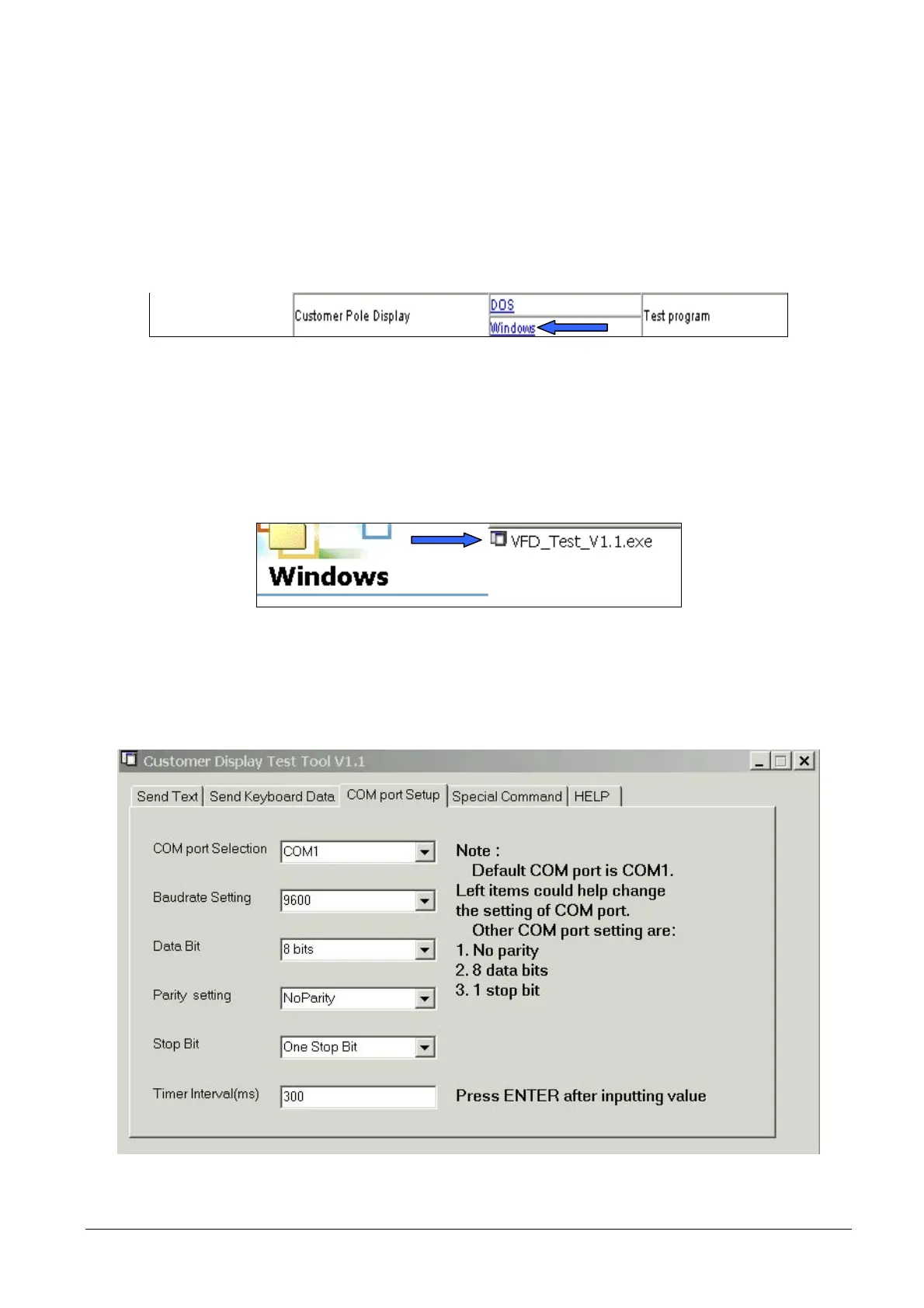
• Start the “VFD_Test_V1.1.exe” application.
• Via “Com Port Setup”, select the COM port used and related parameters.
Figure 2-23
• Set up the customer display as required.
Figure 2-24
2-14 XZAC4074



 To Next Page