3.17 REMOVAL OF THE BADGE READER (FIELD OPTION)
WARNING! In the case of packaging and transport of the module, it is advisable to remove the badge
reader module to prevent any damage caused by impacts.
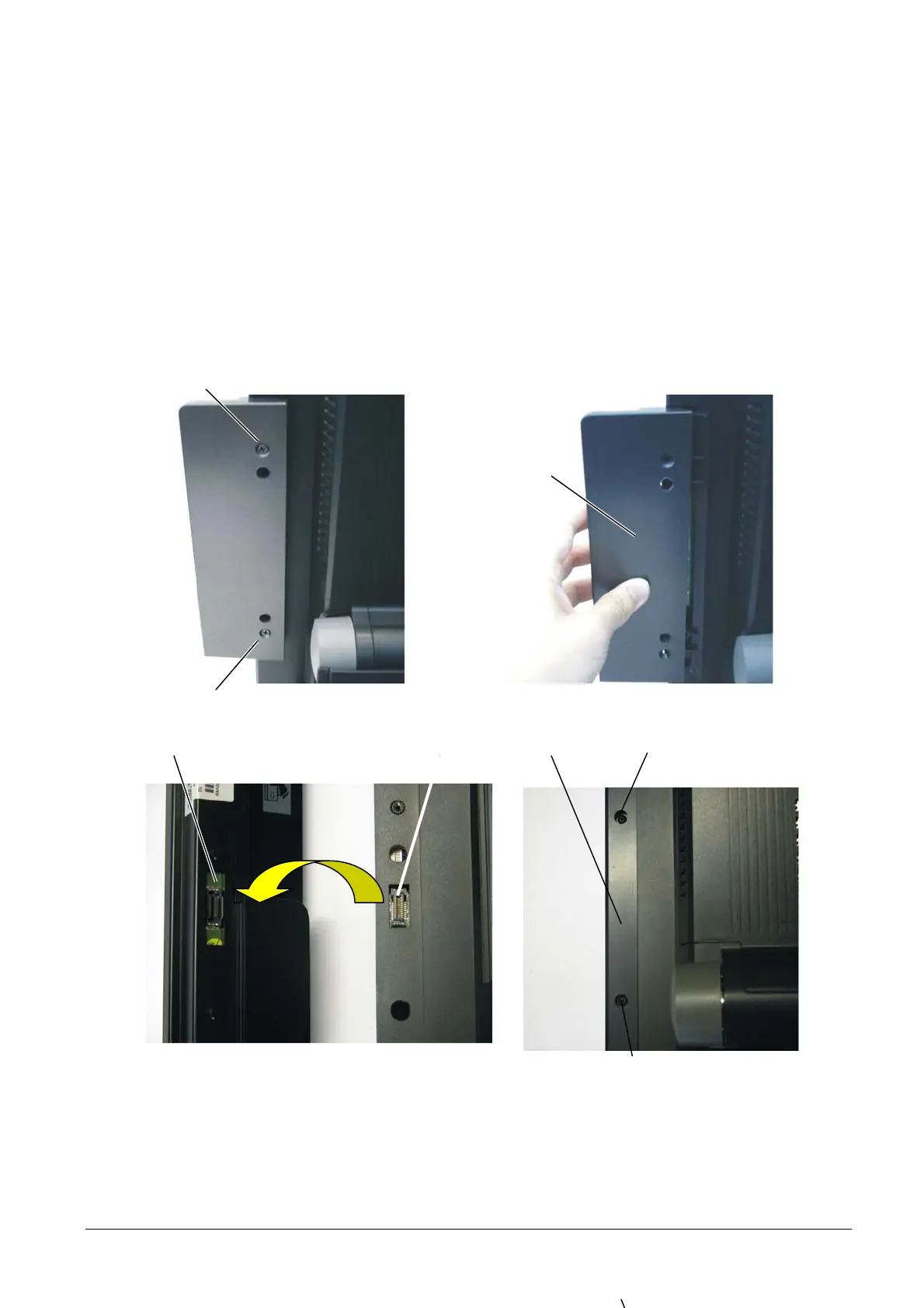
To remove the badge reader, proceed as follows:
• Back off screws A and extract modulo B from the housing as shown in the figure.
• Disconnect connector C of the module to connector D present on Explor@ System.
• Replace cover E in its housing and secure with screws F.
A
B
Figure 3-34
A
D
C
F
F E
Figure 3-35
• For re-assembly, reverse the above operations.
3-22 XZAC4074



 To Next Page