2.9.2 M.S.R Card Reader Utility – Test program
This utility can be used to check correct installation and functioning of the badge reader or, for example, of a
bar-code reader.
• Insert the “Drivers Bank V1.1” CD containing the drivers for Explor@ series models in the CD-ROM player.
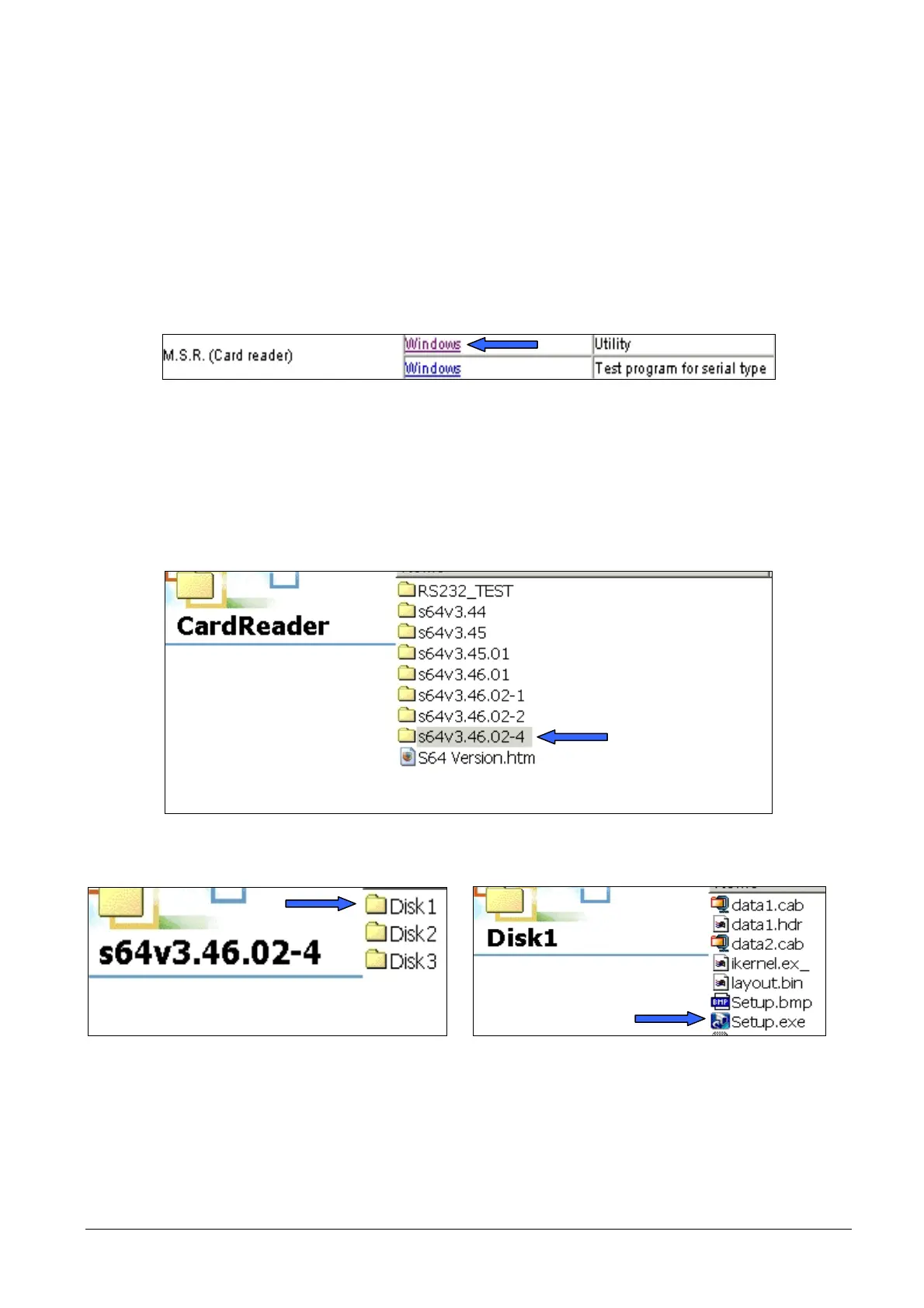
• At the M.S.R. Card Reader item, select the utility or the test program.
INSTALLATION OF THE UTILITY:
Figure 2-13
• Select the most recent version.
• Select “Disk 1”
• Click on “Setup” and proceed with installation.
Figure 2-14
Figure 2-15
• Once the program has been installed, start this and configure the ports.
• Selecting the “Keyboard” option in the “Interface” area shown in the figure, functioning of the keyboard or
possibly of the badge reader can be tested clicking on the “Keyboard RS232 TEST” icon.
2-10 XZAC4074



 To Next Page