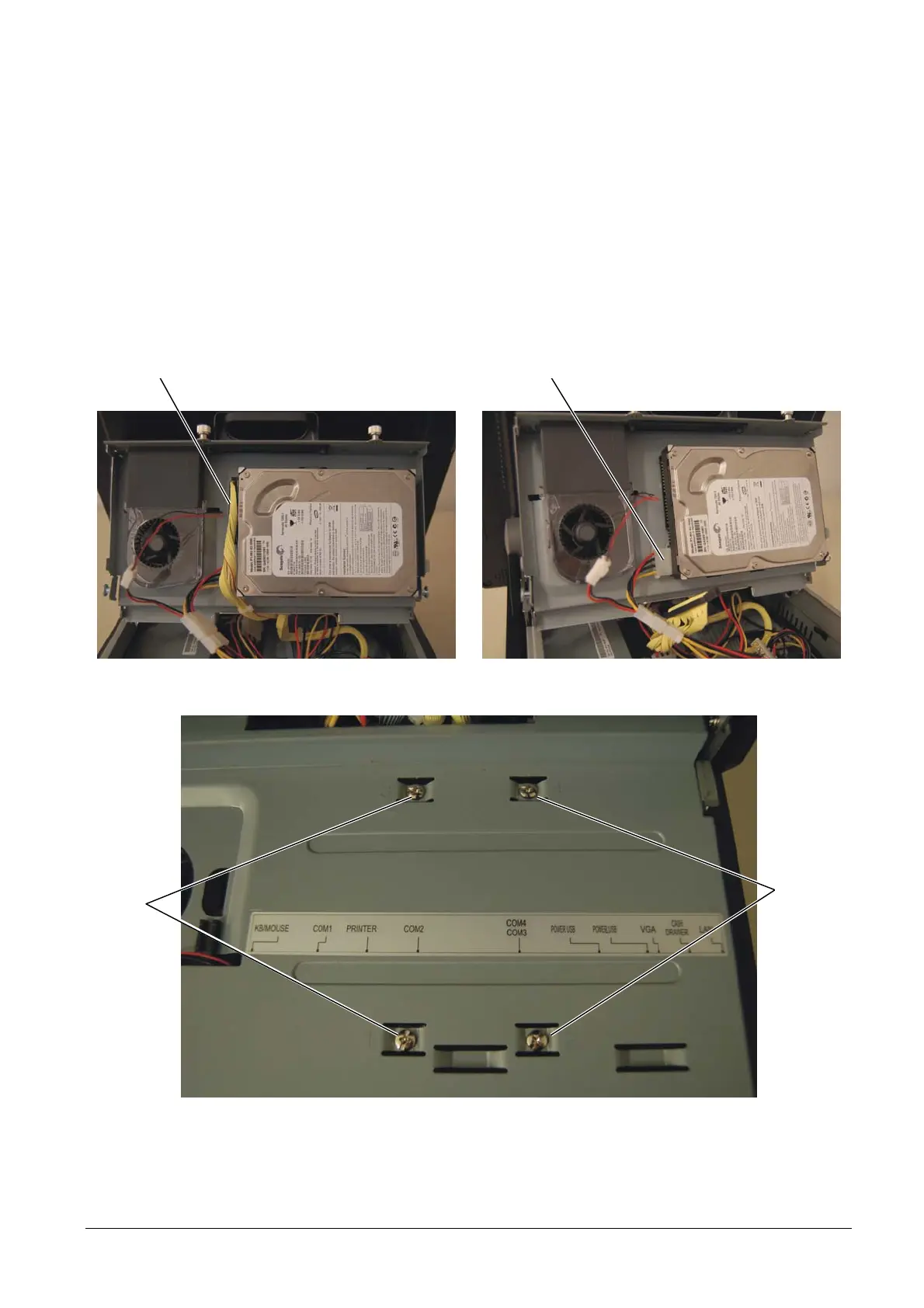
3.4 REMOVAL OF THE HARD DISK
To remove the Hard Disk, proceed as follows:
• Remove the cable cover as described above.
• Lift the rear cover as described above.
• Disconnect IDE cable A and power cord B.
• Operating from above the cover, loosen the four screws C and remove the Hard Disk.
Figure 3-6
C
C
BA
Figure 3-7
• For re-assembly, reverse the above operations.
XZAC4074 Service Manual 3-5



 To Next Page