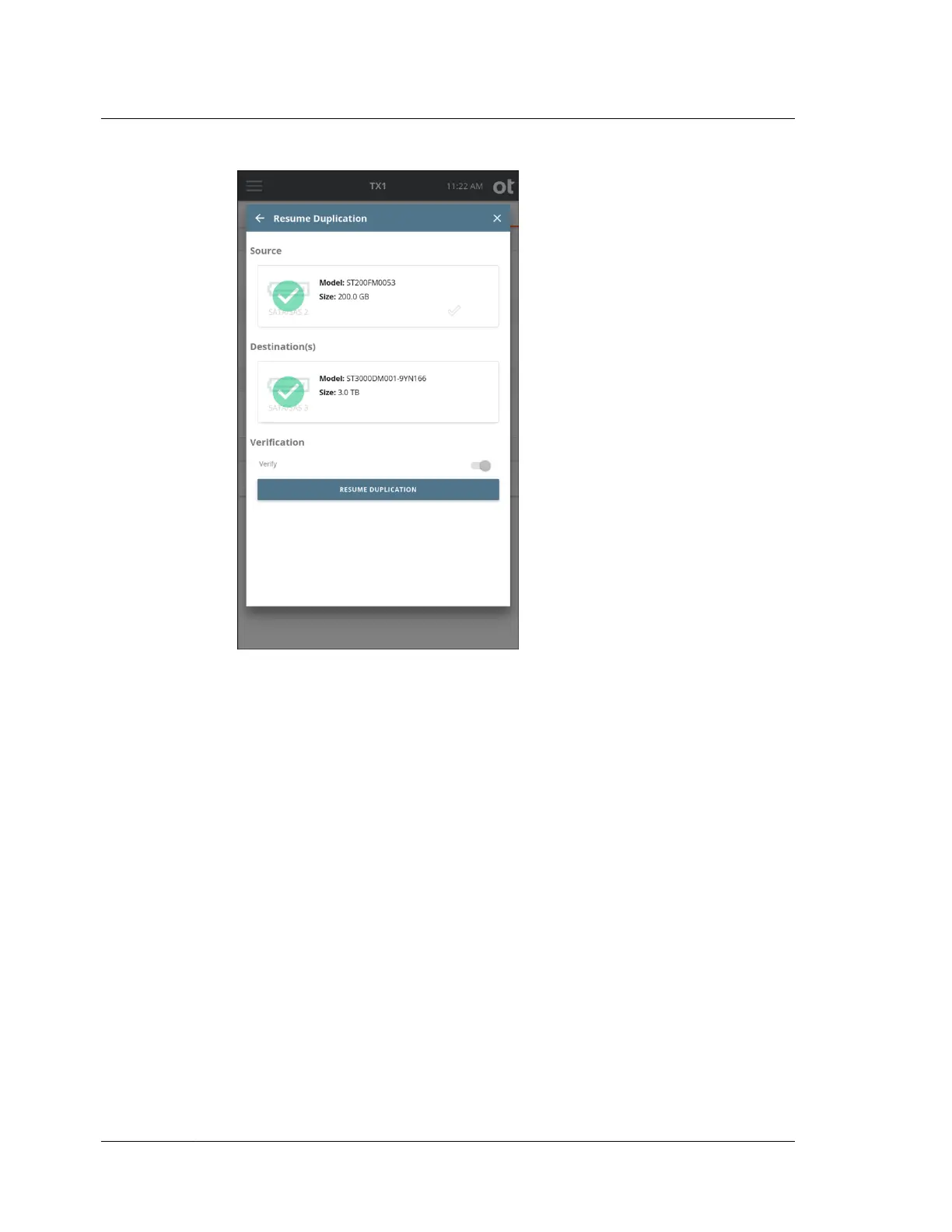
5. If the original drives are present and available to TX1, they will be shown with
green checkmarks and the Resume Duplication button will be lit up. If your
original job did not have Verification enabled, you can enable it on this screen if
desired. Tap the Resume Duplication button to resume the job. The Job Status
screen for the resumed job will be shown. From this point on, the job will carry
on as if it had never been paused, with the exception of logged pause/resume
events.
The forensic logs for paused and resumed jobs will provide some specific and
unique information. The information differs slightly depending on the source of the
pause event (manual or power loss). In the case of a manual pause event, a line will
be added to the log to indicate the date and time of the event. When unexpected
power loss is the cause of the pause, there is no time for the system to log the pause
time before shutting down, so that information is unavailable and thus not included
in the log. In that case, a message is added to the log after the job is resumed to
indicate that the missing pause information is likely due to a power loss event, and
the job's elapsed time is not calculated, since it cannot be accurately determined.
Each subsequent pause (if manually initiated) and resume event is logged,
providing an accurate capture of how many pause/resume cycles occurred during
the job.
The following log sample shows a completed power loss paused/resumed job. Note
that, had this been a manually paused/resumed job, the line with the possible power
Chapter 4 Using TX1
112
OpenText™ Tableau™ Forensic TX1 Imager
ISTX240300-UGD-EN-1



 To Next Page