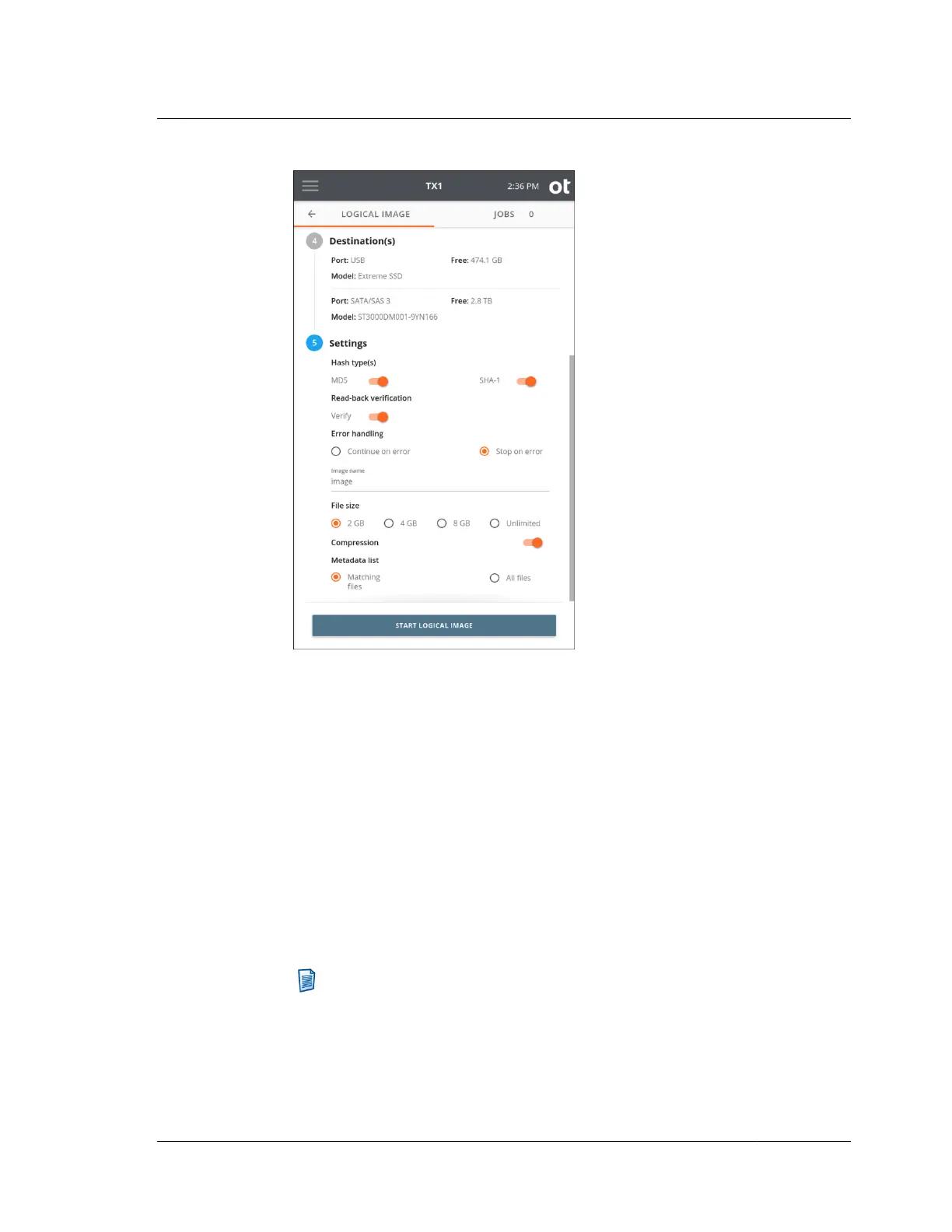
Select the desired Hash type for the logical image job - MD5 and/or SHA-1.
Note that hash values for source files will be calculated based on the chosen hash
settings, even if no lx01 outputs are requested. In that case, the file data is still
read to allow for hash calculation, and the file-based hash values are stored in
the metadata output file.
Enable or disable Read-back verification. Read-back verification is not possible
if no lx01 outputs have been configured or if no hashes have been selected.
Set the desired source read Error handling mechanism for the job ‒ Continue on
error or Stop on error. Note that read error handling in logical image jobs is
distinct from that of physical image jobs in that retries are not allowed. This is
because file read errors will typically not succeed after an initial failed read.
Therefore, for logical image jobs, the only error handling setting decision to
make is whether to continue with the job (skipping the unreadable file(s)) or to
stop the job as soon as the first file read error is encountered.
Note: When a read of a given source file fails and the Continue on error
setting is active, the unreadable file will not be acquired. In that case, the
metadata output file will show an error condition in the entry for the
unreadable file, and the lx01 will indicate the error condition, which
enables forensic analysis tools such as EnCase to indicate an error for the
affected file(s).
4.5. Logical imaging
ISTX240300-UGD-EN-1
User Guide
127



 To Next Page