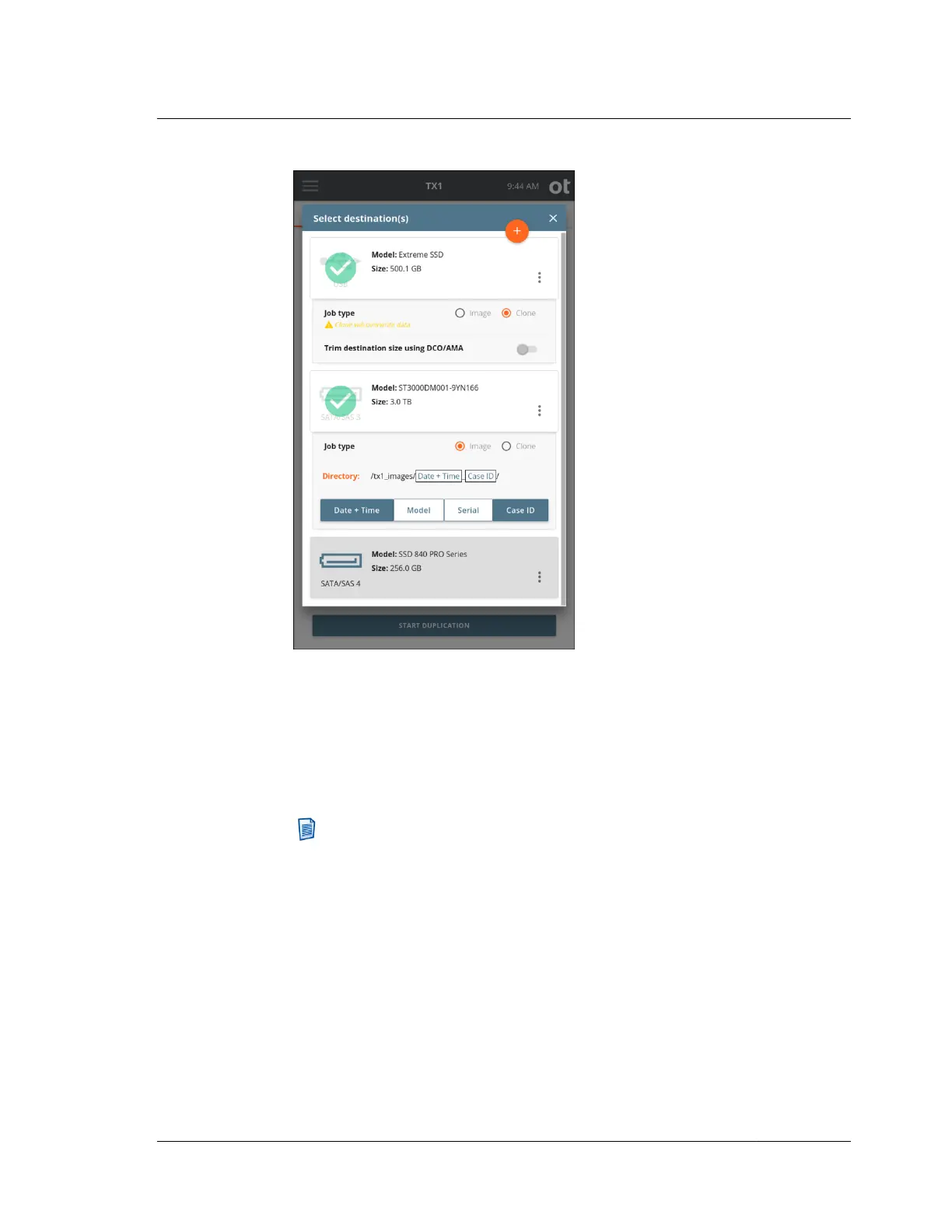
For each selected destination drive, a Job type panel expands below the Drive
tile.
Select the Clone radio button to clone to the destination or select the Image radio
button to image to the destination.
For clones, the option is displayed to trim the destination drive to be the same
size as the source using a DCO or AMA.
Note: The trim feature is only available for SATA destinations that support
DCO or AMA.
For images, the default destination directory path is displayed. To change the
destination base directory, tap the orange Directory label to enter a Browse
modal where you can select a different destination base directory, create and
select a new directory, or delete a directory. Tap one or more of the four buttons
(Date and Time, Model, Serial, or Case ID) under the directory path to add
variables as names for a destination sub-directory. Each variable can only be
selected once. Underscores are printed as separators between multiple variable
names.
The Image option in the Job type panel will be disabled if the destination drive
does not have a recognized filesystem. If an image destination is desired, format
the destination drive by selecting the details option from the additional options
4.3. Duplicating
ISTX240300-UGD-EN-1
User Guide
81



 To Next Page