C200 SOFTWARE
Instruction Manual C200 Part2 A1.doc
optek Danulat GmbH • D-45356 Essen • Germany
page 95
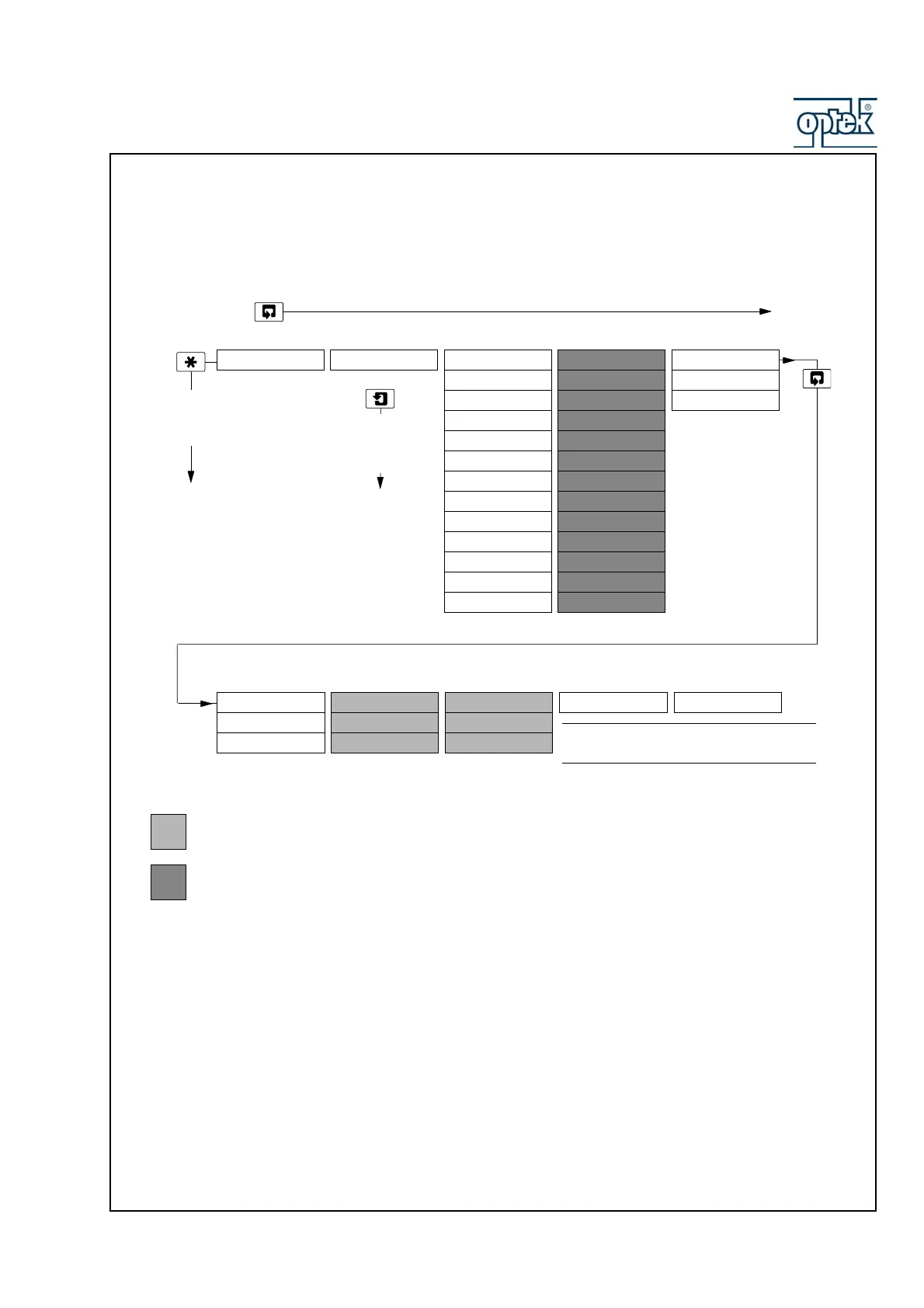
6.2.3 Factory Settings
FACTORY SETTINGS Factory Set Code Cal. Sensor A
A: Res 2.5 K Ohm
A: Res 250 Ohm
A: Res 25 Ohm
A: Res 2.5 Ohm
A: Res 0.5 Ohm
A:T.Zero (1K0)
A:T.Span (1K5)
Cal. Sensor B
B: Res 2.5 K Ohm
B: Res 250 Ohm
B: Res 25 Ohm
B: Res 2.5 Ohm
B: Res 0.5 Ohm
B:T.Zero (1K0)
B:T.Span (1K5)
Cal. Output 1
O1: Adjust 4mA
O1: Adjust 20mA
To
OPERATING PAGE
A:T.Zero (2K0) B:T.Zero (2K0)
A:T.Span (5K0) B:T.Span (5K0)
Available only if the option board is fitted
and analog features enabled – see page 58
Dual input analyzer only
Key
Cal. Output 3 Cal. Output 4
O3: Adjust 4mA O4: Adjust 4mA
O3: Adjust 20mA O4: Adjust 20mA
Cal. Output 2
O2: Adjust 4mA
O2: Adjust 20mA
Use the Sidescroll Key to scroll through the Pages within each Menu
Use the Menu
Key to scroll
through
the Menus
Section 7.3, Page 54
Option Board
Use the Downscroll
Key to scroll through
the Frames
within each Page
A: Ref. Checking B: Ref. Checking
Calibrate I/P ?
A: Res 25 K Ohm
Calibrate I/P ?
B: Res 25 K Ohm
Alter Fact.Code
Note. The
Option Board
page is
displayed only if the option board is fitted.
96
99



 To Next Page