C200 SOFTWARE
Instruction Manual C200 Part2 A1.doc
optek Danulat GmbH • D-45356 Essen • Germany
page 15
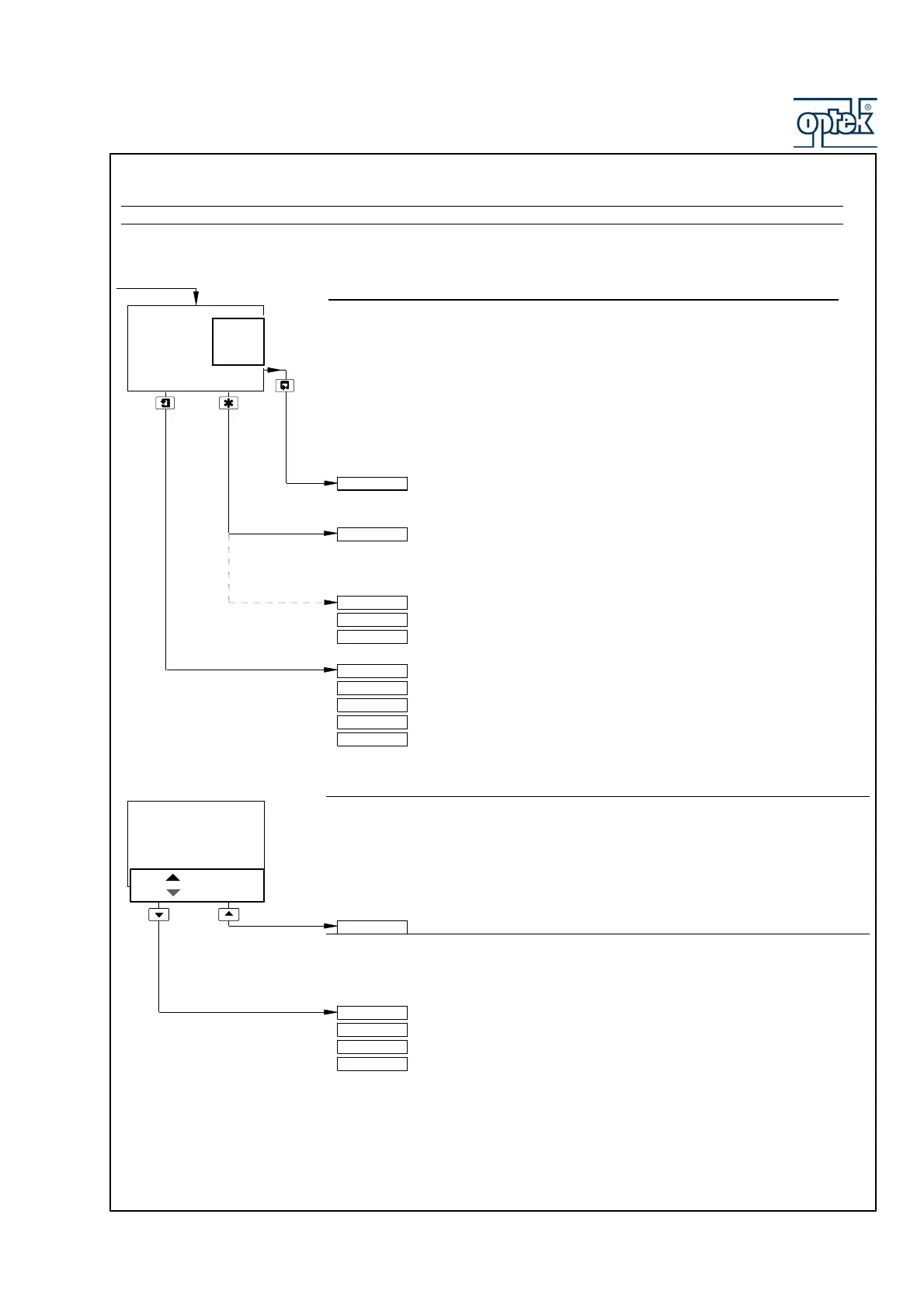
2.1.2.6 Wash function
Note. The Wash function is available only if Alarm 3 (A3: Type) is set to Wash – see Section 5.1.5.
Wash Function
Off – Wash function off. Lower display line of Operating Page shows
WASH INHIBITED.
On – Wash function controlled automatically. Lower display line of Operating
Page shows WASH IN PROGRESS.
Manual – Enables wash function to be initiated manually – see below.
Note. Set Wash Function to Off before removing the sensor from the process.
See Section 3.1.1.
Probe Type set to pH (for either sensor if dual input analyzer) – see Section 5.
See Section 4.1.
Probe Type set to Redox or ORP (for both sensors in any combination if dual input
analyzer) – see Section 5.1.3.
Enable Cals set to Yes (Section 5.1.3) – see Section 4.1.
Alter Sec. Code not set to zero (Section 5.1.8) – see Section 5.1.1.
Alter Sec. Code set to zero (Section 5.1.8) – see Section 5.1.2.
Wash Function set to Manual – see below.
Wash Function not set to Manual. The display returns to the top of the
Operating Page.
Press to Wash (Manual Wash only)
Press UP to Wash and Press DOWN to Abort are shown alternately on the lower
display line.
Press the UP key to initiate the wash cycle. The display returns to the
top of the Operating Page and the lower display line shows WASH IN
PROGRESS until the wash cycle is completed. The Wash Function
selection reverts to the one that was set before Manual was selected.
Press the DOWN key to abort the wash cycle. The display returns to
the top of the Operating Page.
V I E W S E T P OINTS
S E N S O R CAL.
W a s h
F u n c t i o n
- - - - -
M a n u a l
O n
O f f
- - - - -
P r e s s
T o
W a s h
P r e s s
T o
b o r t
S E N S O R CAL.
S e c u r i t y Code
C O N F I G . D I SPLAY
P r e s s T o Wash
M o n i t o r i n g pH
W A S H I N P R OGRESS
M o n i t o r i n g pH
M o n i t o r i n g Redox
D u a l R e dox
p H / R e d ox
M o n i t o r i n g Redox
D u a l R e dox
p H / R e d ox



 To Next Page