C200 SOFTWARE
Instruction Manual C200 Part2 A1.doc
optek Danulat GmbH • D-45356 Essen • Germany
page 51
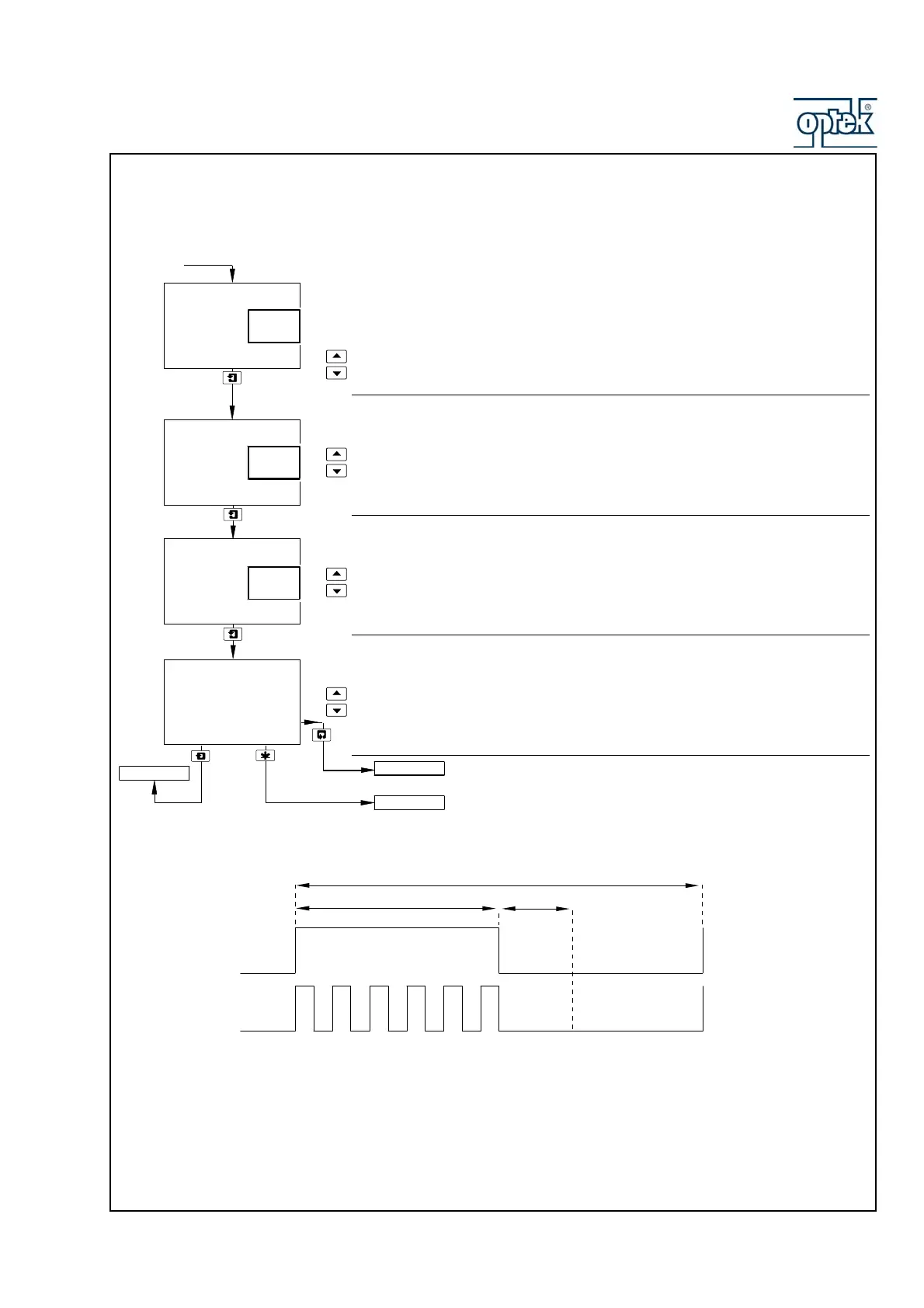
5.1.5.1 Wash Cycle Configuration (applicable only to Alarm 3
Wash Mode
Select the wash mode required.
Cont. – (continuous) the relay remains energized for the wash duration
Pulsed – the relay is switched on and off every second for the duration of
the wash,
Wash Frequency
Set the wash frequency required.
Wash frequency is set in 15 minute increments between 15 and 45 minutes, then
in 1 hour increments between 1 and 24 hours.
Wash Duration
Set the wash duration required.
Wash duration is set in 15 second increments between 15 and 45 seconds, then in
1 minute increments between 1 and 10 minutes.
Recovery Period
Set the recovery period required, between 0.5 and 5.0 minutes in 0.5 minute
increments.
Configure Alarm 4.
See Section 5.1.6.
Wash Frequency
Hours
Mins
Wash Duration
15
Recovery Period
1.0
Mins
15
CONFIG. OUTPUTS
Config. Alarm 4
Config. Alarm 3
A3: Type
set to
Wash
Wash Mode
-----
Cont.
Pulsed
Mins
Secs
Wash Duration
Continuous
Pulsed
Recovery Period
t
t
1s 1s
Frequency



 To Next Page