C200 SOFTWARE
Instruction Manual C200 Part2 A1.doc
optek Danulat GmbH • D-45356 Essen • Germany
page 55
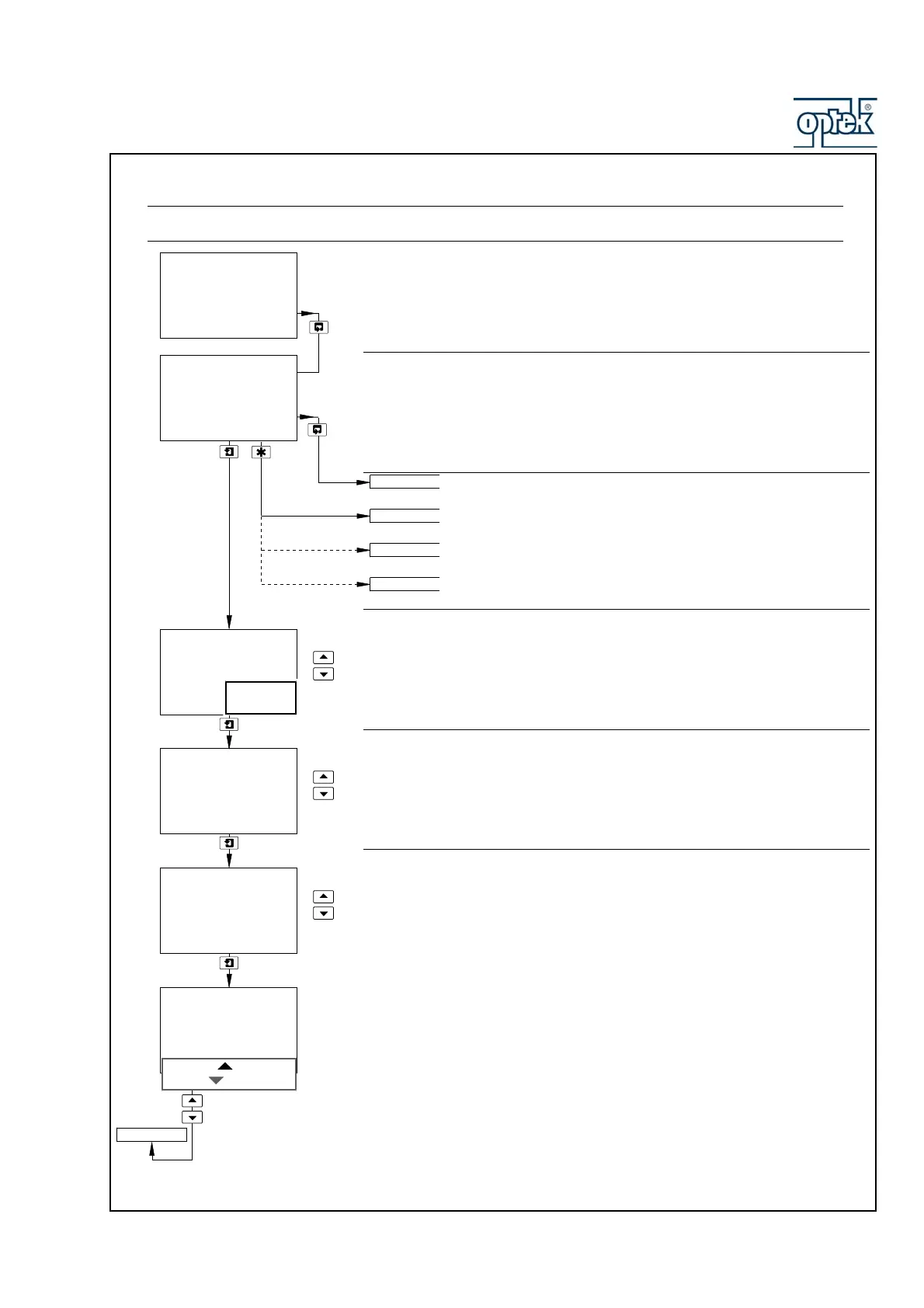
5.1.7 Configure Clock
Note. The Configure Clock function is available only if the option board is fitted and analog features enabled –
see Section 6.1.3.
Set Clock
Set the system clock.
Return to main menu.
Option board fitted and Serial Communications feature enabled
(Section 6.1.3)
Single input analyzer and option board not fitted Dual input analyzer
and option board not fitted – see Section 5.1.8.
Format
Select the required clock format.
Date
Set the date in the format dd:mm:yy.
Press
DOWNSCROLLto move between the day, month and year fields.
Use the
UP and DOWN keys to adjust each field.
Time
Set the time in the format hh:mm.
Press
DOWNSCROLL to move between hours and minute fields.
Use the
UP and DOWN keys to adjust each field.
Press to Set and Press to Abort are shown alternately on the lower display line.
Press the appropriate key to set the clock or abort the changes.
Set Clock?
-----
Date 01:01:01
-----
Day
Time 12:00
Set
-----
CONFIG. CLOCK
-----
-----
Format
-----
Press To Set
Press To Abort
Set
Hours
CONFIG. SERIAL
CONFIG. CLOCK
CONFIG. SECURITY
Set Clock?
mm:dd:yy
dd:mm:yy
CONFIG. CONTROL



 To Next Page