C200 SOFTWARE
Instruction Manual C200 Part2 A1.doc
optek Danulat GmbH • D-45356 Essen • Germany
page 104
7.2.3 Checking the Temperature Input
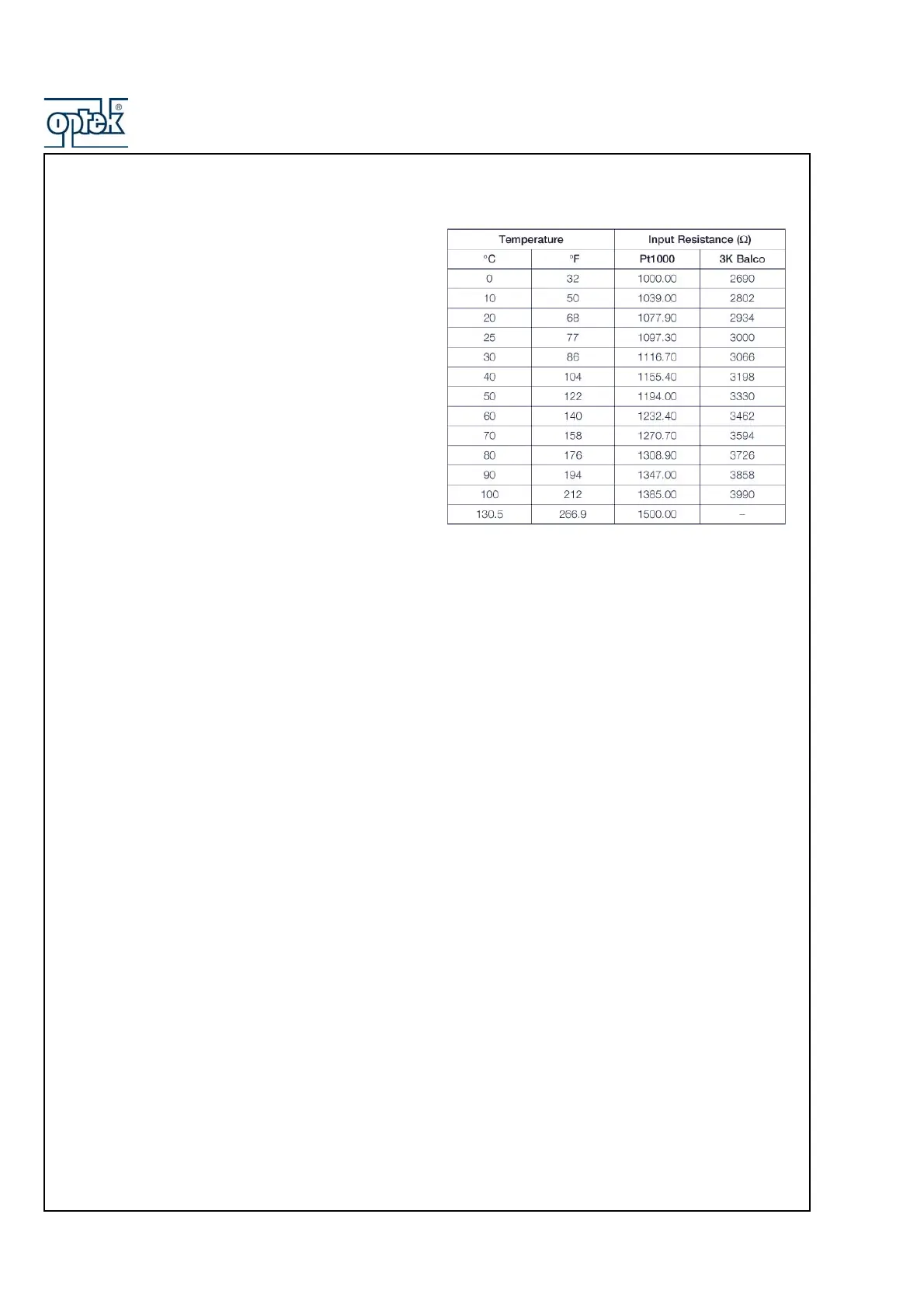
Check the analyzer responds to a temperature input.
Disconnect the Pt1000/3K Balco leads and connect a
suitable resistance box directly to the analyzer inputs – see
Section 6.2.2. Check the analyzer displays the correct
values as set on the resistance box – see Table.
Incorrect readings usually indicate an electrical calibration
problem. Re-calibrate the analyzer as detailed in Section
6.2.3.



 To Next Page