C200 SOFTWARE
Instruction Manual C200 Part2 A1.doc
optek Danulat GmbH • D-45356 Essen • Germany
page 17
To
FACTORY SETTINGS
(see Section 7.3, Page 53)
Key
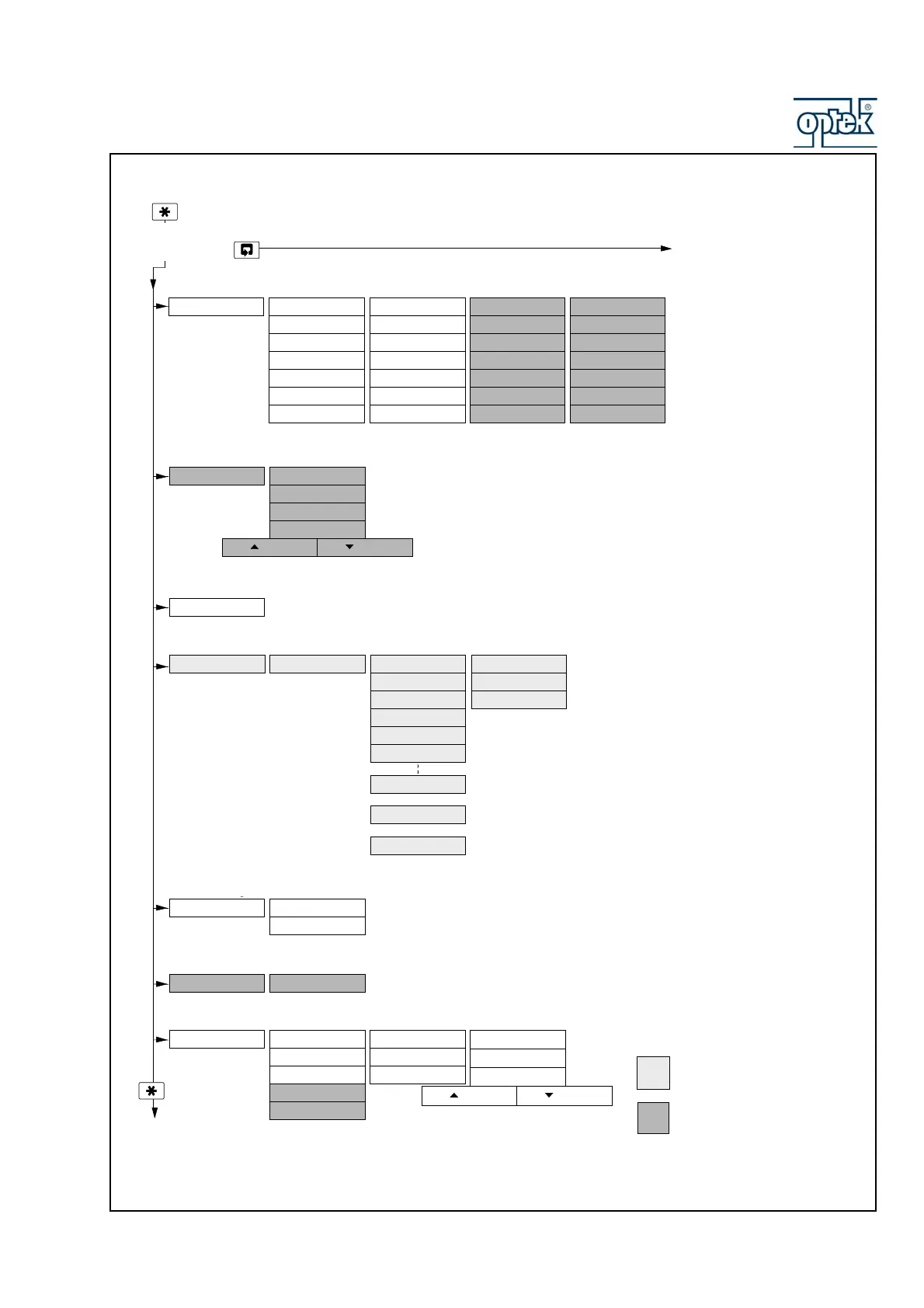
CONFIG.LOGBOOK
Section 5.9, Page 39
Logbook
CONFIG.SECURITY Alter Sec.Code
Alter Cal.Code
Section 5.8, Page 37
CONFIG.CLOCK Set Clock?
Format dd/mm/yy
Date 01:01:02
Time 12:00
Press To Abo r tPress To Set
Section 5.6, Page 33
CONFIG.SERIAL
Displayed only if option board fitted and serial communications feature enabled (Section 7.3) –
see Supplementary Manual PROFIBUS Datalink Description (IM/PROBUS)
CONFIG.OUTPUTS Config. Output 1
AO1: Assign
AO1: Range
AO1: Zero Value
AO1: Default
AO1: Default Val
Config. Output 2
AO2: Assign
AO2: Range
AO2: Zero Value
AO2: Default
AO2: Default Val
Config. Output 3
AO3: Assign
AO3: Range
AO3: Zero Value
AO3: Default
AO3: Default Val
Section 5.5, Page 31
Config. Output 4
AO4: Assign
AO4: Range
AO4: Zero Value
AO4: Default
AO4: Default Val
AO1: Span Value AO2: Span Value AO3: Span Value AO4: Span Value
TEST/MAINTENANCE
Test Outputs
Test Output 1
Test Output 2
Maintenance
Hold Outputs
Test Output 3
Test Output 4
Section 5.10, Page 40
Load/Save Config
Factory Config.
User Config.
Press To A b o r tPress To S e t
Use the Menu Key
to scroll through
the Menus
Use the Sidescroll Key to scroll through the Pages within each Menu
Single input analyzer only
Available only if option board fitted and
analog features enabled – see Section
7.3
CONFIG. CONTROL Controller
Section 5.7, Page 34
PID Controller
Control Action
Prop. Band
Integral time
Derivative time
Output Type
Pulses/Minute
Cycle Time
Output Range
OR
OR
Power Recovery
Power Rec. Mode
Default Output
Automatic Time
5.2.5, Pa
e 75
5.2.6, Pa
e 77
5.2.7, Pa
e 78
5.2.8, Pa
e 83
5.2.9, Pa
e 83
5.2.10, Pa
e 84
6.1.3
6.1.3
6.1.3
-



 To Next Page