110
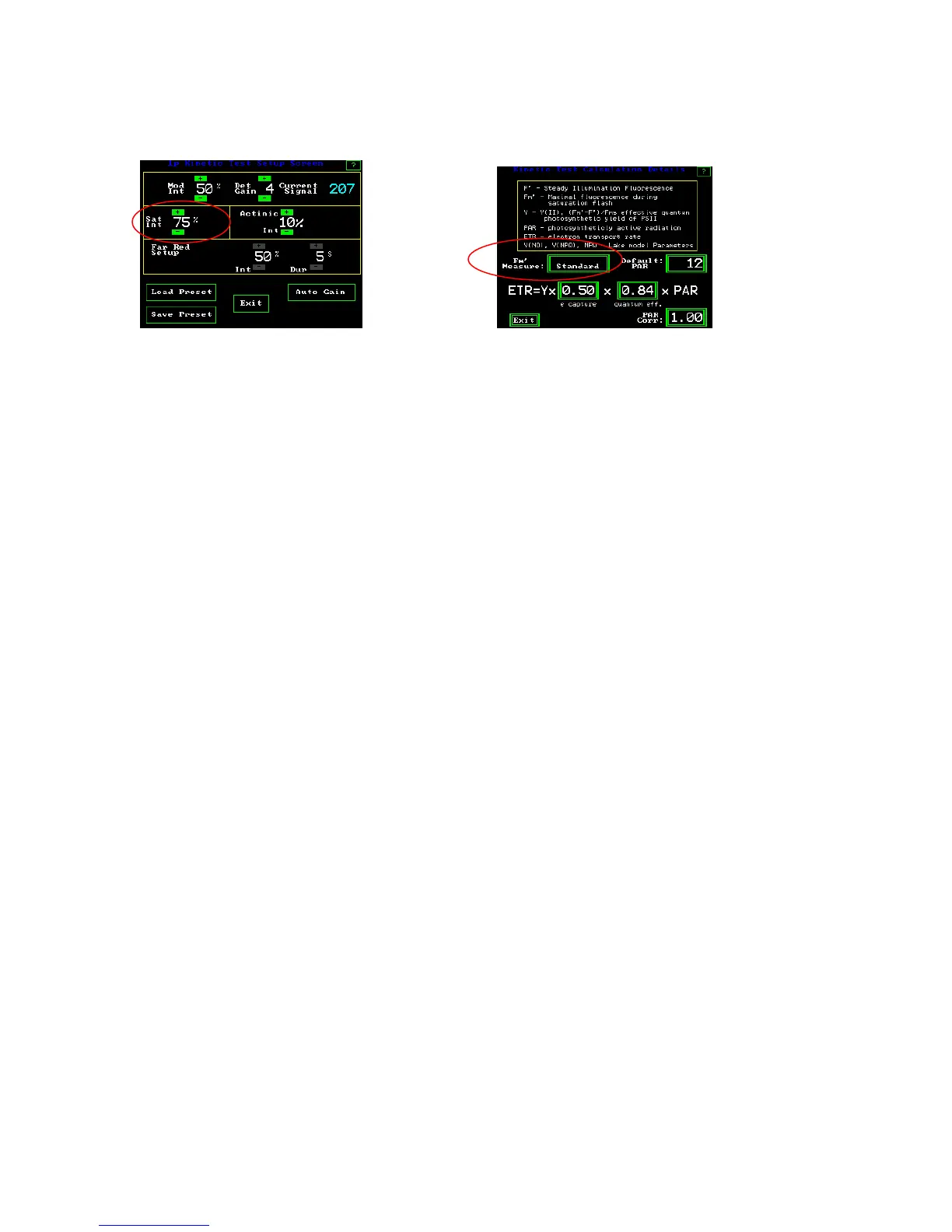
Saturation pulse intensity
Set up screen #2 Kinetic Test Calculation Details Screen
The default “Sat Int” (saturation intensity) is set at 100% or about 11,000 umols with a
dark clip and about 6600 umols with a PAR Clip. Evidence has shown that there is no
damage to the leaf if saturation pulse intensities are very high in a light adapted
environment. Damage to plants can occur if the saturation flash is too high, and too
frequent in a dark environment (Roseqvist and van Kooten 2006). For this reason, we
recommend maximum saturation pulse intensity for most quenching measurements.
Quenching relaxation measurements, available as an option, are made in the dark, so the
number of saturation flashes may be an issue with this test. The saturation pulse is
adjustable from 5% to 100% in 5% increments.
It has been discovered that at high actinic or sun light levels, leaves resist the complete
closure of all PSII reaction centers that is normally expected when using a saturation
pulse. Even with a 6,400 :mol saturation pulse, some reaction centers remain open. Up to
a 41% error was found in Y(II) measurements using standard techniques at high actinic
light levels. To correct for this issue, multiple saturation flashes are used, and the
measured maximum fluorescence value for each flash is entered into a linear regression
analysis formula to determine the maximum fluorescence intensity with an infinite
saturation flash. The multiple saturation pulse approach has been shown to work in
multiple papers and posters. The resulting value has been shown to correlate well with
gas exchange carbon assimilation values. This multi-flash method is available on the
OS5p and OS1p fluorometers. (see the Multi-flash section for more details). To use the
multi-flash correction, go to the
“Kinetic Test Calculation Details Screen” shown above.
Press the “Fm’ measure:” button and change from standard to “Step Int Lin Regr”.



 To Next Page