128
Saving measuring parameters
Changes that are made to the “RLC Test Set Up” screen, the “RCL ETR Test
Calculation” setup screen, and the “Step Set Up” screens can all be saved in a single
measuring file by pressing “Save Preset” on the RCL Test Set up screen. The changes
from other screens may be done in any order, and saved from this screen when complete.
Follow the directions listed above to save measuring files.
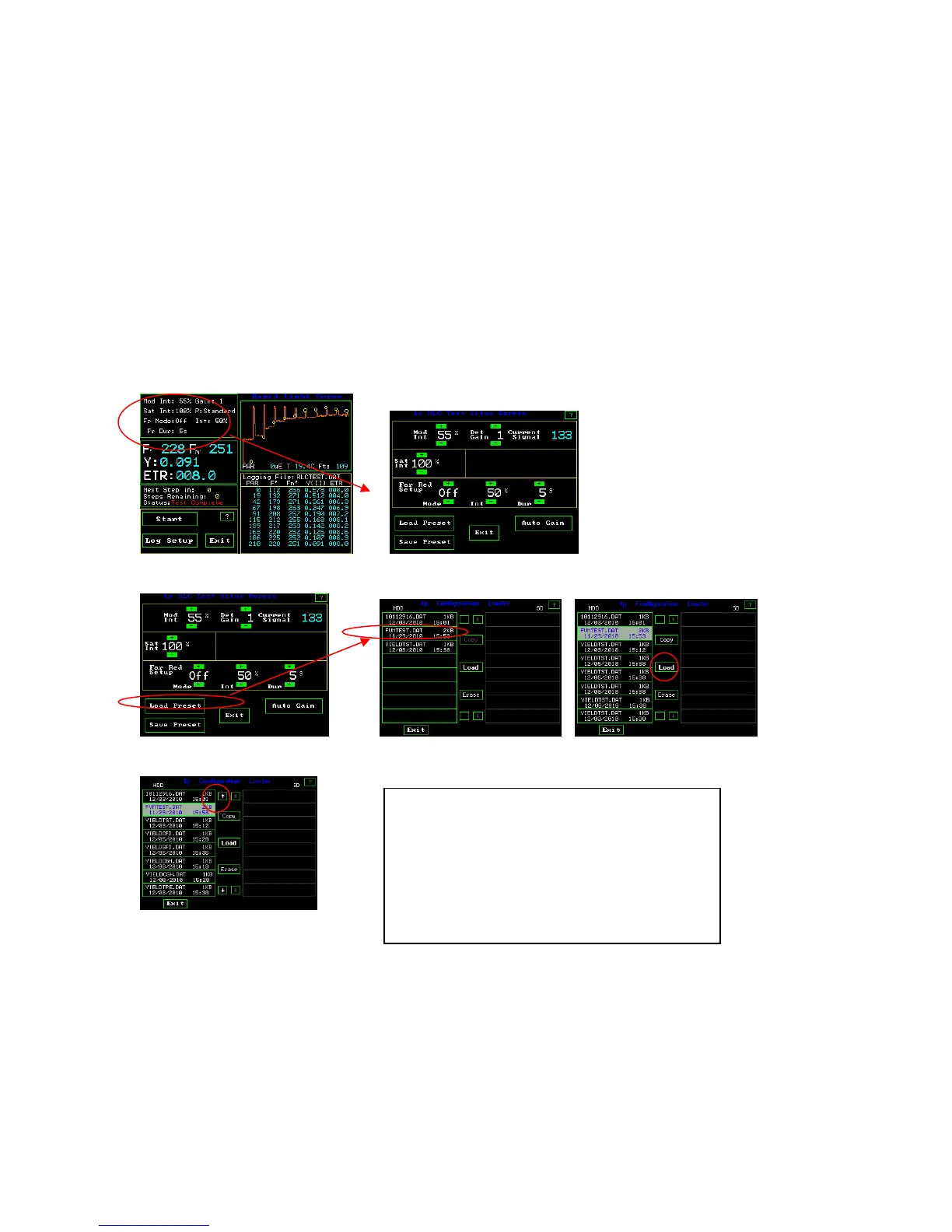
To up load previously created parameter sets and measuring files, follow the directions
listed below.
RLC Measuring Screen RLC Test Setup Screen
RLC Test Setup Screen Configuration Loader Screens
Loading preset measuring parameter files –
Highlight test by touch, and press load.
Arrows for scrolling appear when there are more
tests than can be viewed on the screen.
Copy only works when an SD card is inserted
into the side of the OS1p.



 To Next Page