133
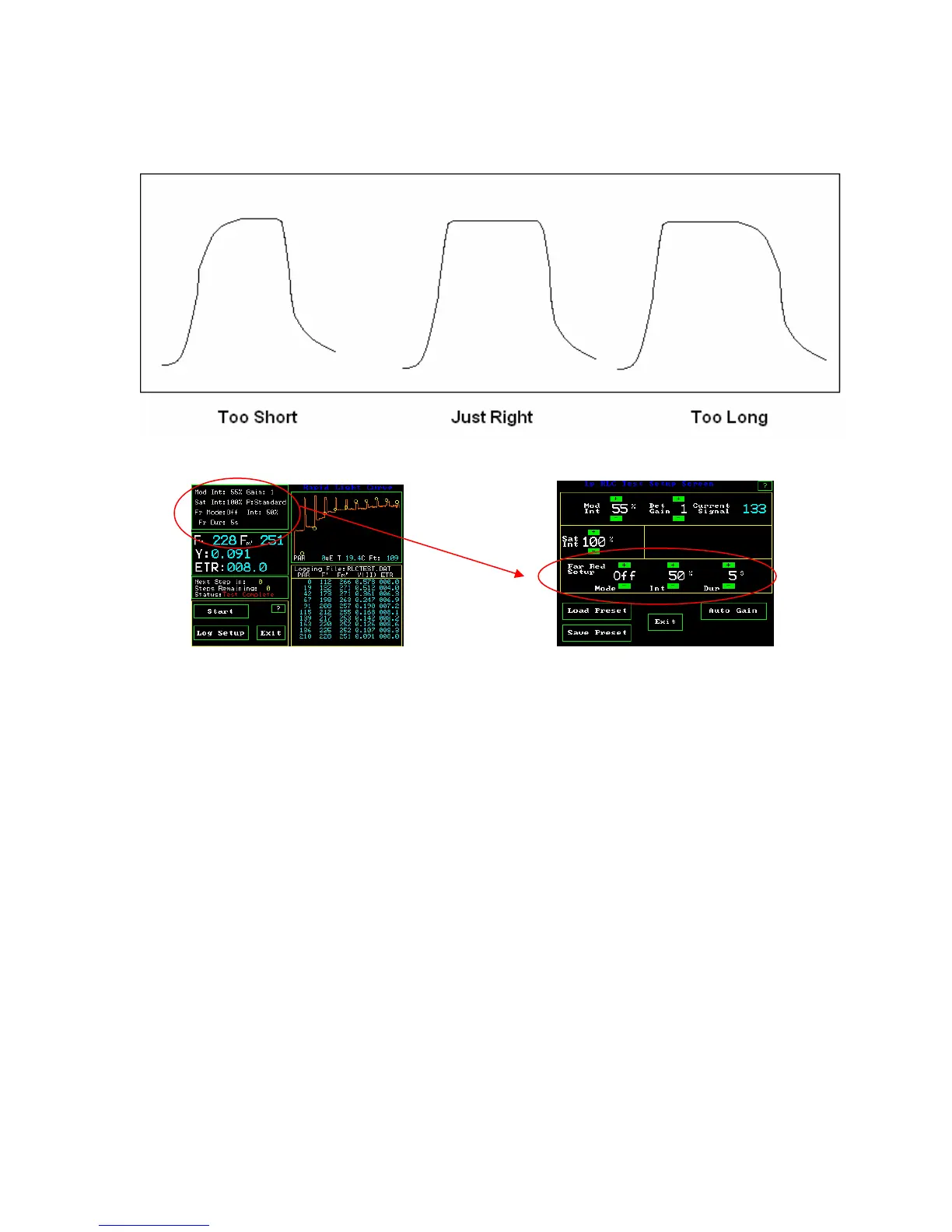
With the OS1p, the curve in the center or on the right will provide optimal results.
RLC Measuring Screen RLCTest Setup Screen
Far red light
can be used with the internal illuminator for the RLC test to allow the continued
reduction of PSI and the re-oxidation PSII. Options are offered for off, on, and pre. “Off”
turns the far red light off during the test. The “Pre” setting allows illumination of the
sample with far red light before the test, and the “On” position keeps the far red light on
during the test. Intensity is again adjustable between 5% and 100% with 5% increments.
The duration setting is used with the pre setting, to allow pre illumination with far red
light from one second to sixty seconds. Sun light contains far red light, but the LED
actinic light source filters out far red light when used as an actinic source.
Default PAR values can be entered into each step by pressing the third window on the
left of the screen shown above. Next press the “step window” of interest, and enter the
PAR value for “Step Default PAR Value”. ( Default PAR measurements are estimates of
PAR value, or measurements made without the use of a PAR Clip) When a PAR Clip is
attached to the OS1p it overrides “Default PAR”.



 To Next Page