70
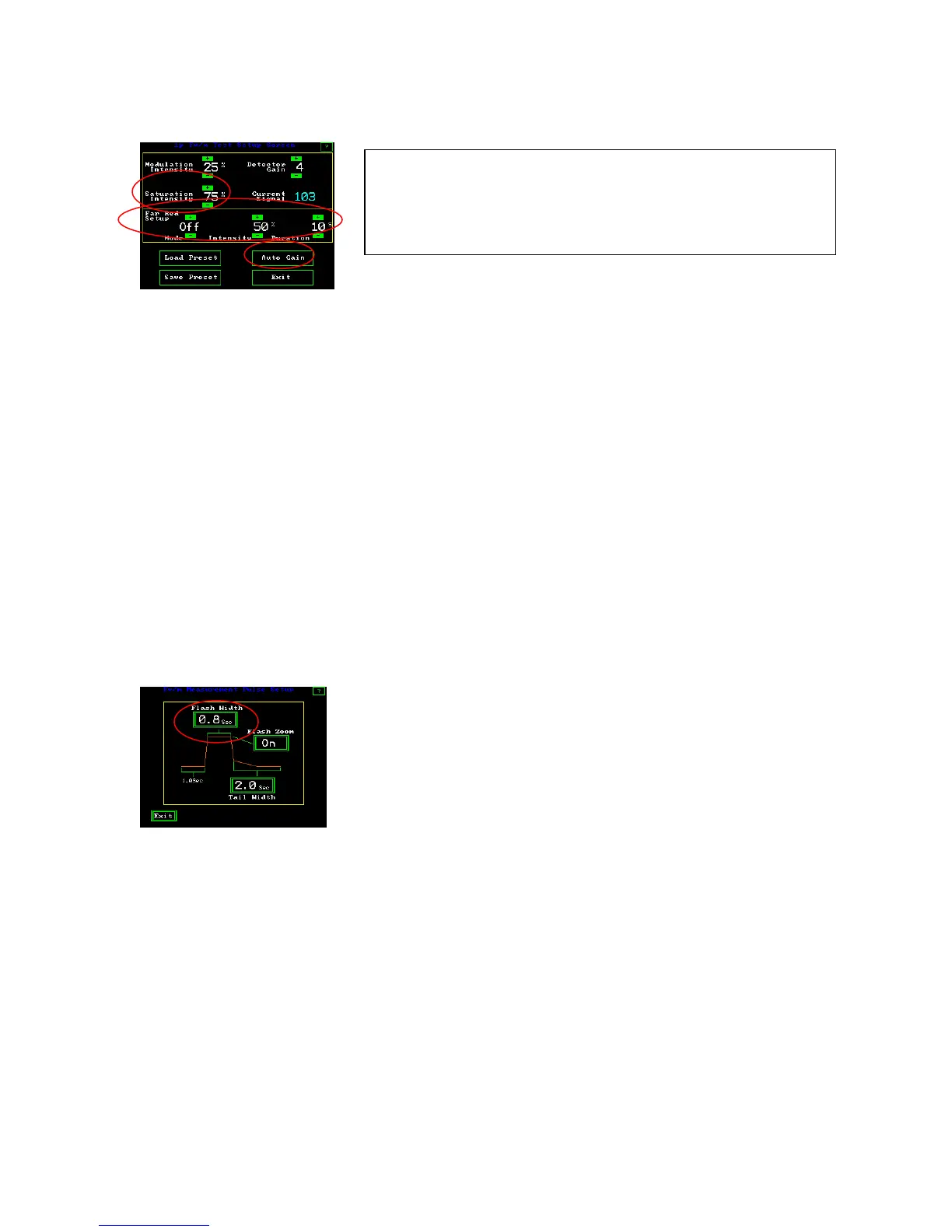
1p Fv/Fm Test Setup Screen
Far red light allows the reduction of PSI and the rapid re-oxidation PSII. Options are
offered for OFF, ON, and PRE. Off turns the far red light off during the test. The pre
setting allows illumination of the sample with far red light before the test, and the on
position keeps the far red light on during the test. Intensity is adjustable between 5% and
100% with 5% increments. The duration time for pre-illuminating samples with far-red
light can be set from one second to sixty seconds using the + and – keys above and below
the values. It has been found that five seconds works well, and that ten seconds provides
optimal results. (Maxwell and Johnson 2000). Using far red light pre-illumination does
not relax NPQ (Consalvey (2004).(See the Dark adaptation section for more details) It is
safe to use the pre-far-red light at 100%.)
Setting the saturation pulse intensity - Values for saturation pulse intensity
range from 5% to 100% in 5% increments. At 100%, the intensity of the saturation pulse
is approximately 11,000 umols when used with a dark clip. Saturation intensity is
approximately 6,200 umols when used with a PAR Clip.
Fv/Fm Measurement Pulse Screen
Setting saturation pulse duration and graphic screen display of the measuring
trace. Duration is the time that the saturation flash is turned on. For higher plants, times
of 0.5 to 1.5 seconds have been used. The optimal saturation duration for algae and
cyanobacteria is between 25 and 50 msec. (Schreiber 1995). If the duration is not long
enough, then PSII is not fully saturated, even at the highest intensity, and Fm values are
reduced. If the Duration is too long, on most chlorophyll fluorometers, the saturation
pulse peak becomes subject to a type of NPQ that rounds the tailing edge of the
saturation peak and also reduces the average Fm value. The Ideal saturation pulse peak is
flat on the top with the trailing edge rounding minimized (Roseqvist and van Kooten
2006).The OS1p provides an automation feature that uses a rolling continuous eight point
average to find the highest average value on the top of the saturation pulse. These eight
To use the automated modulation light setup mode, press
“Auto Gain” . The system then adjusts the modulation light
source into an acceptable minimum reading range for the
PIN diode detector.



 To Next Page