71
points represent a time of 25 msec. As a result, the optimal saturation duration is
automatically provided for higher plants, algae and cyanobacteria if the duration is long
enough. 0.8 seconds is adequate for most plants. The saturation pulse duration is
adjustable between 0.1 and 2.0 seconds.
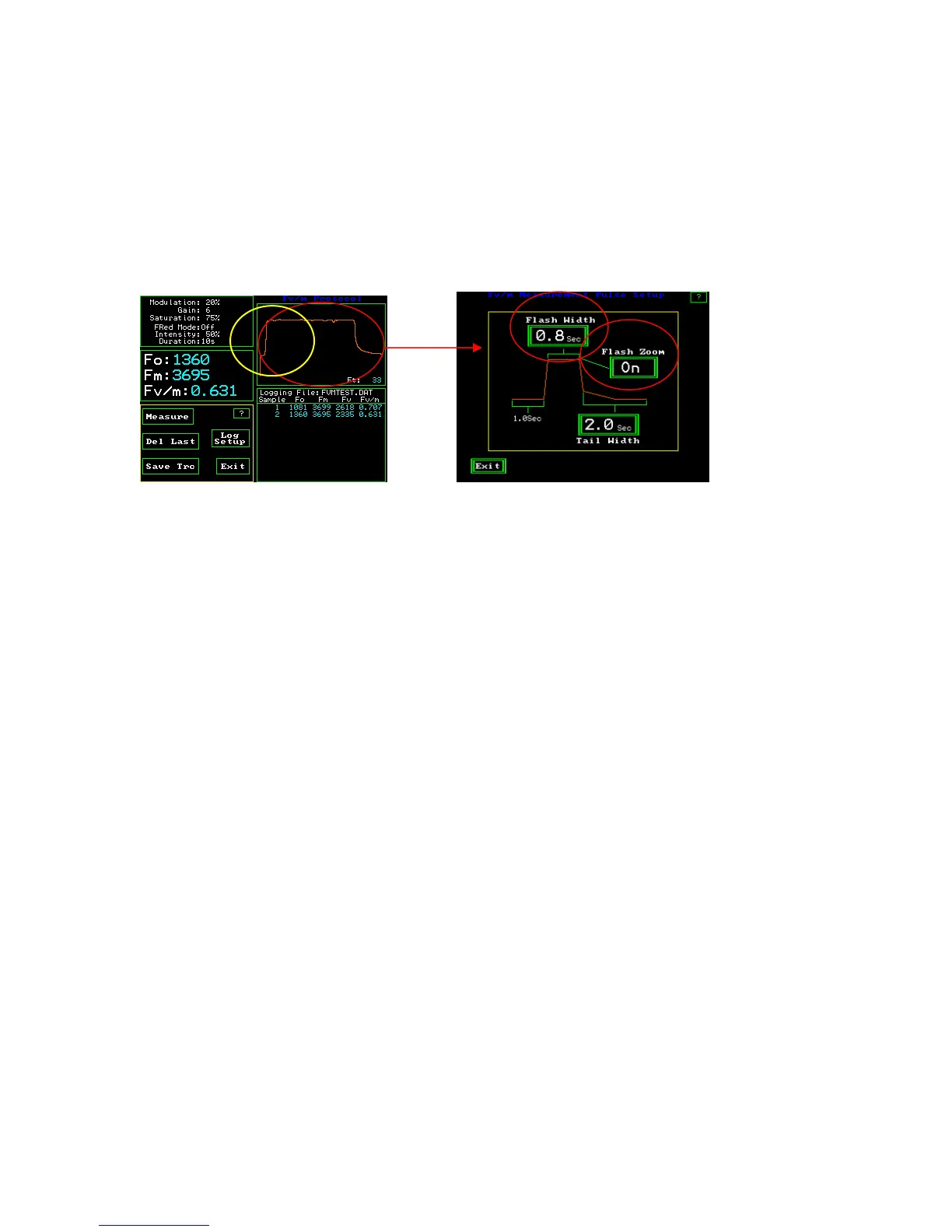
To adjust the duration, touch the upper right graphic display window of the Fv/Fm
measuring window.
Fv/Fm Measuring Screen Fv/Fm Measurement Pulse Screen
By pressing the “Flash Width” button one goes to a keyboard screen and allows the
saturation pulse duration to be adjusted between 0.1 and 2.0 seconds. Press “Ent”
Flash Zoom – This button allows a choice between displaying the full Fv/Fm trace on a
partial basis or displaying the full saturation pulse trace and the subsequent trailing
fluorescence signal after the saturation pulse. The default setting is to display the partial
trace for reasons of speed. Viewing the trailing edge of the saturation pulse adds time to
the measurement. The full trace is displayed on the top left side screen. This is what is
seen when the “Flash Zoom” is turned “On’. The portion circled in yellow represents the
amount of the trace that is displayed when the Flash Zoom is turned “Off”.
The “Tail Width” button allows one to select the amount of trailing fluorescence trace to
be displayed. By pressing the “Tail Width” button, a key board will be displayed that
allows adjustment from zero to 9.9 seconds after the saturation pulse is turned off. Press
“Ent” enter after typing the value.



 To Next Page