142
Measurement review
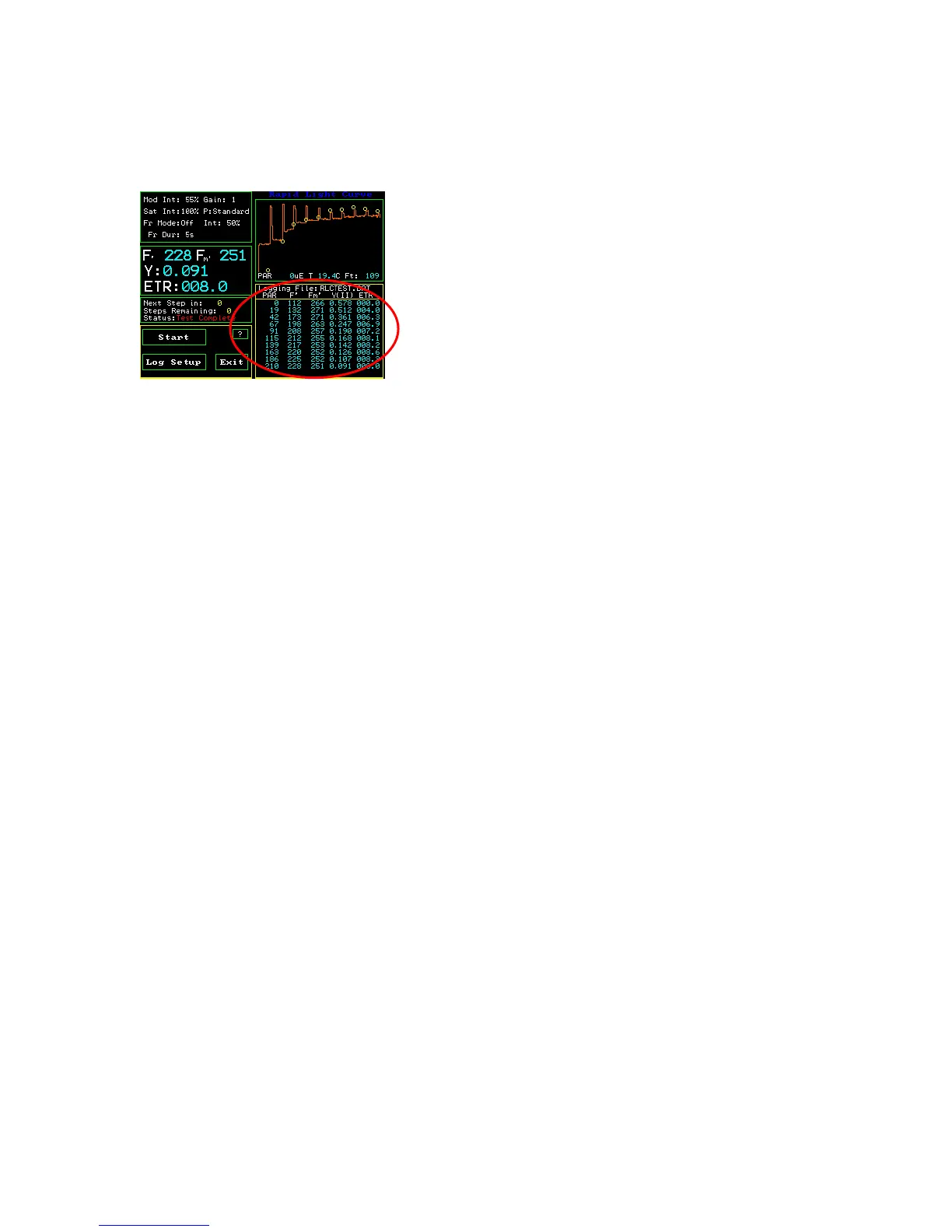
RLC Measuring Screen
On the main RLC measuring screen, the lower right hand side window logs all of the
measurements made, in the current measuring session, for the current file name. One can
scroll through measurements by touching the screen. If one touches the top of the review
area window, the earliest measurements may be reviewed. If one touches the bottom of
the review area window, then the latest measurement can be reviewed. The session
remains current as long as the file name remains the same, and one does not leave the
Y(II) protocol. It will stay intact if one goes to different screens within the Y(II) protocol.
If one turns off the instrument, changes the file name, or goes to a different protocol, then
the session is ended.
After a session is ended, data, and traces may still be viewed by going to the main menu,
selecting “Data Management”, highlighting the file of interest with your finger, and
pressing view. If a trace is saved with the RLC, the trace may be seen by using the Line
up and down arrow keys to go to the last measurement of a RLC. It there is a trace saved,
a low resolution trace will appear in the lower left hand corner of the screen. For more
information, go to the “Data Management” section of the manual.
Measuring data and traces are also retained with the current file name in the measuring
file, and it may be viewed with Excel on a PC computer. It does not disappear like the
measurement review session data in the window.



 To Next Page