113
“Default PAR” does not work when the PAR Clip is attached to the OS1p. The PAR Clip
over rides “Default PAR”.
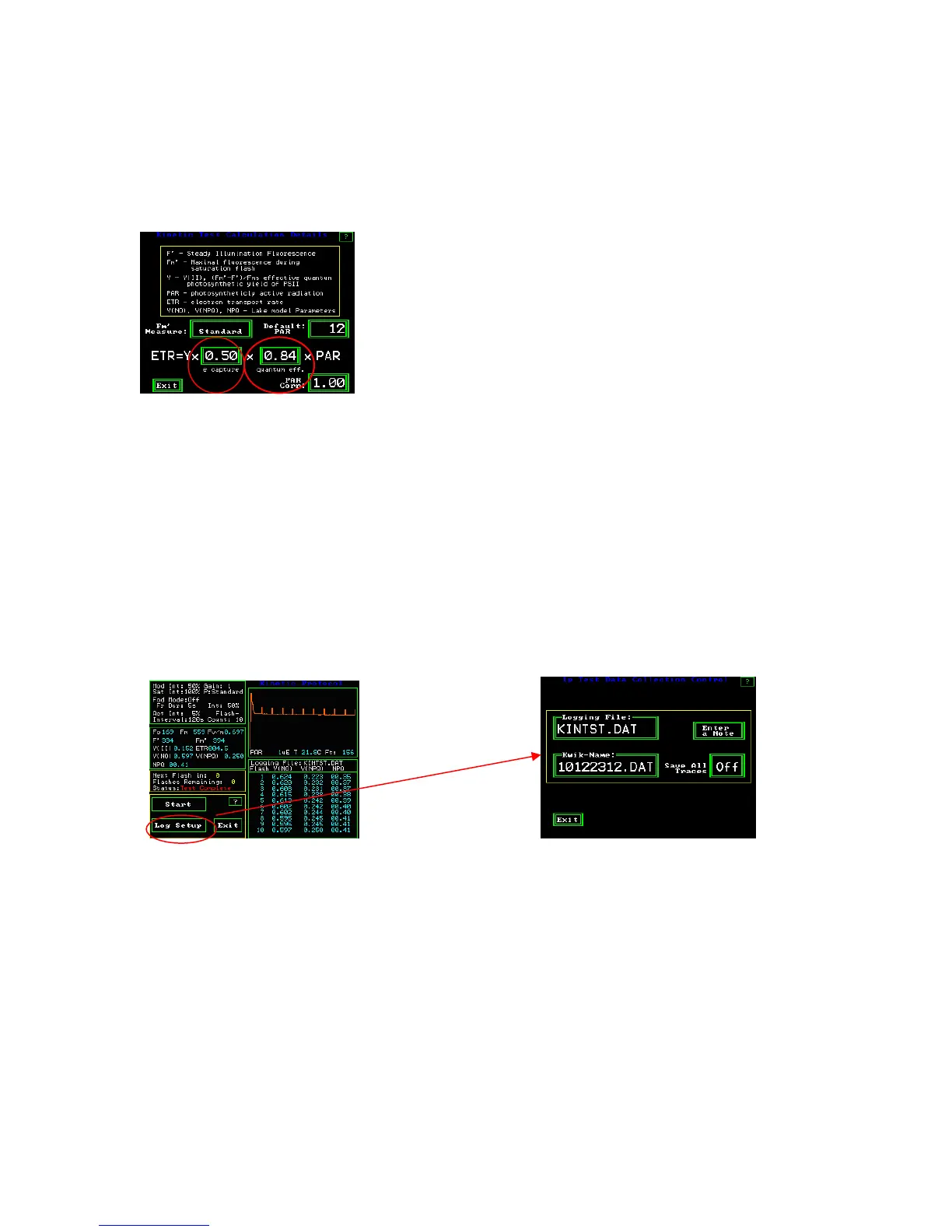
e capture and quantum eff – setting leaf absorption & PSII ratio
The default settings in the ETR equation are considered to be average plant values for
relative comparison of measurements. “e capture” is the ratio of PSII reaction centers to
PSI reaction centers, and “quantum eff” is the ratio of light absorbed by the leaf to the
amount irradiated on the leaf at leaf level. The actual values for these parameters can be
inserted into the ETR equation for more exacting requirements. Sources for the ratio of
PSII to PSI reaction centers can be found in Chapter one. Baker (2008) recommends
using a integrating sphere to measure leaf absorption values for more exacting
requirements. For a more in depth discussion on this topic, see Quantum photosynthetic
yield of PSII – an in depth discussion of its value and limitations in chapter one.
Log Set Up
Measuring screen Log setup screen
Logging file is the name of the current data file being used for measurement. It includes
the last set of measuring parameters that were set up, traces, and data. It is possible to use
more than one set of measuring parameters in the same data file, however, one has to
make a conscious choice to do so. The OS1p will ask if you want to change the file name
when parameters are changed. When one proceeds to the measuring screen, the file that
was last used will load automatically



 To Next Page