82
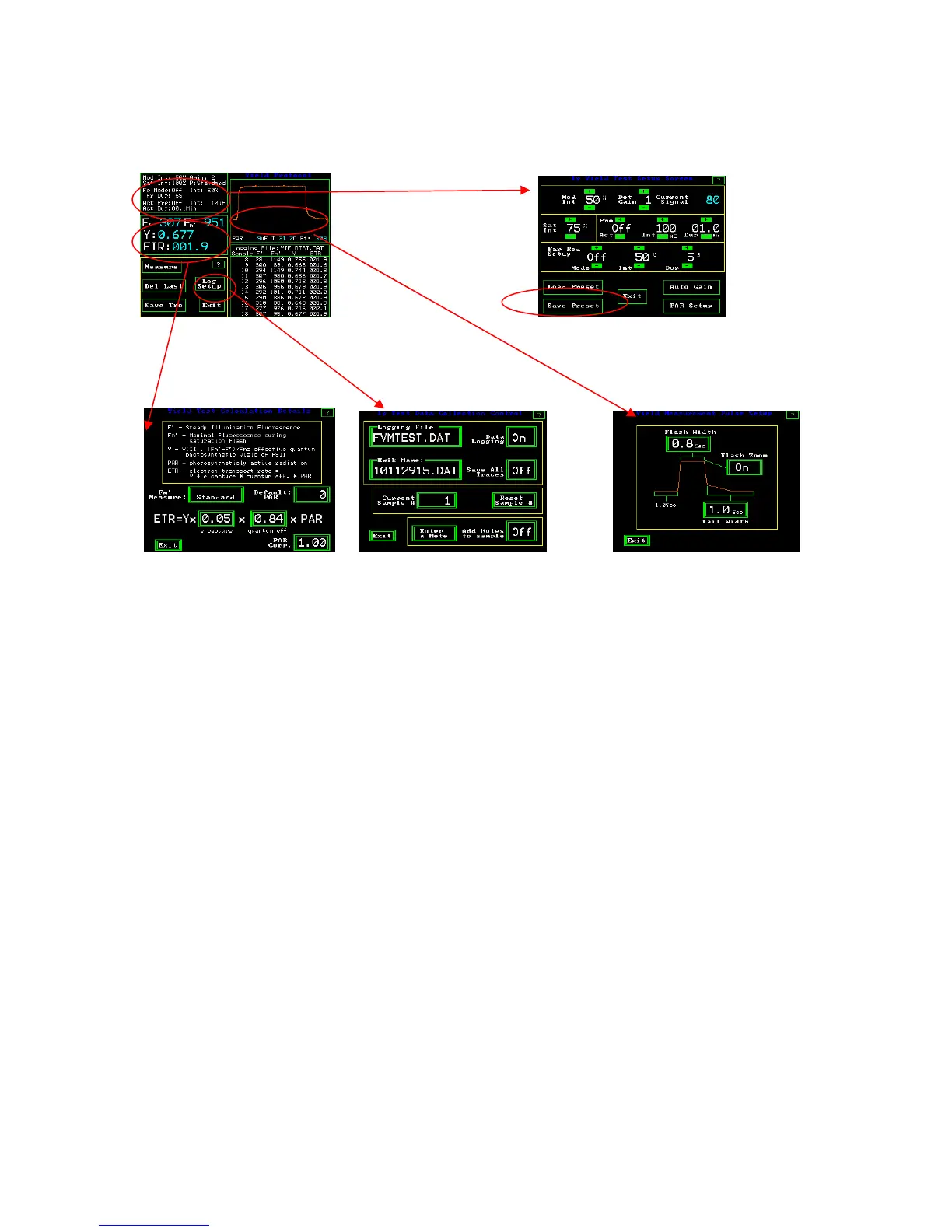
Drill down menu for Y(II)
Press windows to go to other screens
Y(II) Measuring Screen Yield Test Setup Screen
Y(II) Test Calculation Screen Y(II) Test Data Collection Control Screen Y(II) Measurement Pulse Setup
Screen
Changes that are made to the “Y(II) Collection Control” screen, the “Y(II) Measurement
Pulse Setup” screen, and the “Y(II) Test Setup” screen can all be saved in a single
measuring file by pressing “Save Preset” on the Fv/Fm Test Set up screen. The changes
from other screens may be done in any order, and saved from this screen when complete.
Follow the directions listed above to save measuring files.



 To Next Page