61
Setup Menu
Set up menu
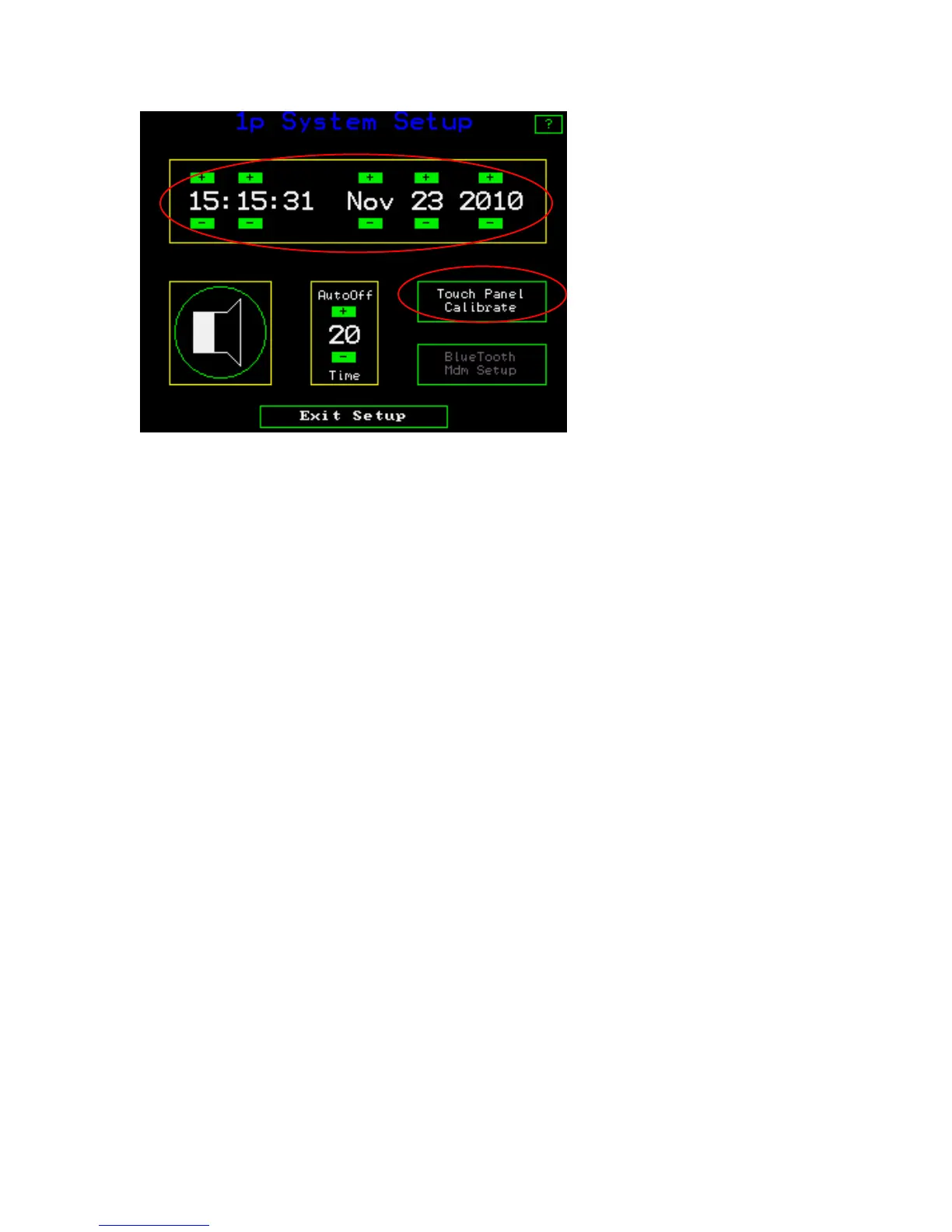
The default time is set for US eastern standard time (24 hour format). On this screen you
can adjust the time and date. Press the + or – buttons to change the values. The speaker
button allows an audible beep when measurements are made and provides other audible
indications as well. This may be turned off or on by pressing the button with the speaker.
The “autoOff “ button allows the instrument to turn off automatically when not in use.
The time is adjustable between zero minutes and twenty minutes by using the + and –
buttons. At the zero setting the instrument will not turn off by itself, you must turn it off.
The “Blue Tooth Mdm set up” is for the blue tooth option. It is not part of the standard
system and must be ordered as an option. It allows data transfer to hand held computers
after every measurement. The set up menu connects the instrument with the blue tooth
device through a hand shake routine.



 To Next Page