155
Data Viewer
The data management section has a data viewer that allows the review of all previous
measurements in a measuring file, and saved graphs, without exporting the file to Excel.
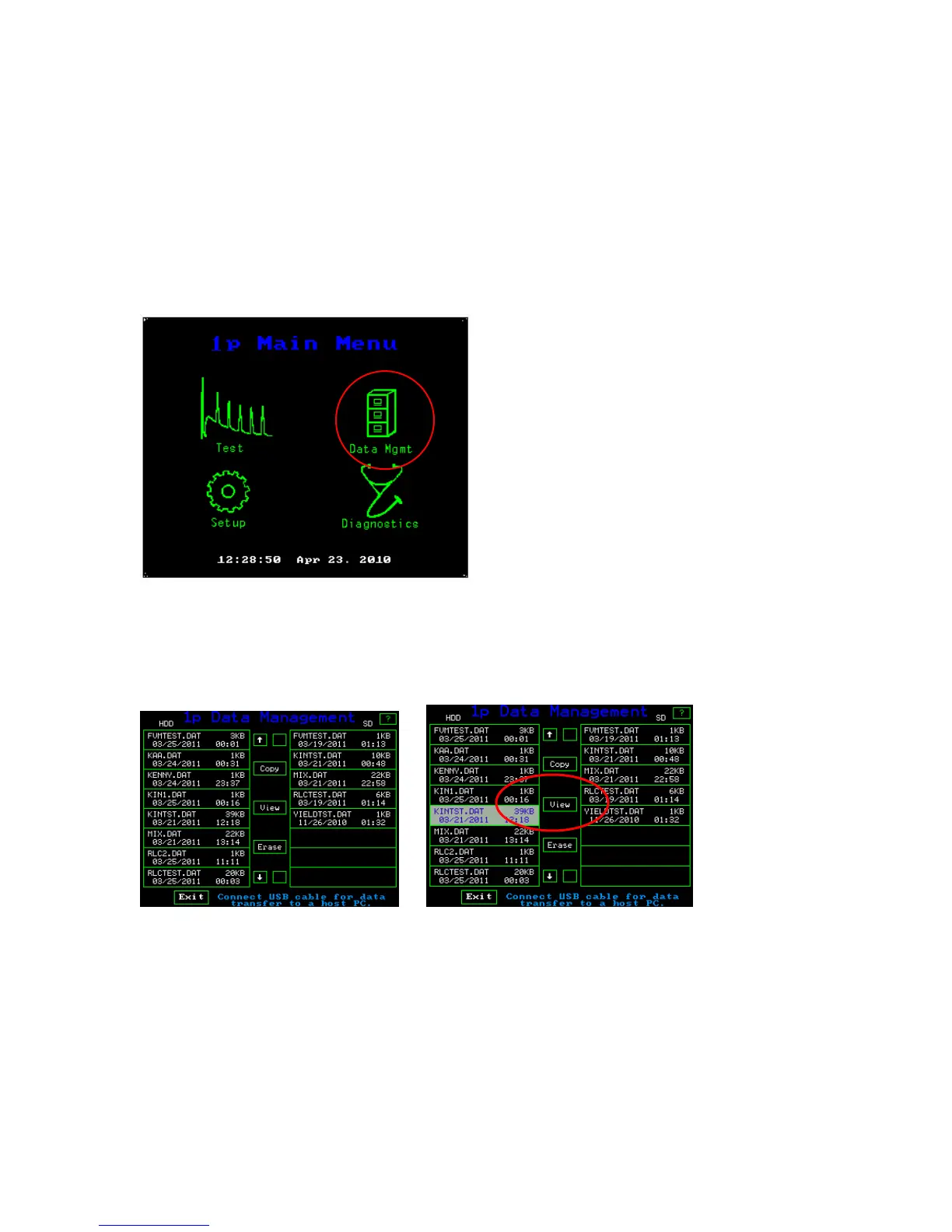
To use this feature go to the Main Menu screen and press “Data Mgmt”
Main Menu
The following data management screen will appear. Touch the file that you want to view,
and it will become highlighted as shown below. Then press “View”
Data management File screen Highlighted file
The two slides shown below, show the data in a measuring file. The one on the left is for
quenching measurements, and the one on the right is for Fv/Fm measurements.



 To Next Page