92
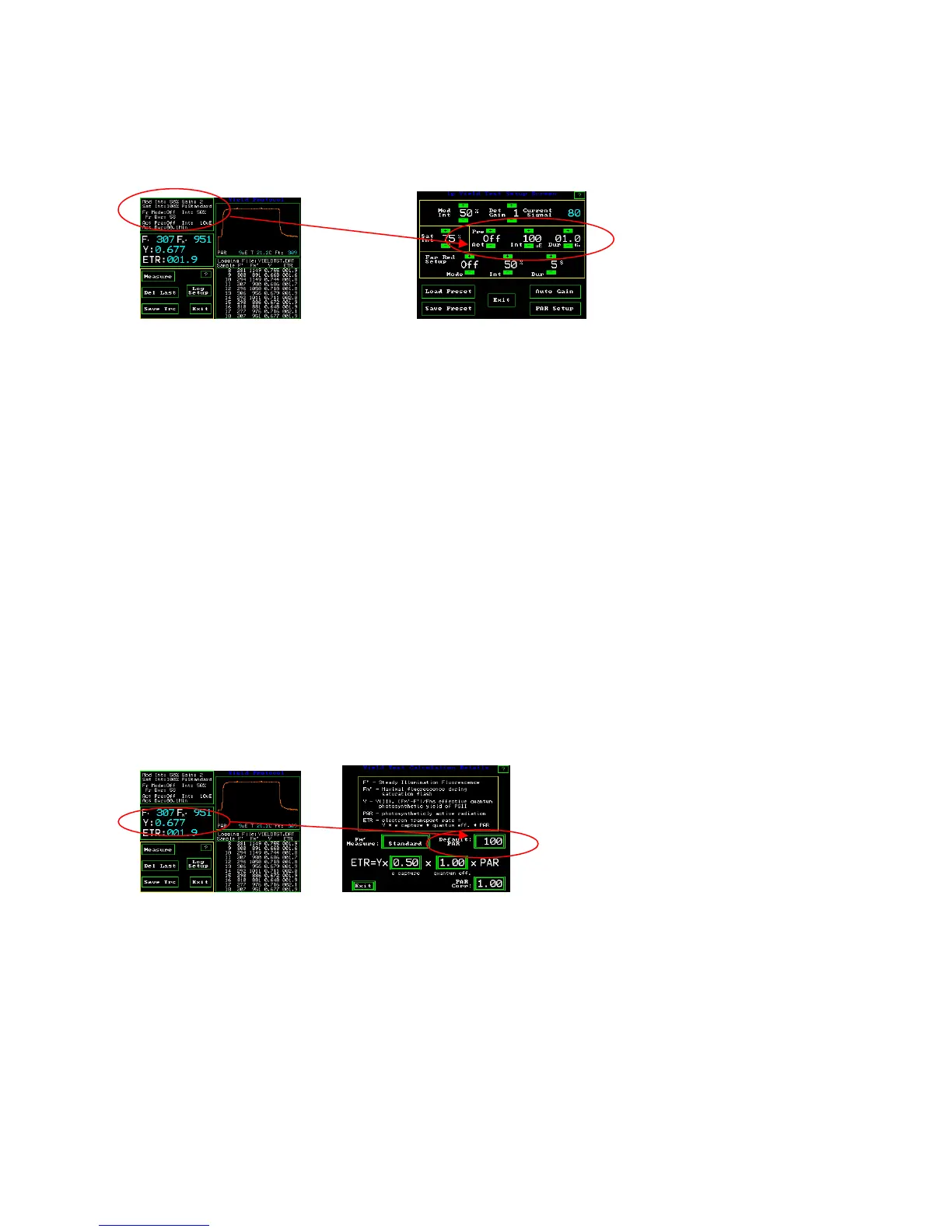
Pre-actinic light
Y(II) Measuring Screen 1p Yield Test Setup Screen
This feature allows the illumination of the sample leaf with a predetermined amount of
actinic white light. Y(II) requires leaf samples to be at steady state photosynthesis before
measurement. When using pre-actinic lighting, it takes between fifteen to twenty minutes
at a new light level for a leaf to reach steady state photosynthesis (Maxwell and Johnson
2000).
When the PAR Clip is used-
The instrument default setting is off for this feature. By using the + or – button, the
feature can be turned on. The “Int” can be set between from 0% to 100% in 5%
increments 100% is approximately 1500 :mols with a PAR Clip. The actual intensity is
recorded when the PAR Clip is used. For correct Y(II) measurements, the “Dur”
(duration) should be set so that the leaf reaches steady state photosynthesis before
measurement. When done, one can exit or press save preset. The intensity of the pre-
actinic light is held constant with in a few :mols by the PAR Clip to ensure steady state
photosynthesis. This feature is great for the Lab.
Y(II) Measuring Screen Yield Test Calculation Details screen
“Default PAR” When a PAR Clip is not used –
When a PAR Clip is not attached to the OS1p, the user may select the approximate pre-
illumination intensity. From the Y(II) measuring screen, press the second window down
from the top on the left had side to get to the Yield Test Calculation Details screen shown
above.



 To Next Page