MECH-31
Adjust within specification
Sens. Value : 101.58mV/um
Sens. 1 : 104.72mV/um
Sens. 2 : 98.44mV/um
3-35. RP Head Sensitivity Adjustment and Sensitivity Detection (50M Mode)
SPEC.
Sensitivity 100±10 (mV/µm)
! ATF (R/P-L) TP6701 RF/CUE
" H SW (R/P-L) TP233 SERVO (F1)
TEST POINT
# GND TG6001 RF/CUE
VTR MODE
PLAYBACK
ADJUSTMENT
SERVO Adjustment Menu: “A12: RPL GAIN 50”
TAPE
NTSC: VFM3581KM or VFM3581KL(LISTA)
(PAL: VFM3681KM or VFM3681KL(LISTA))
Set the LISTA software in 50M Mode. 25M and 50M mode can be changed “0” key.
1. Set the VTR in Service Mode to open the servo menu and select the item of “A12: RPL GAIN 50” in the “SERVO
ADJUST” menu.
2. Playback a LISTA alignment tape (VFM3581KM or VFM3581KL).
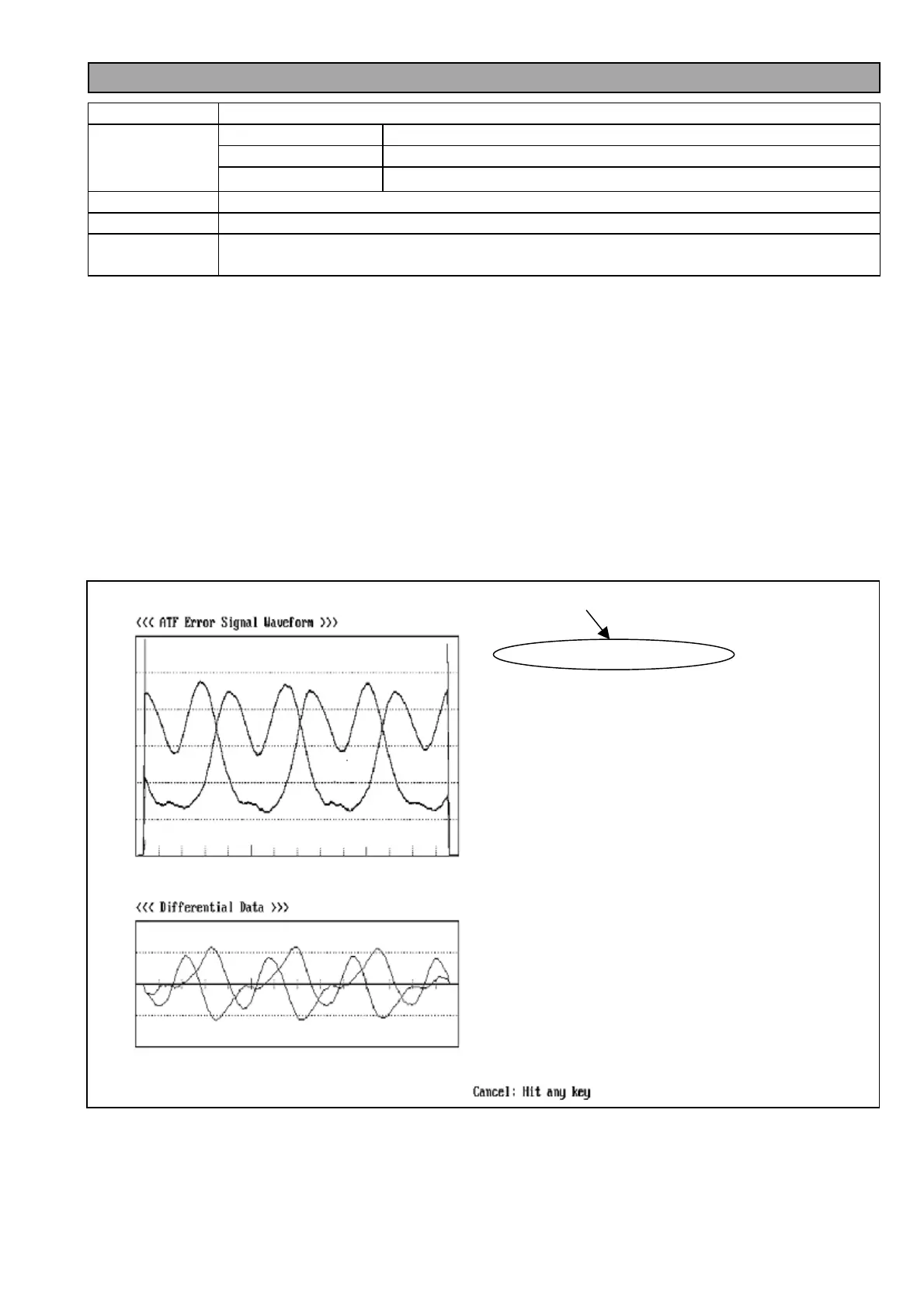
3. Select the LISTA (6) ATF Error Signal Monitor so that the screen of <ATF Error Signal monitor> appears. Then
press Enter to start the software.
4. When the picture is appeared as shown in figure 3-35-1, adjust ATF Gain (A12: RPL GAIN 50) so that the “Sens.
Value:” is in the Specification. To return the main menu, press ESC key.
5. Select Lista Main Menu “(1) Sensitivity Measurement” so that the screen of <ATF Error Signal monitor>
appears.
6. Playback a Lista alignment tape.
7. Press “Enter” to start the Sensitivity measurement.
8. Confirm that the sensitivity value is within the specification on the <Sensitivity Measurement Finish> screen.
(refer to figure 3-35-2).
9. If it is out of specification, return to item 3.
Figure 3-35-1














 To Next Page