ELE-2
2-1. Reel Torque Gain Adjustment
BOARD SERVO (F1)
TP -----
ADJ. SERVICE MENU,
TAPE -----
INPUT -----
MODE EJECT
M. EQ Monitor TV
SPEC. -----
1. Open the SERVICE MENU. (Refer to SEC1
Service Information.)
2. Select the A00: SERVO ADJUST and press the
“SET” button to open the SERVO ADJUST
MENU.
3. Select the A02:RL GAIN ADJ by using the “Joy
Stick”.
4. Press the “Search” button continuously until the
two kind of numeric value displayed on the right
side of RL GAIN ADJ goes off one time. Release
the “Search” button when the both two new
numeric value has been updated. (It takes 5-6
seconds.)
5. Perform the Item 4 again. And confirm the
numeric value is changed to new value.
6. Close the menu.
<Note>
1. Before “2-2. Motor Torque Offset Adjustment” is
done, implement this adjustment.
2-2. Motor Torque Offset
Adjustment
BOARD SERVO (F1)
TP S,T REEL TABLE
ADJ. SERVICE MENU
TAPE -----
INPUT -----
MODE EJECT
M. EQ VFK1191A (Dial Torque Gauge)
VFK1152 (Dial Torque Gauge Adaptor)
SPEC. 0.16 ± 0.01 cNm (15g-cm ± 2g-cm)
(5 times average)
1. Remove the Front Loading Unit. (Refer to SEC2
Disassembly Procedures)
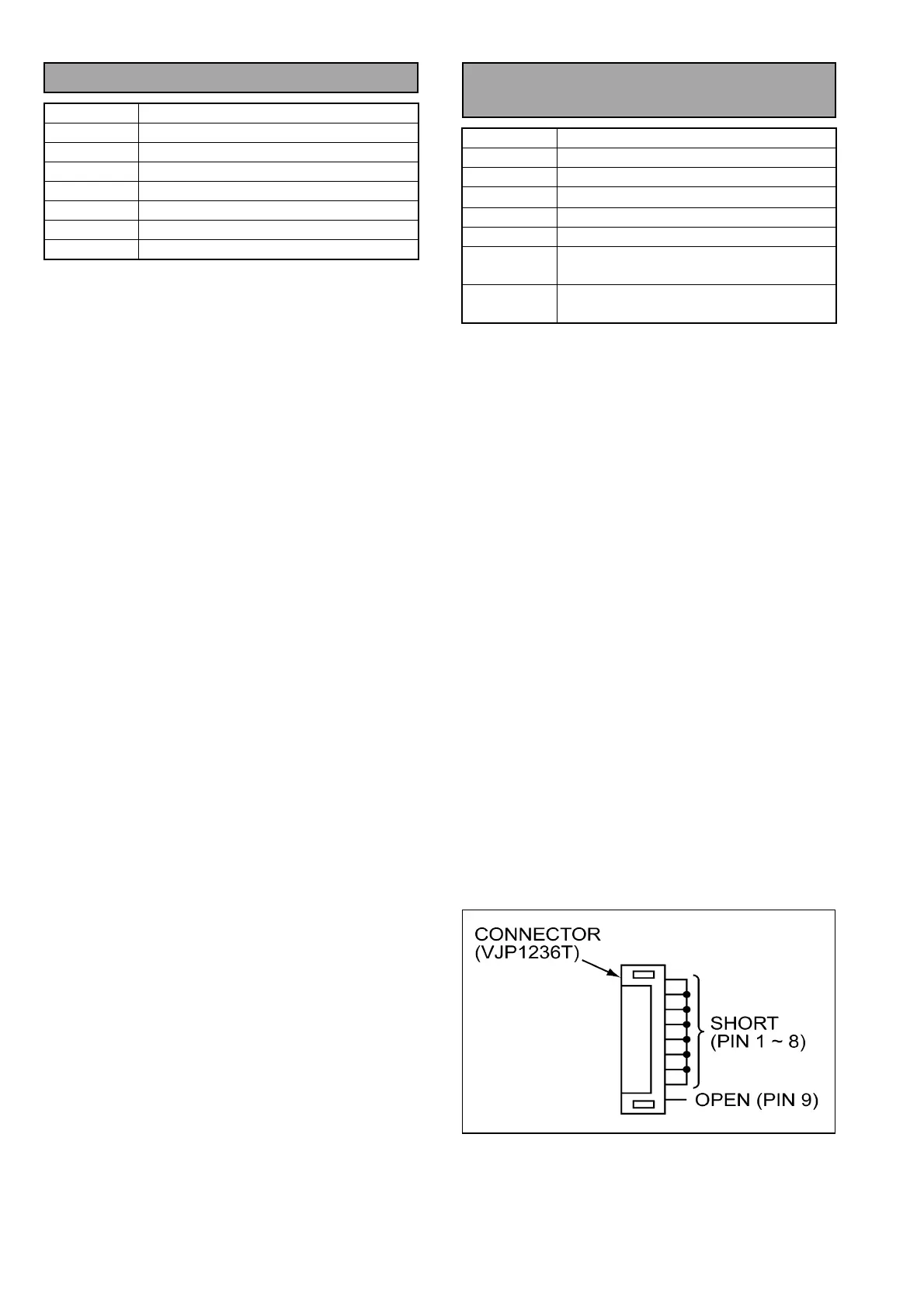
2. Connect the Carriage tool (see the following
figure) to connector P1 which is coming from the
MECH. I/F board to Carriage board of the front
loading unit.
3. Open the SERVICE MENU. (Refer to SEC1
Service Information.)
4. Select the A00: SERVO ADJUSTS and press the
“SET” button to open the Servo Adjust menu.
5. Select the A03: T TORQUE.
6. Set a Dial Torque Gauge to top of Take-up Reel
Table.
7. Press the “Search” button and measure the value
of Dial Torque Gauge 5 times, then calculate the
average and adjust “T TORQUE” with “Menu” so
that the average is in the specification.
Note: While pressing the “Search” button, the REEL
Table is rotated.
8. Select the item A04: S TORQUE.
9. Set a Dial Torque Gauge to top of Supply Reel
Table.
10. Press the “Search” button and measure the value
of Dial Torque Gauge 5 times, then calculate the
average and adjust “S TORQUE” with “Menu” so
that the average is in the specification.
11. Close the Menu.
12. Turn the Power switch to OFF.
13. Disconnect the carriage tool.
14. Install the Front Loading unit.














 To Next Page