MECH-59
(Adjustment)
1. Install the MIC Geneva Gear to the Chassis.
2. Place the Reels in the M-Size position by hand.
3. Install the MIC Drive Arm Unit.
4. Place the REC Inhibit SW in front position on
Distinction SW Unit by rotation of MIC Geneva
Gear, and then MIC Geneva Gear should be
positioned as shown in Figure 5-26-3.
Note:
Protrusion of MIC DRIVE Arm Unit is positioned as
shown in Figure 5-26-3.
Figure 5-26-3
5. Install the Reel Drive Cam Gear and the hole of
Reel Drive Cam Gear should match with the hole
of MIC Geneva Gear as shown in Figure 5-26-3.
6. Install the Cut Washer (A), (B) and (C) as shown
in Figure 5-26-1.
Point of Adjustment:
1) Reel in M-Size position.
2) Set the REC Inhibit SW in front position of
Distinction SW Unit.
3) Protrusion of MIC Drive Arm Unit is positioned as
shown in Figure 5-26-3.
4) Holes between Reel Drive Cam Gear and MIC
Geneva Gear are matched.
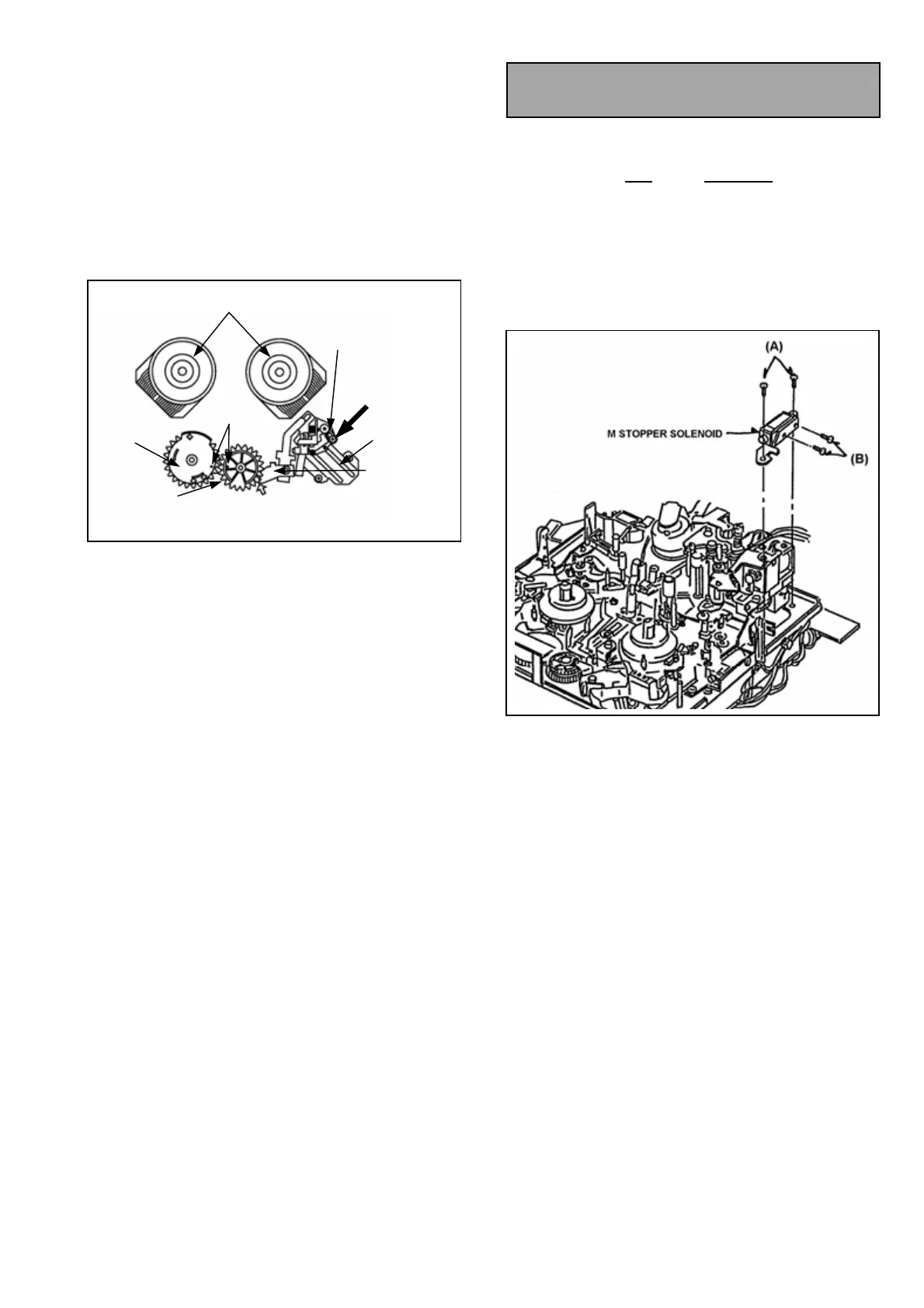
5-27. M-Stopper Solenoid
Replacement & Adjustment
(Removal)
1. Remove the P24
on the MECH I/F.
2. Unscrew the 4 screws (A) and (B) and remove the
M-Stopper Solenoid as shown in Figure 5-27-1.
(Installation)
1. Install the new M-Stopper Solenoid following the
removal steps in reverse order.
2. After installation, position adjustment should be
performed as follows.
Figure 5-27-1
REEL IN M POSITION
HOLE
DISTINCTION
SW U.
DISTINCTION SW U.
IS PLACED
FRONT POSITION
MIC RAIL U.
MIC DRIVE
ARM U.
PROTRUSION OF MIC DRIVE ARM U.
SHOULD BE LOCATED AS SHOWN
REEL
DRIVE
MIC GENEVA
GEAR














 To Next Page