INF-11
7. SOFTWARE VERSION DISPLAY
7-1. SOFTWARE and PLD VERSION are displayed on the VIDEO SUPER
OUT (Monitor TV) and FRONT DISPLAY.
7-1-A. Michrocomputer Software Version on Front Display
1. Turn on the VTR power.
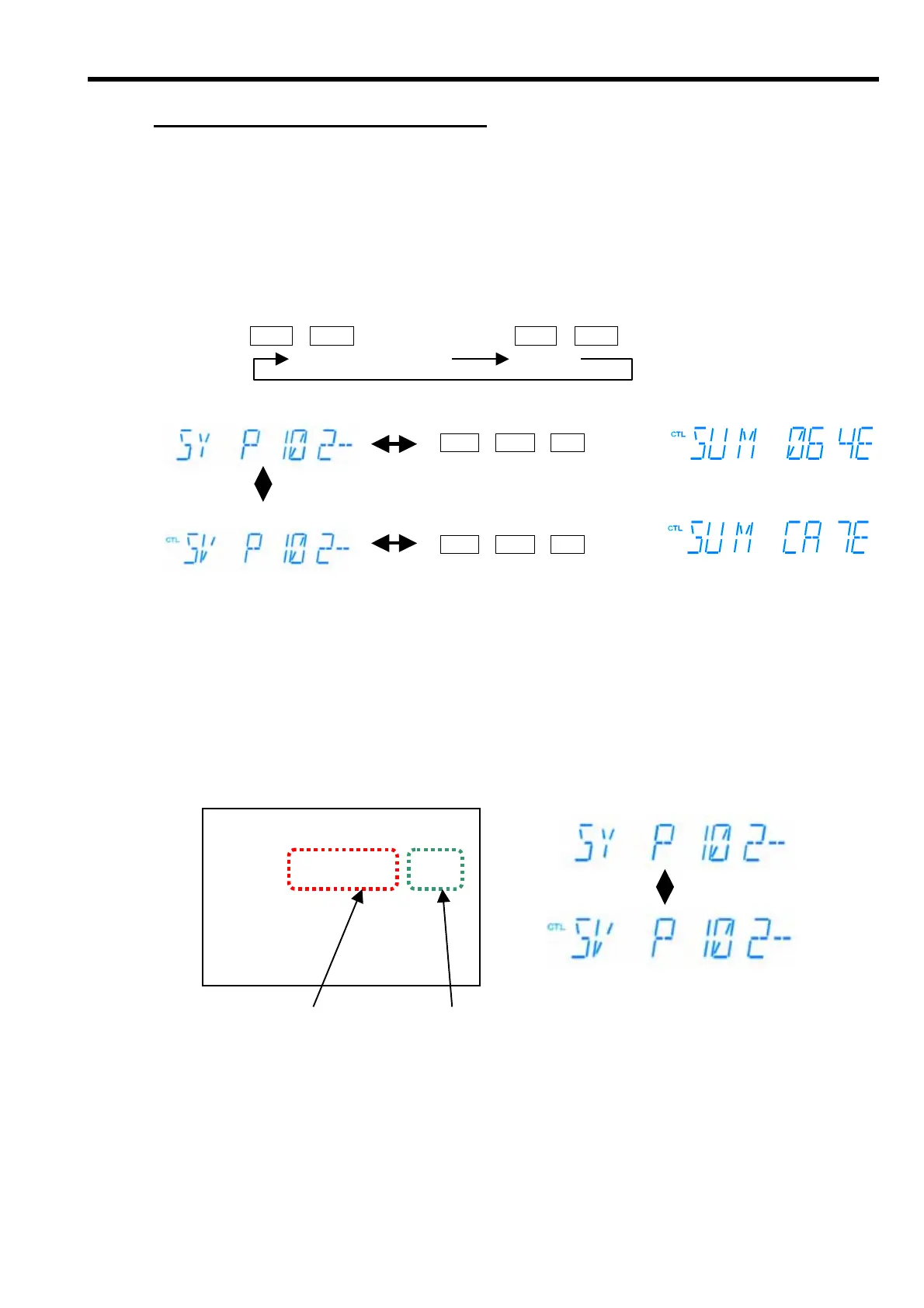
2. Place the unit in the EJECT mode and then press the “PLAY” and “STOP” buttons together so that the
Software Version of the SYSTEM CONTROL (SY) is displayed on the Front Display.
3. Press the “PLAY” and “STOP” buttons again, then the the version display is changed to the Software
Version of the Servo (SV).
PLAY + STOP BOTTONS PLAY + STOP BOTTANS
SYSTEM CONTROL SERVO
4. Press the PLAY, STOP and REW buttons together, then the Check Sum is displyed as shown the above.
7-1-B. Michrocomputer Software Version Display
1. Turn on the power of the VTR and place it in the EJECT mode..
2. Press the “PLAY” + “STOP” buttons and “FP” + “MENU” buttons simultaneously so that the monitor TV
shows the HOUR METER display.
3. Press the Search button so that the Software Version of the Microcomputer is displayed as shown below.
MONITOR TV FRONT DISPLAY
4. Move the cursor (*) by using the Joy Stick (↑↓) so that the display on the Front Panel is changed as
shown the above.
DIAG-MENU SOFT VERSION
Ser F4TRA0001 - P
* SYS p1.02-01-1.00 9F5C
SRV p1.02-02-1.00 2ACE
END
Software Version of SYSTEM CONTROL
Software Version of SERVO
JOY STICK (↓↑)
PLAY + STOP BOTTONS
PLAY + STOP + REW BOTTONS
PLAY + STOP + REW BOTTONS
Check Sum Software Version














 To Next Page