ELE-18
FLASH MEMORY VERSION
UP TOOL (VFM1304A)
To CONNECTOR P1802 ON
DPROC_SYS BOARD.
(Auto EQ Adjustment Procedure)
A) Preparation
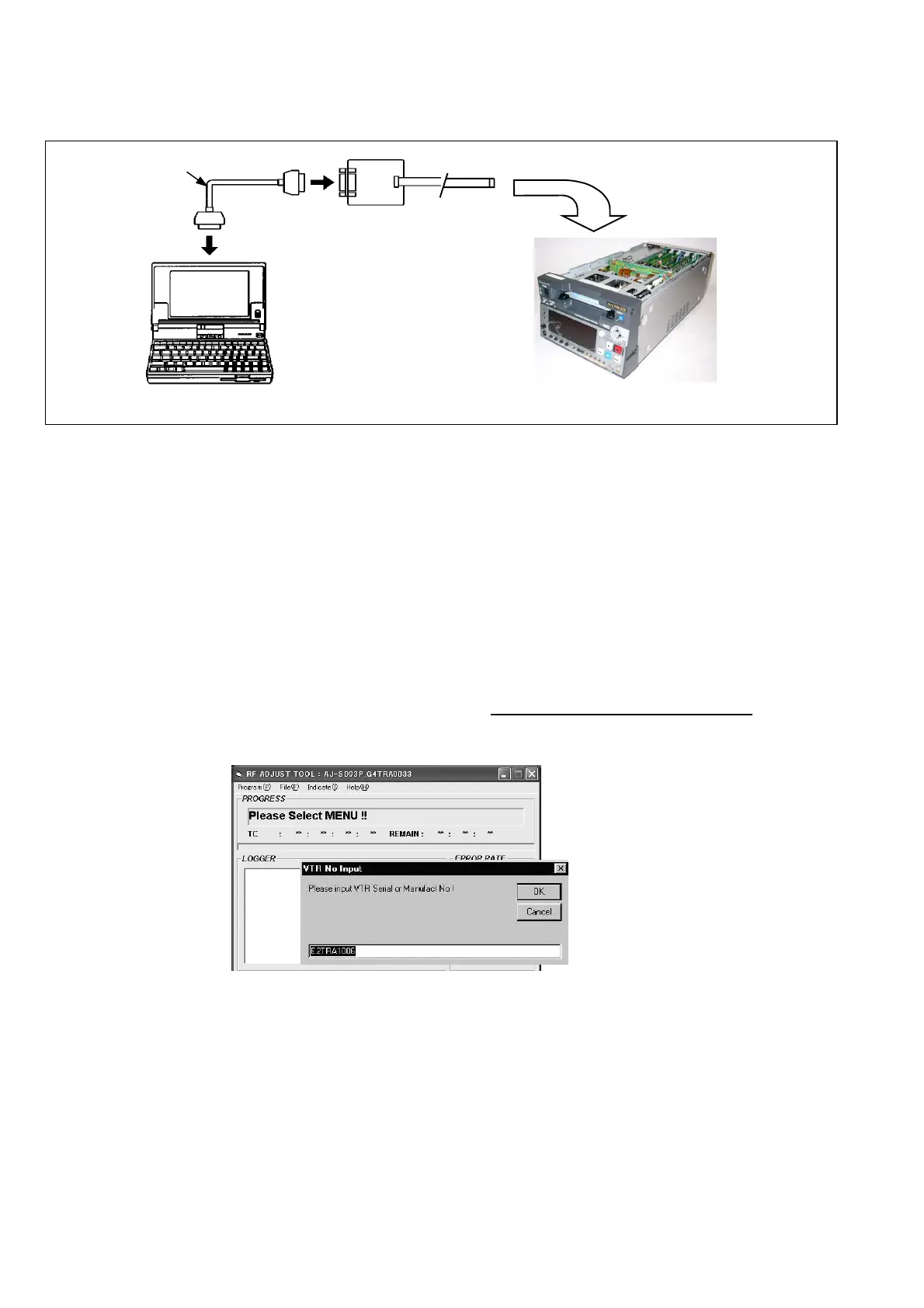
1) Connect the VTR with PC by RS232C cable (Cross cable) and flash memory version-up tool (VFK1304A)
as shown below.
Figure A
2) Turn the VTR power on.
3) Set the controls on the front panel as shown below.
CONTROL = REMOTE
REC INHIBIT = OFF
TCG = PRESET
SUPPER = ON
B) Execution of Software Application.
1) Confirm that the VTR power is on.
2) Select start → Program → Panasonic Tool → SD93Rf in the Start menu program in PC.
3) Main screen of the application software appears.
4) Open the program menu and select as follows;
Adjustment: Select “Program →
→→
→ Adjust”.
Measurement: Select “Program →
→→
→ Error Rate”.
5) Select the item needed about adjustment & measurement from. Adjustment/ Measurement item selection BOX (refer to (a-2)).
6) Select “Program →
→→
→ Start”
7) Serial no is displayed. Press “OK” button. (The information on this window can be changed and added.)
8) Follow the indication on the message box. Then adjustment is started automatically.
9) Error result is displayed after exciting the adjustment program. Press close button after confirming it.
10) Select “File →
→→
→ Save” in order to save the Error rate data & EVR data to PC. If it is not needed to save
them, skip this process.
(Caution)
This item can not be functioned unless “Data Download”, “Load on File menu” or all adjustment program is
excited.
11) The screen of item (7) appears again. Press “OK” button if serial data information is not needed to change.
RS-232C CROSS CABLE
PC
AJ-D93














 To Next Page