INF-23
6. Press “OK” button so that the following screen appears and check sum is calculated.
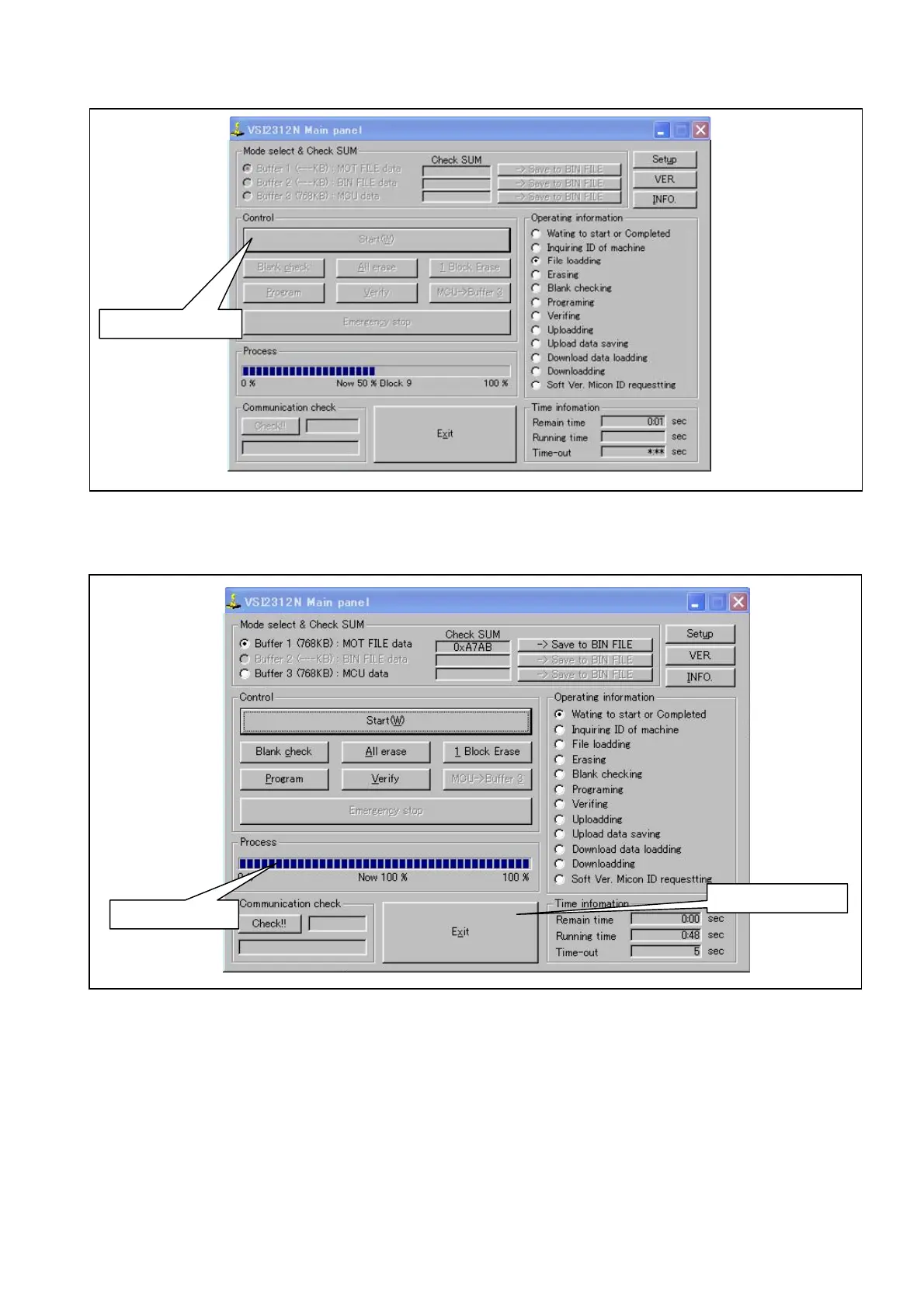
7. Press “Start” button so that the software programming will start.
Figure 12-2B-2
8. Confirm the bar in the Process window reach to 100% that means the software programming
complete as shown in figure 9-1B-3.
Figure 12-2B-3
9. Press “Exit” button to end the program.
* If the error occurs during above process, repeat the process from step 5 again.
10. Turn the power of the VTR off and then on. This will reboot the VTR.
11. Confirm that software version is updated.
Click “Start” button
Confirm “100%”
Click “Exit” button














 To Next Page