Chapter 4 Settings — [PROJECTOR SETUP] menu
ENGLISH - 161
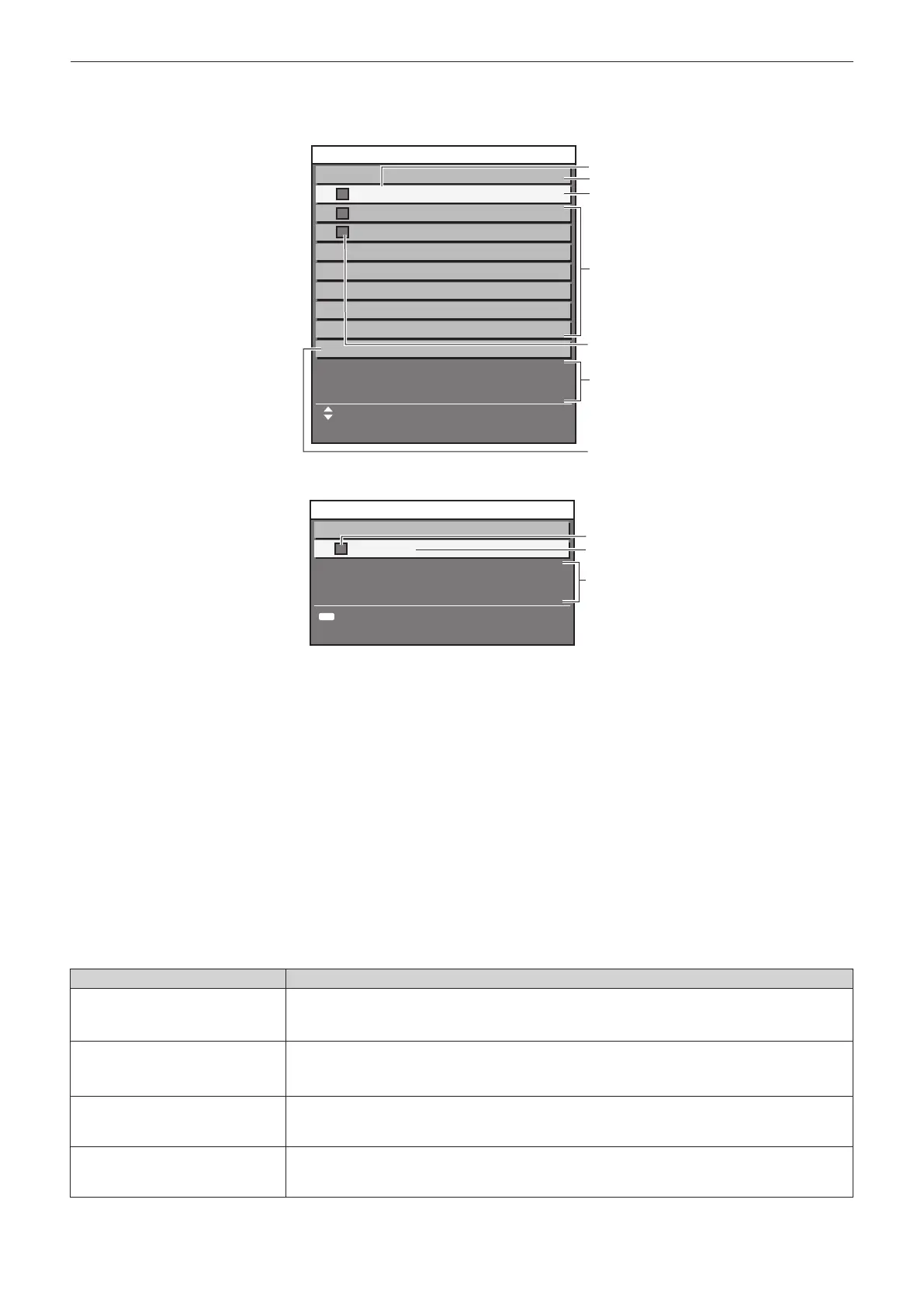
When [CONSTANT MODE] is set to [AUTO], and [LINK] is set to [GROUP A] through [GROUP D]
The screen shows the status of the brightness control of synchronized projectors (up to eight units), including the
projector being controlled through the on-screen menu.
2
1
3
4
5
7
8
LINK
UPDATE
PROJECTOR
GROUP A
PROJECTOR2
PROJECTOR3
BRIGHTNESS CONTROL STATUS
MENU SELECT
1:
2:
3:
4:
5:
6:
7:
192. 168. 30. 2
192. 168. 30. 3
192. 168. 30. 4
When [CONSTANT MODE] is set to [PC]
5
1
6
RETURN
CONSTANT MODE
PROJECTOR
PC
BRIGHTNESS CONTROL STATUS
MENU
1 Display the name of the projector.
2 Display the synchronized group.
3 Display the IP address of the projector.
4 Display the names and IP addresses of projectors in same group detected over the network.
For IPv6 address, “(IPv6)” is displayed instead of the IP address.
5 Display the status by color.
Green: There is an allowance for brightness correction.
Yellow: There is little allowance for brightness correction.
Red: There is a brightness control error.
6 Display error detailed messages.
7 Display error messages.
When the message [Failed to apply BRIGHTNESS CONTROL to some projectors.] appears, it means that synchronization with the
projector displayed in red has failed.
Press as to select the projector displayed in red, and press the <ENTER> button to display the error details.
8 Update to the latest status information.
r Error details
Error message Measures to take
[Exceed maximum number of
projectors.]
f Limit the number of projectors in one group to eight.
f To synchronize nine or more projectors, use a computer and “Multi Monitoring & Control
Software”
*1
.
[Please check the COMMAND
CONTROL setting.]
f Set the password of the administrator account.
f Set [NETWORK CONTROL] → [COMMAND CONTROL] to [ON] for the projector in error.
f Set [NETWORK CONTROL] → [COMMAND PORT] of all linked projectors to the same value.
[Please check the USER NAME
and PASSWORD in the COMMAND
CONTROL setting.]
f Set the administrator account (user name and password) of all linked projectors to the same
setting.
[Cannot apply BRIGHTNESS
CONTROL. Please check projector
status.]
f The projector is in standby. Switch on the power.














 To Next Page