Chapter 4 Settings — [PROJECTOR SETUP] menu
ENGLISH - 181
3) Press the <ENTER> button.
f The detailed screen of the temperature information is displayed (English only).
Note
f Select [ERROR INFORMATION] in Step 2) to display the detailed screen of the error information (English only).
Sending status content via E-mail
The status content can be sent to the E-mail address (up to two addresses) set in [Mail set up] (x page 249).
1) Press the <ENTER> button while the 1/6 to 4/6 page of the [STATUS] screen is displayed.
f The selection screen is displayed.
2) Press as to select [SEND E-MAIL].
3) Press the <ENTER> button.
f The [SELECT E-MAIL ADDRESS] screen is displayed.
4) Press as to select the destination.
5) Press the <ENTER> button.
f The conrmation screen is displayed.
6) Press qw to select [OK], and press the <ENTER> button.
f The status content is sent.
Saving status content in USB memory
The status content can be saved in a USB memory attached to the <USB> terminal.
1) Press the <ENTER> button while the 1/6 to 4/6 page of the [STATUS] screen is displayed.
f The selection screen is displayed.
2) Press as to select [SAVE TO USB MEMORY].
3) Press the <ENTER> button.
f The conrmation screen is displayed.
4) Press qw to select [OK], and press the <ENTER> button.
f The status content is saved.
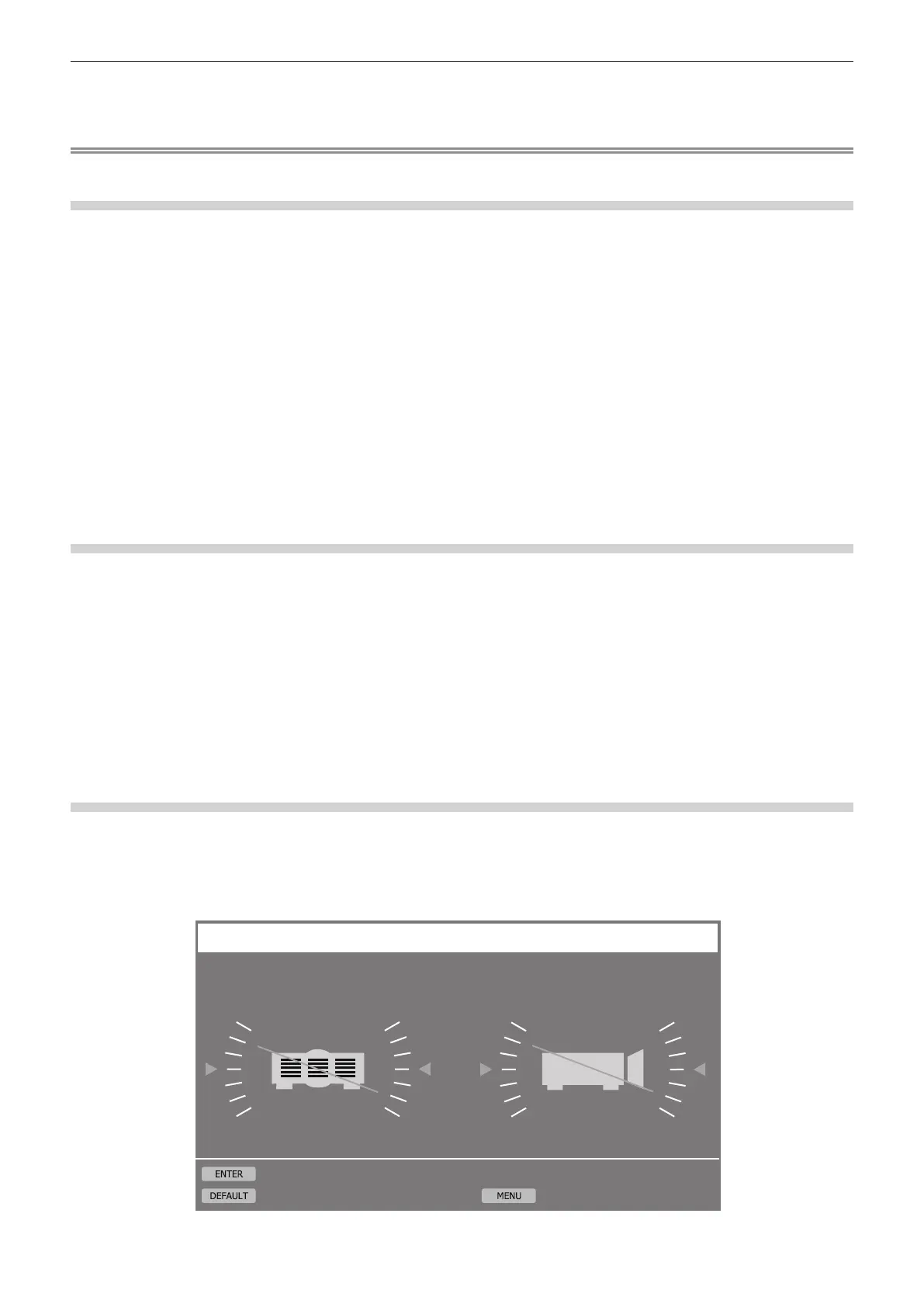
[ANGLE MONITOR] screen
Displays the tilt angle of the projector graphically based on the angle information detected by the built-in angle
sensor.
1) Press the <ENTER> button while 5/6 page of the [STATUS] screen is displayed.
f The [ANGLE MONITOR] screen is displayed.
-10
-20
-30 -150
+150
-160
+160
-170
+170+10
+20
+30
-170
-160
-150 -30
+30
-20
+20
-10
+10+170
+160
+150
+ 20°
-
20°
ANGLE MONITOR
ZERO CALIBRATION
RETURN
RESET














 To Next Page