Chapter 5 Operations — Using the web control function
ENGLISH - 219
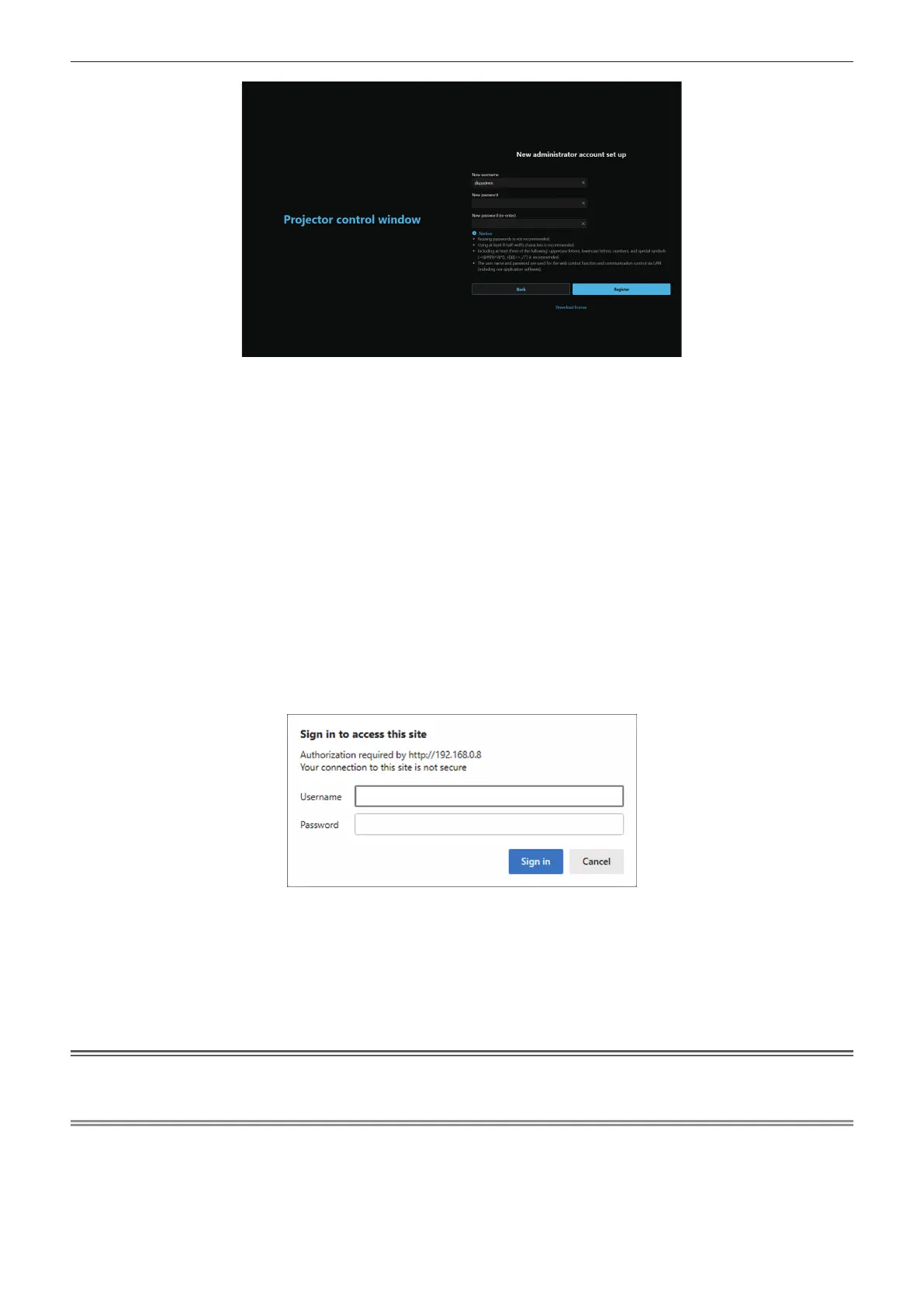
4) In [New username], enter the user name to be used as the administrator account.
f The factory default setting of the user name for the administrator account is set to “dispadmin”.
5) In [New password], enter the password to be set for the administrator account.
f A password cannot be blank.
f A password consisting of at least eight half-width characters is recommended.
f A password containing characters of at least three of the following four character types is recommended.
g Uppercase letters
g Lowercase letters
g Digits
g Symbols (~!@#$%^&*()_+|}{][<>.,/?`)
6) In [New password (re-enter)], enter the password entered in Step 5).
7) Click [Register].
f The setting of the administrator account will be completed.
8) Enter the user name and password in the displayed login screen.
f Enter the user name and password of an account with administrator rights or the user name and password
of a standard user account without administrator rights.
f After logging in with the administrator account, set the user name and password of the standard user
account in [Account]. For details, refer to “[Account set up] (when accessed by administrator account)”
(x page 222).
9) Click [Sign in] or [OK].
Attention
f The entry screen for the user name and password may be hidden by other window that is already opened. In such case, minimize the
window in front to display the entry screen.
Note
f If you use a web browser to control the projector, set the [NETWORK] menu → [NETWORK CONTROL] → [WEB CONTROL] to [ON].
f Do not perform setting or control simultaneously by starting up multiple web browsers. Do not set or control the projector from multiple
computers.
f Access will be locked for few minutes when an incorrect password is entered three times consecutively.
f Some items on the projector setting page use the JavaScript function of the web browser. Correct control may not be possible when the web
browser is set not to use this function.
f If the screen for the web control is not displayed, consult your network administrator.














 To Next Page