Chapter 5 Operations — Using the web control function
ENGLISH - 231
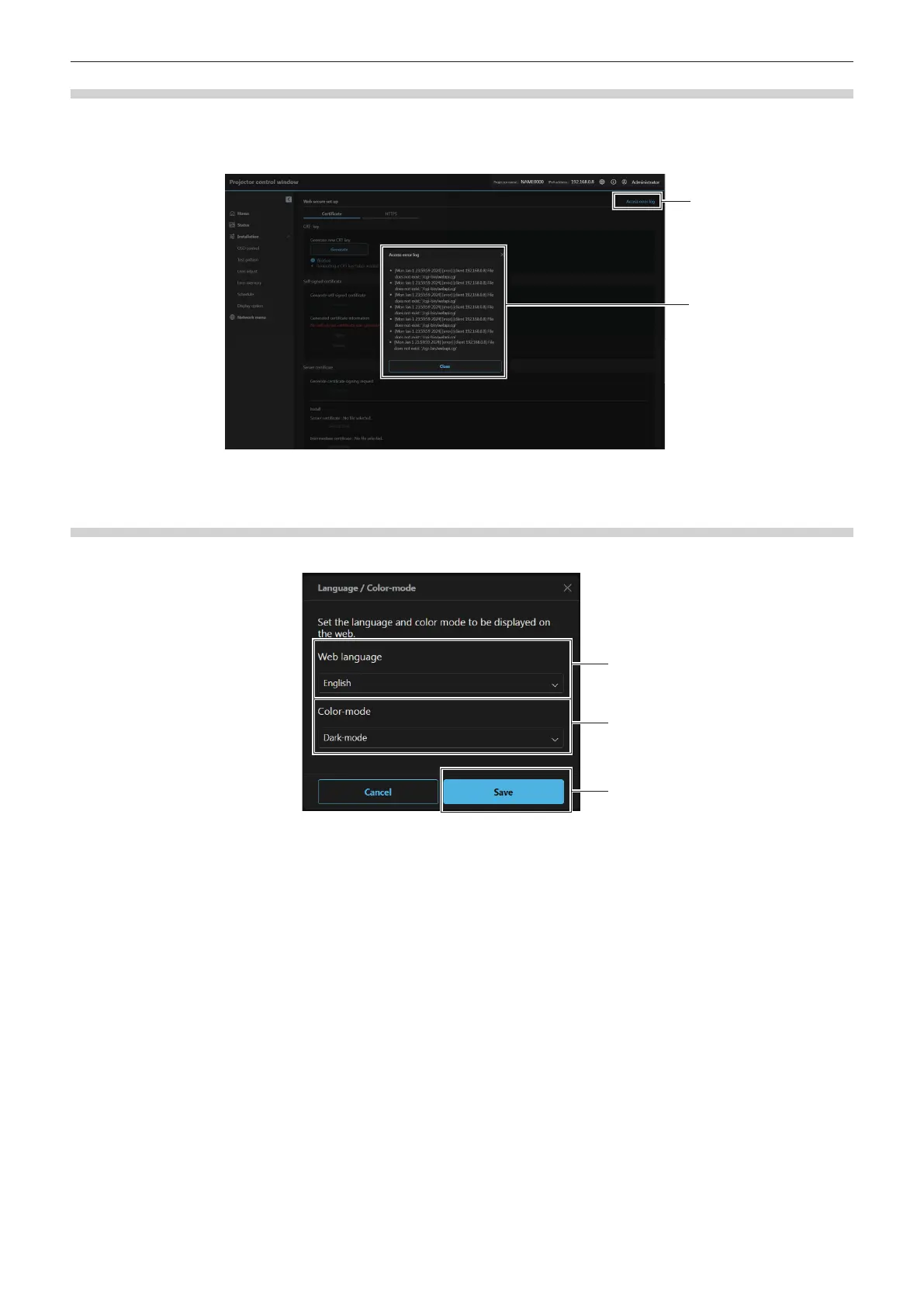
[Web secure] (Access error log)
The error log on the web server is displayed such as access to the pages that do not exist or access with
unauthorized user names or passwords.
Click [Access error log].
1 [Access error log]
Click to display the access error log screen.
2 Example of access error log
[Language / Color-mode]
Set the language and color mode to be displayed on the web.
1 [Web language]
Set the web language ([日本語] / [English]) to be displayed.
2 [Color-mode]
Set the color-mode of the web screen.
[Dark-mode]: light-colored text on a dark-colored background
[Light-mode]: dark-colored text on a light-colored background
3 [Save]
Enables the setting.














 To Next Page