Chapter 5 Operations — Using the web control function
230 - ENGLISH
Item Details
[Common name]
The projector name or the IP address is displayed.
[Country]
The country code dened in ISO 3166-1 alpha-2 (two upper case alphabets) is displayed.
[State]
The State, etc. is displayed.
[Locality]
The locality is displayed.
[Organization]
The organization name is displayed.
[Organization unit]
The organization unit name is displayed.
[Validity start date]
Displays the date and time that the self-signed certicate was issued.
[Validity end date]
Displays the date and time that the self-signed certicate will expire (local time corresponding to
23:59, December 31, 2063 in Greenwich Mean Time).
[CRT- key]
[Last modied]
The generation date and time of the CRT key is displayed.
[RSA key size]
The key size of the CRT key is displayed.
Note
f The generated self-signed certicate can be deleted by clicking [Certicate] → [Self-signed certicate] → [Generated certicate information]
→ [Delete].
However, it cannot be deleted when [HTTPS] → [Connection protocol] is set to [HTTPS]. Delete it after changing the setting to perform the
HTTP communication.
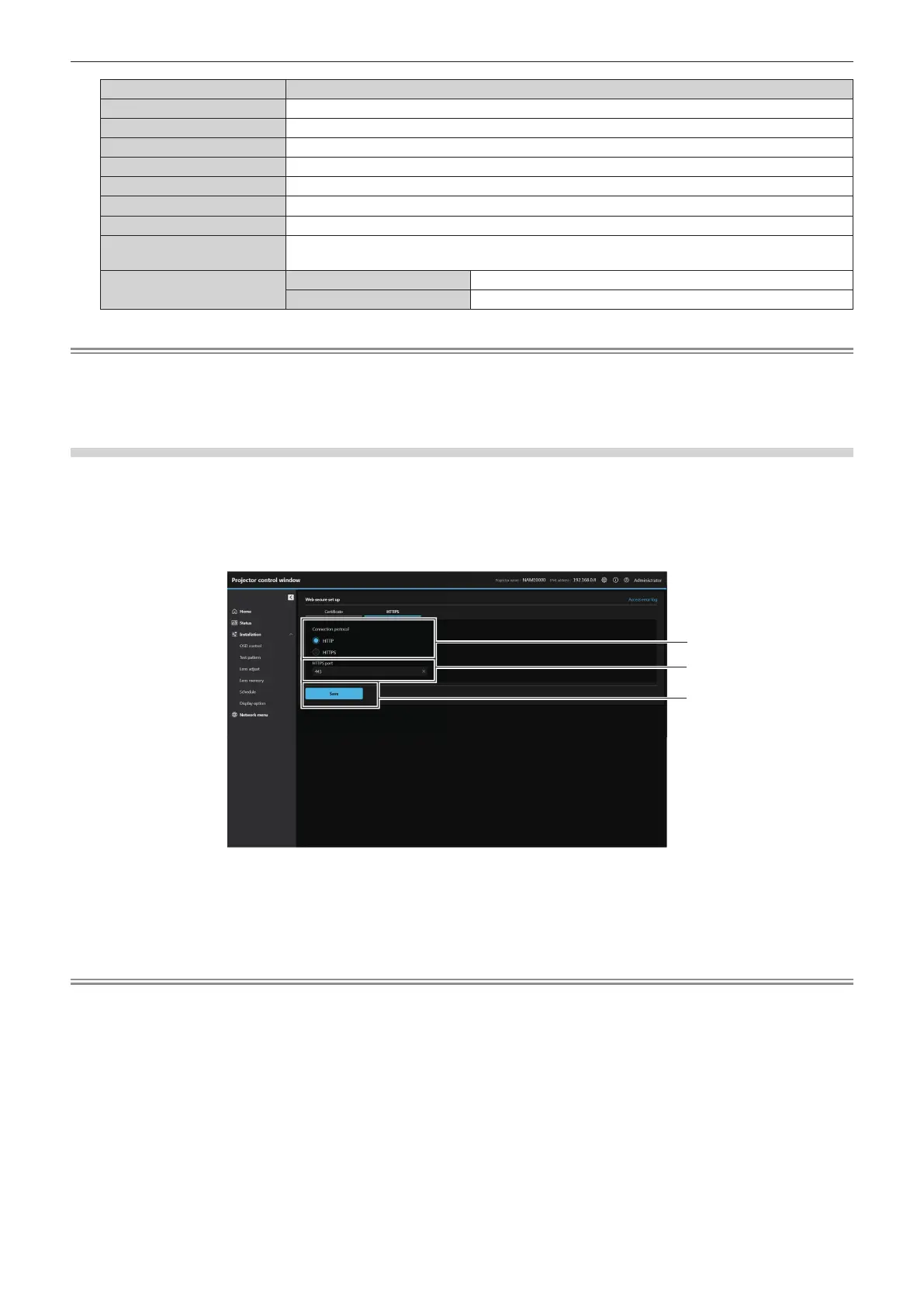
[Web secure] (HTTPS)
Set this screen when HTTPS (Hypertext Transfer Protocol Secure) communication encrypted with the SSL/TLS
protocol is to be performed between the computer and the projector while the web control function is used.
To perform the HTTPS communication, it is necessary to install the certicate for authentication into the projector
in advance. For details of installing the certicate, refer to “[Web secure] (Certicate)” (x page 224).
Click [HTTPS].
1 [Connection protocol]
Set the connection method to the projector.
f [HTTP]: Uses the HTTP communication. (Factory default
setting)
f [HTTPS]: Uses the HTTPS communication.
2 [HTTPS port]
Set the port number to be used with the HTTPS communication.
Allowed port number: 1 to 65535
Factory default setting: 443
3 [Save]
Enables the setting.
Note
f When the [Connection protocol] setting is changed from [HTTPS] to [HTTP], the screen may not be displayed when the operation or update
of the web control screen is performed. In such case, delete the cache of the web browser.














 To Next Page