Chapter 5 Operations — Using the web control function
234 - ENGLISH
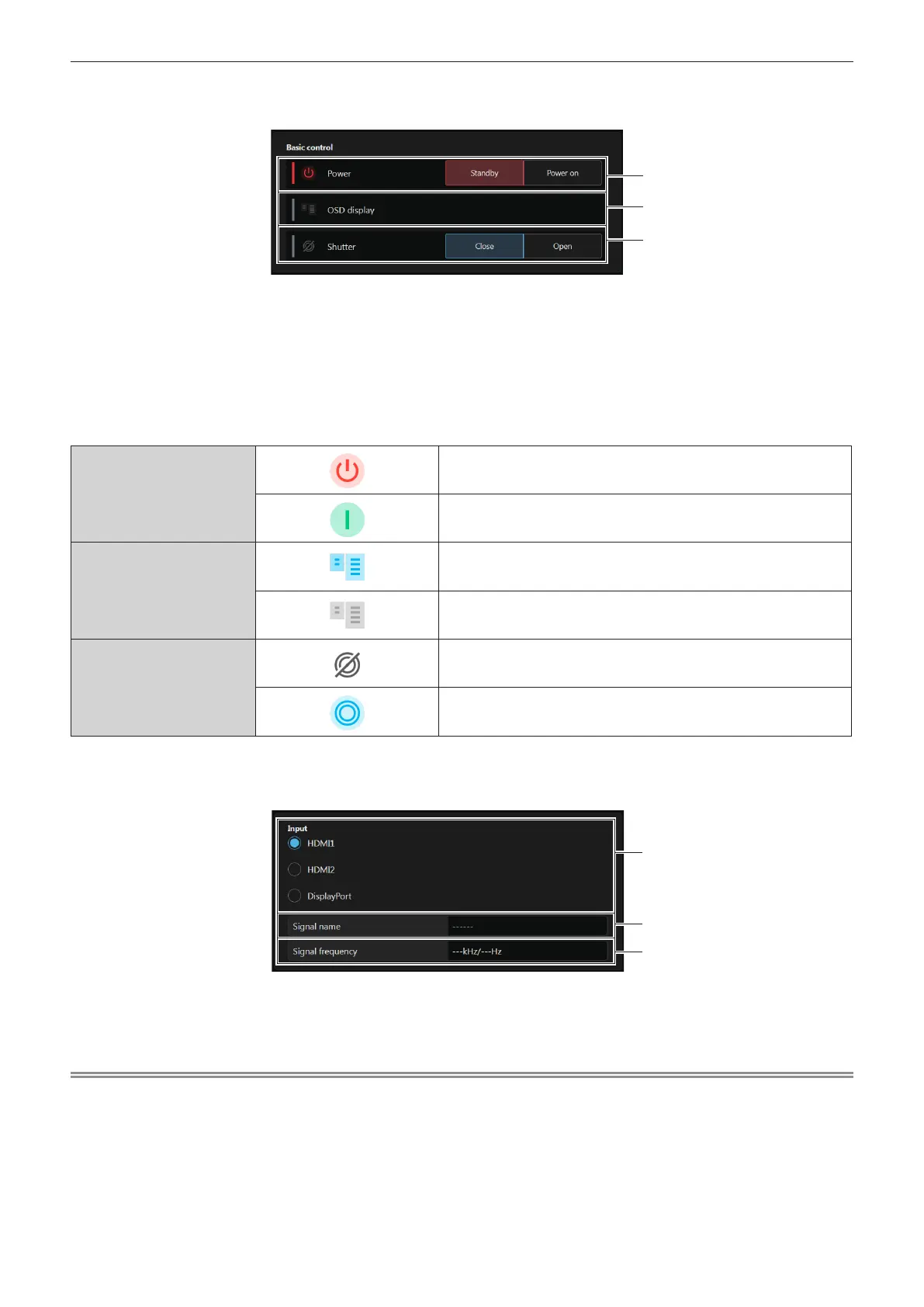
r [Basic control]
Switches the power([Standby]/[Power on]), OSD display([OFF]/[ON]) and shutter([Close]/[Open]).
1 [Power]
Turns o/on ([Standby]/[Power on]) the power of the projector.
2 [OSD display]
Switches the status of the on-screen display function.
([OFF]: Hide; [ON]: Display)
[OSD display] cannot be set when the projector is in standby
mode.
3 [Shutter]
Switches the status of the shutter.
([Close]: Shutter function enabled; [Open]: Shutter function
disabled)
Status display icon
[Power]
The power is switched o. (Standby status)
In the projection mode
[OSD display]
The on-screen display is set to on (display).
The on-screen display is set to o (hide).
[Shutter]
The shutter function is enabled (shutter: closed).
The shutter function is disabled (shutter: opened).
r [Input]
Switches the input and check the input signal information.
1 [Input]
Switches to the input to view the image.
The display content for the input selection button varies
depending on the Function Board installed in the slot.
2 [Signal name]
Displays the input signal name.
3 [Signal frequency]
Displays the frequency of the input signal.
Note
f View the input image in the Pre-Show mode, and turn on the power in [Home] → [Basic control] if there is no problem to project.














 To Next Page