Chapter 5 Operations — Using the web control function
ENGLISH - 235
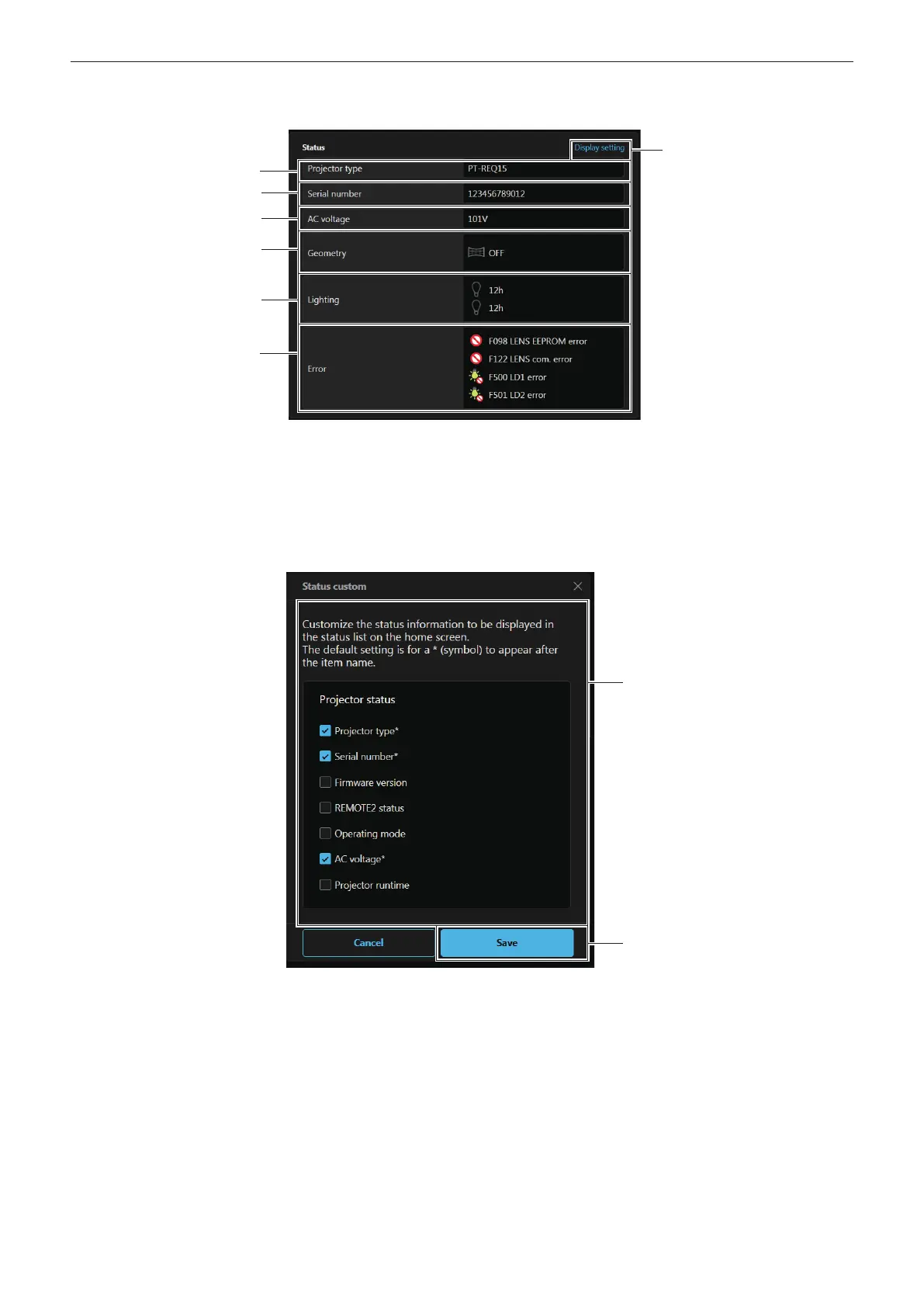
r [Status] (Customized display)
Display the status of the projector.
1 [Projector type]
Displays the type of the projector.
2 [Serial number]
Displays the serial number of the projector.
3 [AC voltage]
Displays the input supply voltage.
4 [Geometry]
Displays the setting status of [GEOMETRY].
5 [Lighting]
Displays the lighting status and runtime of light sources.
6 [Error]
Displays the occurrence status of error/warning in icon.
Refer to “Self-diagnosis display” (x page 276) for the display
details.
7 [Display setting]
Click to display the [Status custom] screen.
8 [Status custom]
Customize the status information to be displayed in the status
list on the home screen.
The default setting is for a * (symbol) to appear after the item
name.
9 [Save]
Enables the setting.














 To Next Page