Chapter 5 Operations — Using the web control function
ENGLISH - 251
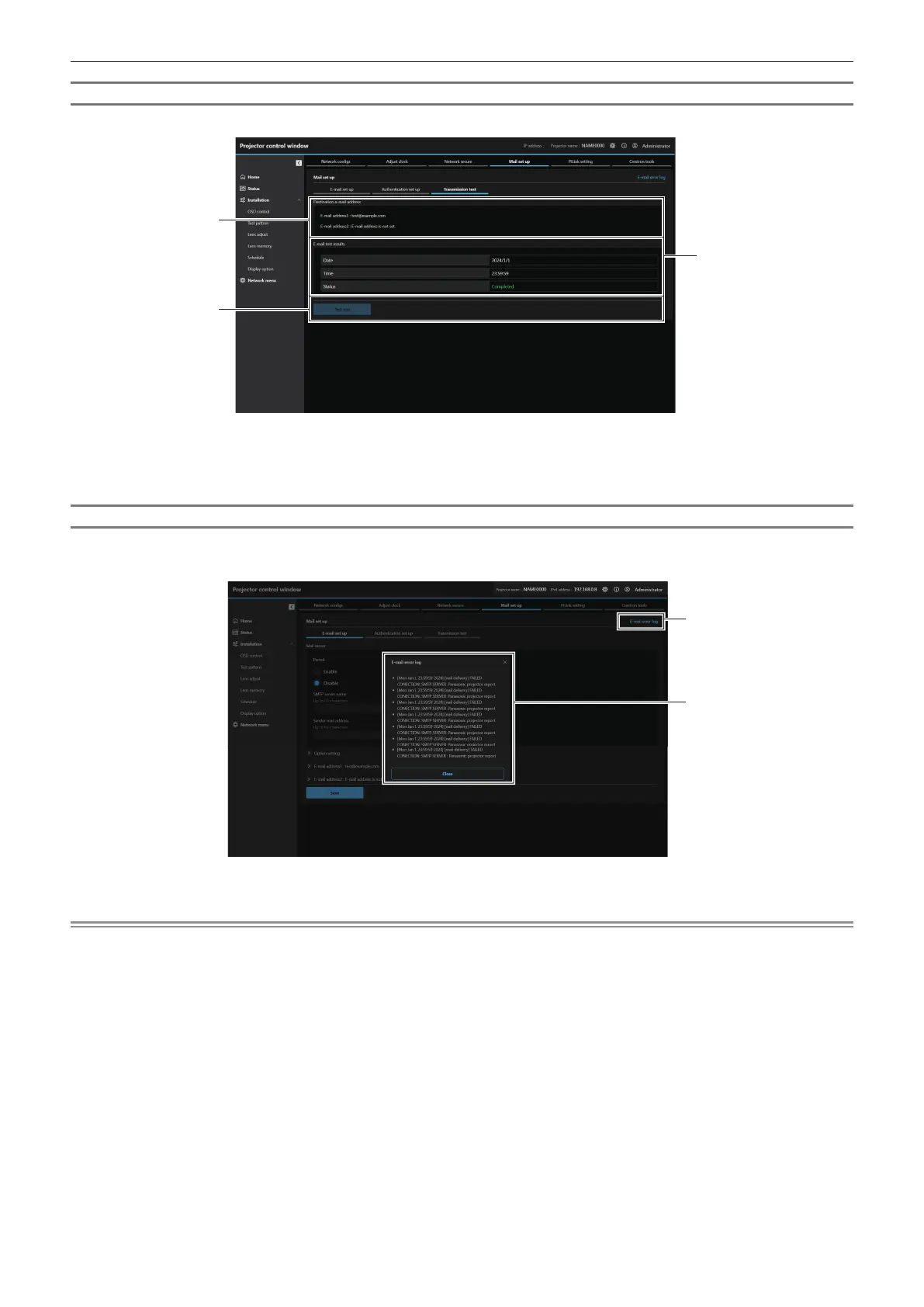
[Transmission test]
Perform an E-mail sending test to the destination e-mail address.
1
2
3
1 [Destination e-mail address]
Displays the preset destination e-mail address.
2 [Test run]
Execute the transmission test.
3 [E-mail test results]
Displays the date, time, and status of the transmission.
Transmission test results are displayed only after the test run
has been excuted.
[E-mail error log]
E-mail error log is displayed if periodic E-mail sending has failed.
Click [E-mail error log] in the top-right corner of [Mail set up] screen.
1 [E-mail error log]
Click to display the E-mail error log screen.
2 Example of E-mail error log
Note
f [E-mail error log] displays the recent few thousand accesses/requests. All information may not be displayed when many accesses/requests
are made at once.
f Logs in [E-mail error log] are deleted from the oldest when exceeding a certain amount.
f Check [E-mail error log] periodically.














 To Next Page