Chapter 5 Operations — Using the web control function
250 - ENGLISH
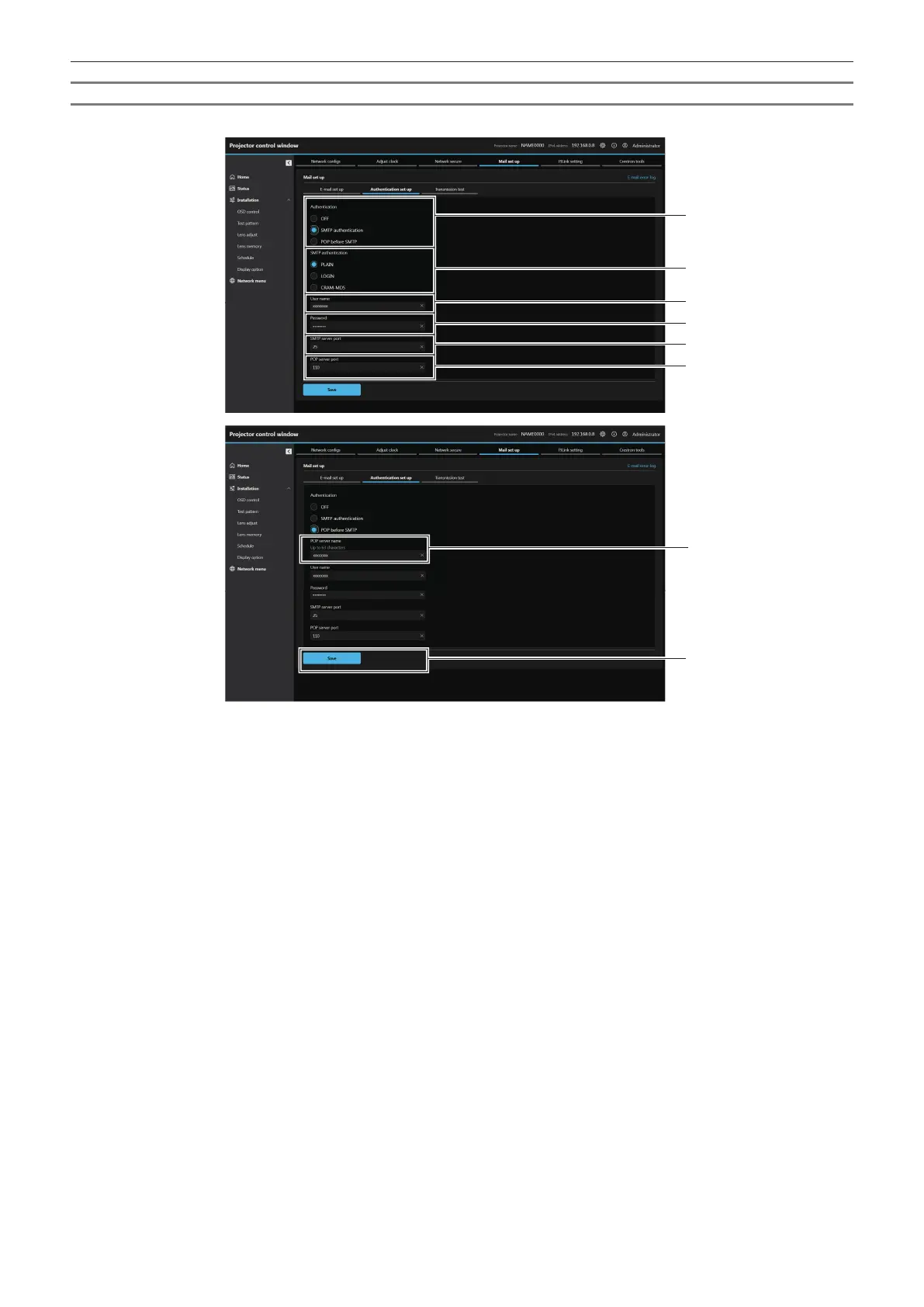
[Authentication set up]
Set the authentication items when POP authentication or SMTP authentication is necessary to send an E-mail.
1 [Authentication]
Select the authentication method specied by your Internet
service provider.
2 [SMTP authentication]
Set when the SMTP authentication is selected.
3 [User name]
Enter the user name for the POP server or the SMTP server.
4 [Password]
Enter the password for the POP server or the SMTP server.
5 [SMTP server port]
Enter the port number of the SMTP server.
(Normally 25)
6 [POP server port]
Enter the port number of the POP server.
(Normally 110)
7 [POP server name]
Enter the POP server name.
Allowed characters:
Alphanumerics (A - Z, a - z, 0 - 9)
Minus sign (-) period (.) colon (:)
8 [Save]
Update the settings.














 To Next Page