2–3
(ii) All doors unlock (2nd press)
After pressing the request switch on the
outer handle of driver’s door once, press
the switch again within 5 seconds.
The hazard light will flash twice, the buzzer
will sound twice and the room light will
go on for 15 seconds to indicate that all
doors are unlocked.
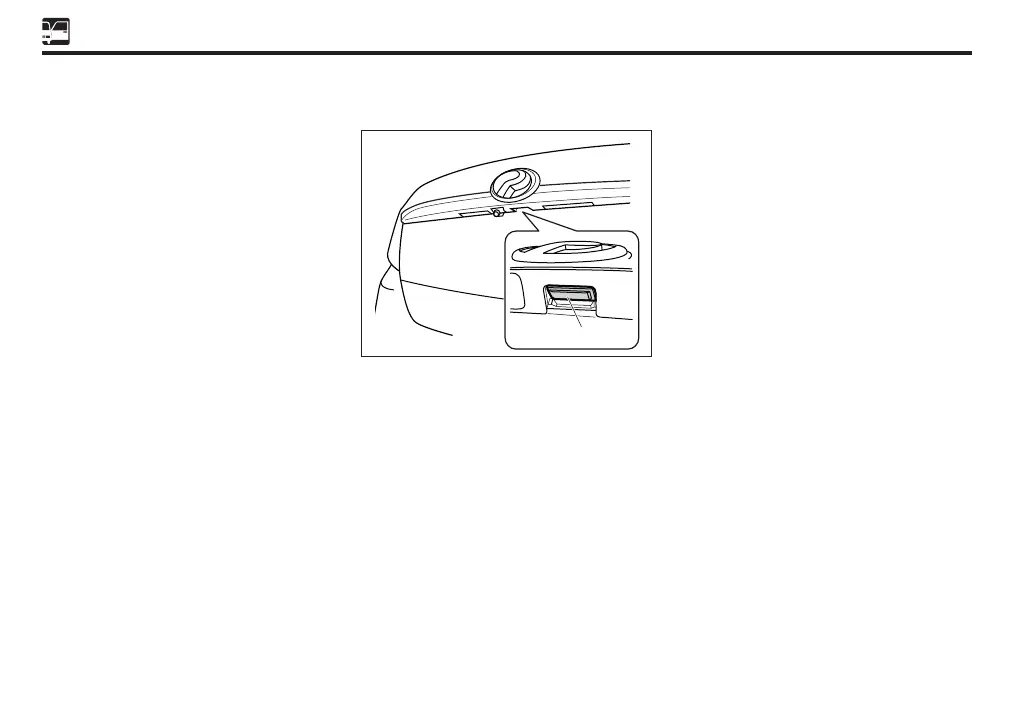
To open trunk
Press the request switch on the trunk to open it.
Operating range
The operating range may vary by surrounding
conditions.
(i) Keyless operating range:
Within 3 meter from the center of the
vehicle.
(ii) Request switch operating range:
When the smart key is within approximately
80 cm from the outside door handle.
NOTE
• The request switch on the outer handle
may not operate normally depending
on the way smart key is carried.
• During high water pressure washing,
make sure the devided nozzle tip is not
close to the request switch. The water
pressure could damage the request
switch.
• Do not clean the request switch with a
sharp-edge tool when wax is adhered
around the switch.
• Under the following conditions, the key-
free system may not operate properly
even in the operating range:
• The smart key is brought too close to
the door glass or door handle when
locking or unlocking the doors.
• The smart key is brought too close
to the request switch on the trunk
when opening the trunk.
• The smart key is near the ground or
at a high place.
• There are facilities that generate
strong radio waves such as a power
plant, broadcast station, gas station,
TV tower and airport.
Request switch
Sect 02_EN D42L.indd 3 24/10/2019 4:24 PM


 To Next Page