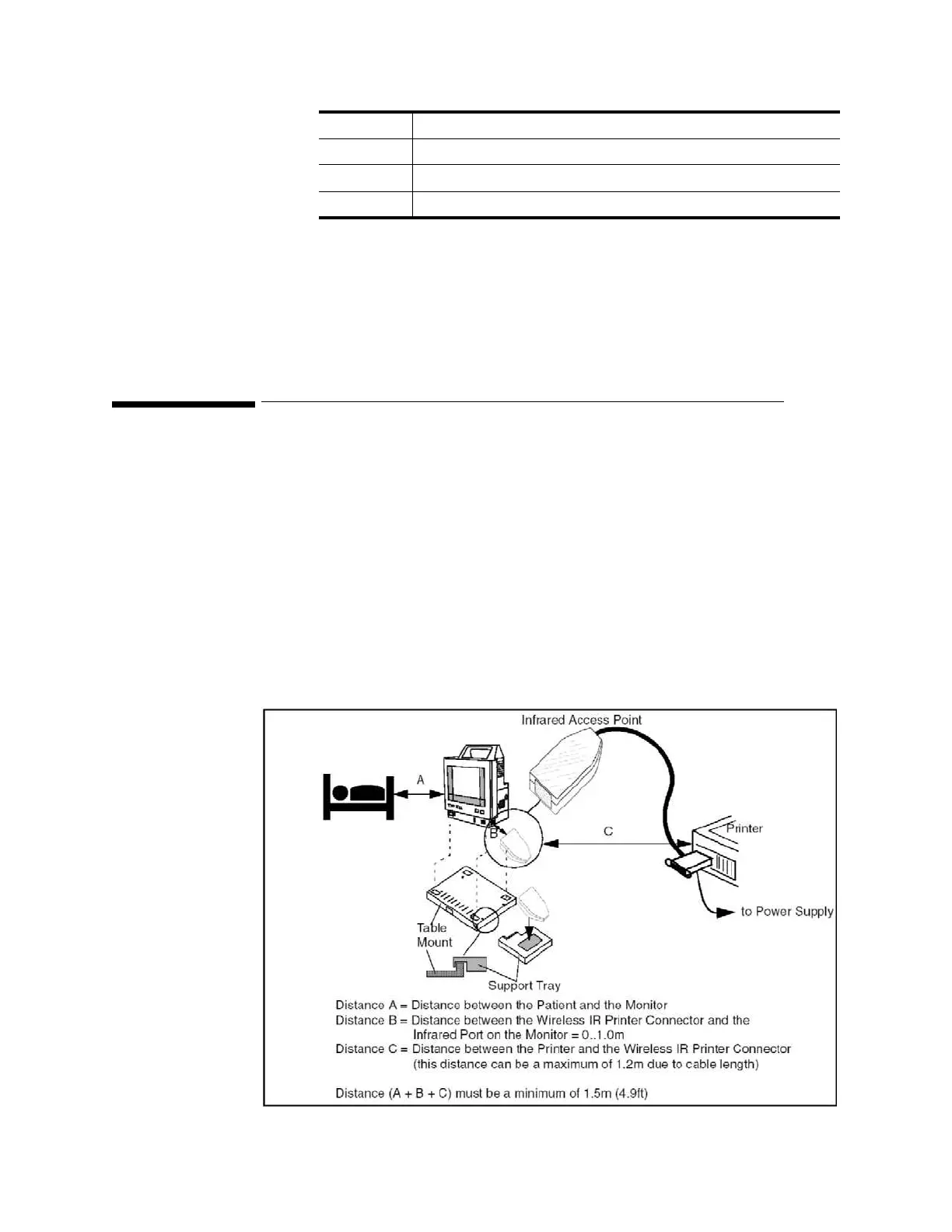
Installing the Wireless Infrared Printer Connector (M3080A #H05)
94
Installin
the Instrument
Installing the Wireless Infrared Printer Connector
(M3080A #H05)
If the Monitor is to be used within the patient vicinity when it is connected to a printer, the
connection must only be made using the Wireless Infrared Printer Connector. To use this, you
need a Centronics printer extension cable.
The Wireless Infrared Printer Connector provides an infrared printer connection from the
infrared-equipped Monitor to a parallel printer by attaching to the standard parallel printer
connector and providing both a parallel and an infrared interface.
To find out how to install the Wireless Infrared Printer Connector software, refer to the
accompanying documentation. Install the device support tray (supplied with kit) and
connector as follows:
Local To enable a local printer.
Remote
a
1 To enable a printer connected through the network.
b
Remote
a
2 To enable a printer connected through the network.
b
Remote
a
3 To enable a printer connected through the network.
b
a. The remote printer option is only available when the Monitor is con-
nected to the M3 Print Server.
b. If any Remote printers are available, there will always be three printers
shown irrespective of the actual number of printers connected via the
M3 Print Server. The correlation to actual printers on the network is
configured at the M3 Print Server.











 To Next Page